


rogerb20133535
Participant
August 24, 2021
解決済み

Übergabe eines Bildes aus Lightroom an Photoshop funktioniert nicht

  • August 24, 2021
  • 返信数 2.
  • 850 ビュー

Hallo zusammen,

nach einem Upgrade auf Big Sur 11.5.2 kann ich keine Bilder aus LightroomClassic 10.4 an Photoshop 22.5.0 übergeben. Es erscheint die Fehlermeldung "Konnte xxx.CR2 weil ein Volumefehler aufgetreten ist nicht öffnen". Habe PS bereits deinstalliert und wieder neu installiert - ohne Erfolg. Arbeitsvolumen steht auf der MacHD 226 GB zur Verfügung, sollte dies relevant sein...

Bin kein Profi und weiss nicht mehr weiter. Habe auch schon Bilder aus verschiedenen externen und internem Laufwerk so verschieben wollen (so von wegen Volume (?)), aber jedesmal erscheint die gleiche Meldung. 

Ich weiss auch, dass ähnliche Meldungen hier im Forum auftauchen, diese sind aber älter und meist mit anderer Fehlermeldung. Weiss irgend jemand Rat? Danke!
このトピックへの返信は締め切られました。
解決に役立った回答 J453

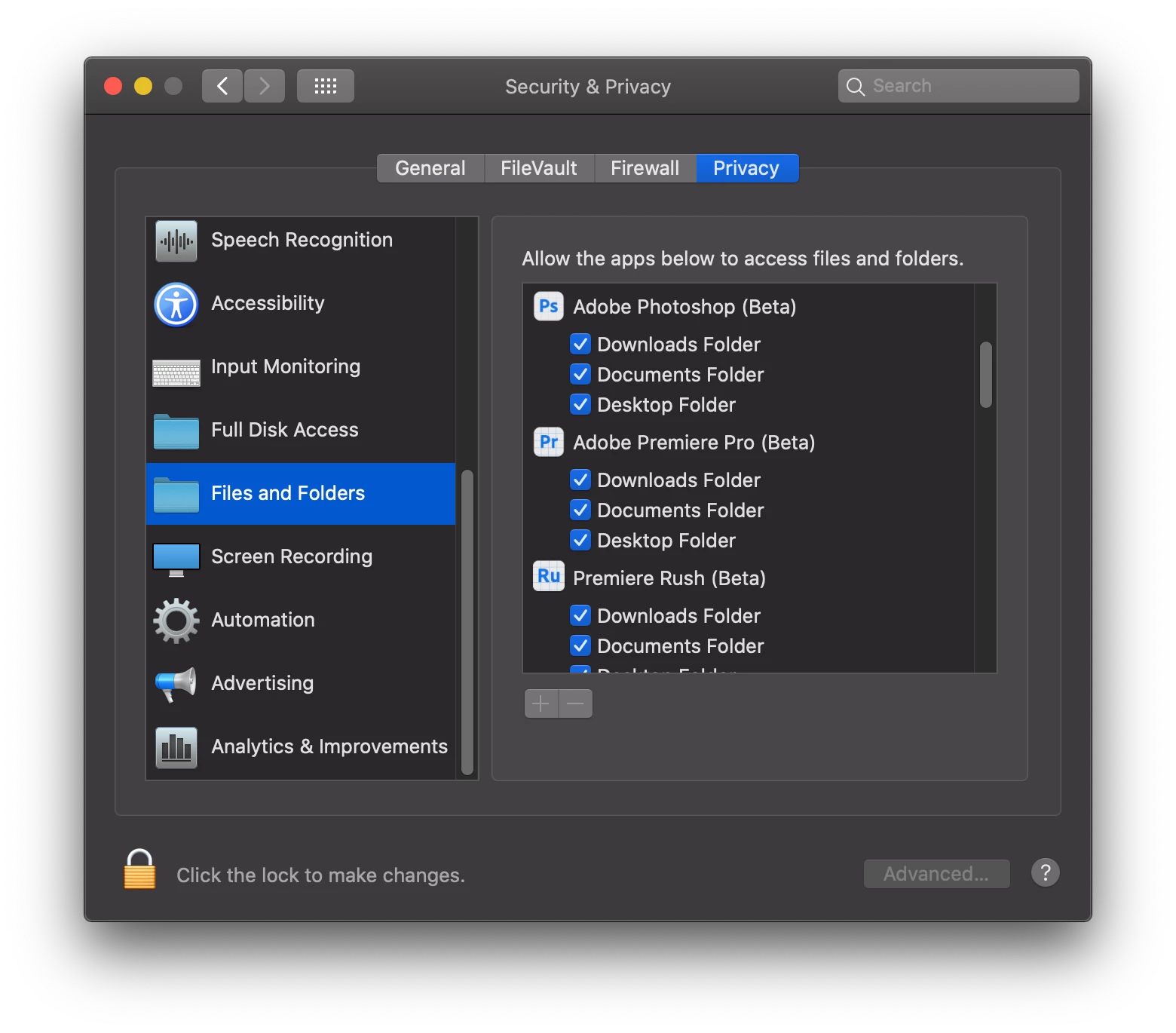
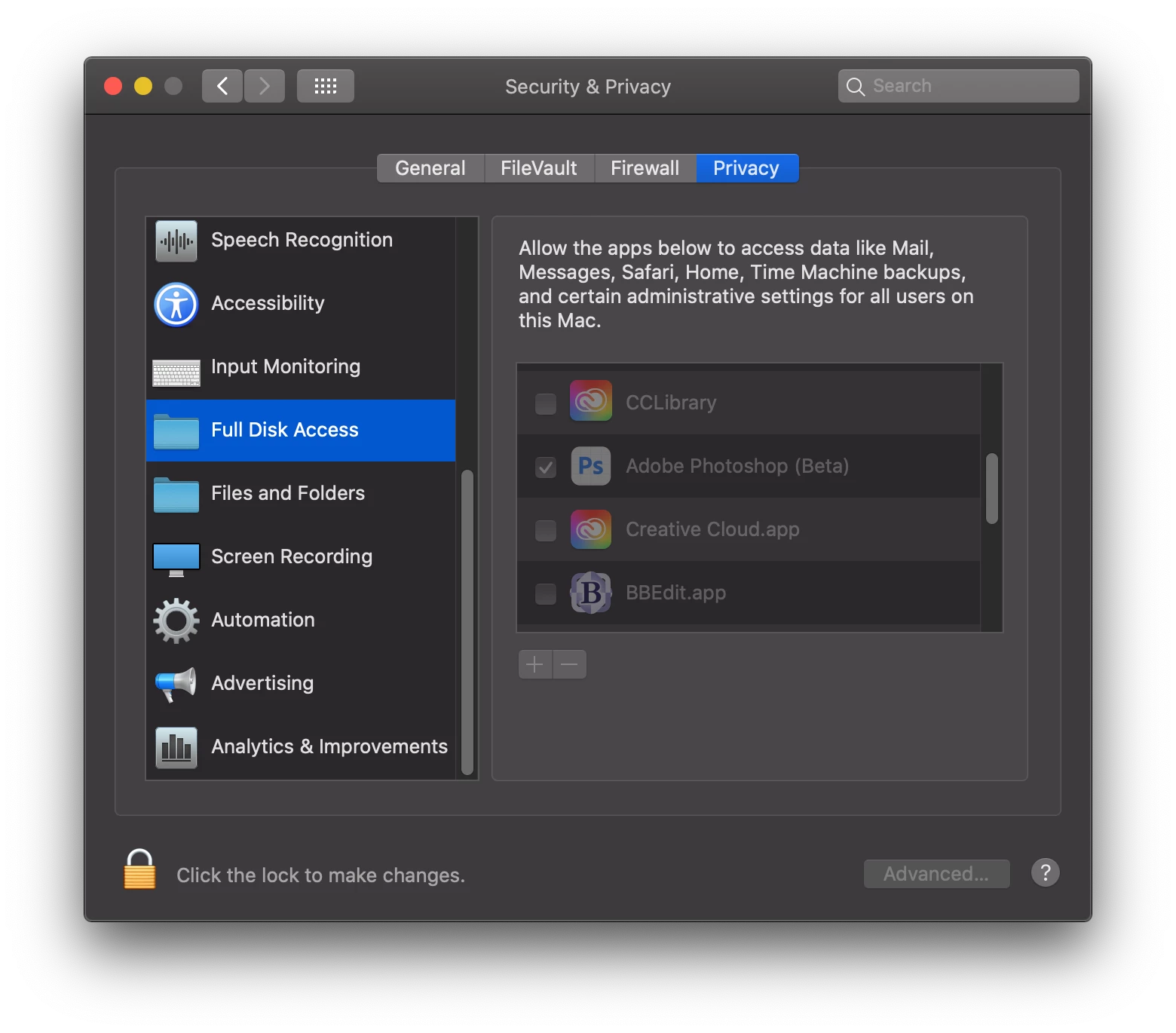
You may need to give both Photoshop and Lightroom disk and folder access under System Preferences > Privacy and Security... under the Privacy tab:


返信数 2

J453解決!
Legend
August 28, 2021

You may need to give both Photoshop and Lightroom disk and folder access under System Preferences > Privacy and Security... under the Privacy tab:


rogerb20133535
Participant
August 28, 2021

Hello Jeffrey,

you definitely saved my week-end! With other words: I did what you have suggested me to do and it worked. At the beginning I didn't know where I can find these System Preferences (in OS (correct) or directly in the program, cause I'm not an IT-Pro...) but in the end it worked.

Thanks a lot for your help, regards Roger

Sahil.Chawla
Adobe Employee
Adobe Employee
August 27, 2021

Hi there,

Sorry to hear about this. Could you please try resetting the preferences of Photoshop and let us knwo if it helps?

https://helpx.adobe.com/photoshop/using/preferences.html


Note: Make sure that you back up all your custom presets, brushes & actions before restoring Photoshop's preferences. https://helpx.adobe.com/photoshop/using/preset-migration.html


Regards,
Sahil

rogerb20133535
Participant
August 28, 2021

Hello Sahil,

thanks for your help, but unfortunately resetting the preferences like you described it hasn't worked. But I got another hint below and that one was the right solution...

Thanks again, regards Roger