

解決済み
When I go to paint with pen, I get 'white' when I apply it to same color on screen?
When I try to paint, I get white when I apply it to the same color that I just chose. I must've hit a button mistakenly. How fix?

When I try to paint, I get white when I apply it to the same color that I just chose. I must've hit a button mistakenly. How fix?
Hmmm. I think a full window screen shot would be helpful here.
The words "painting with the pen" is confusing, but maybe you mean a stroke/fill with a Shape layer?
If the color you are adding isn't the color you have selected it likely indicates that a blending mode was selected—either in the Layers panel or in the Options bar. Set them both to normal and try again.
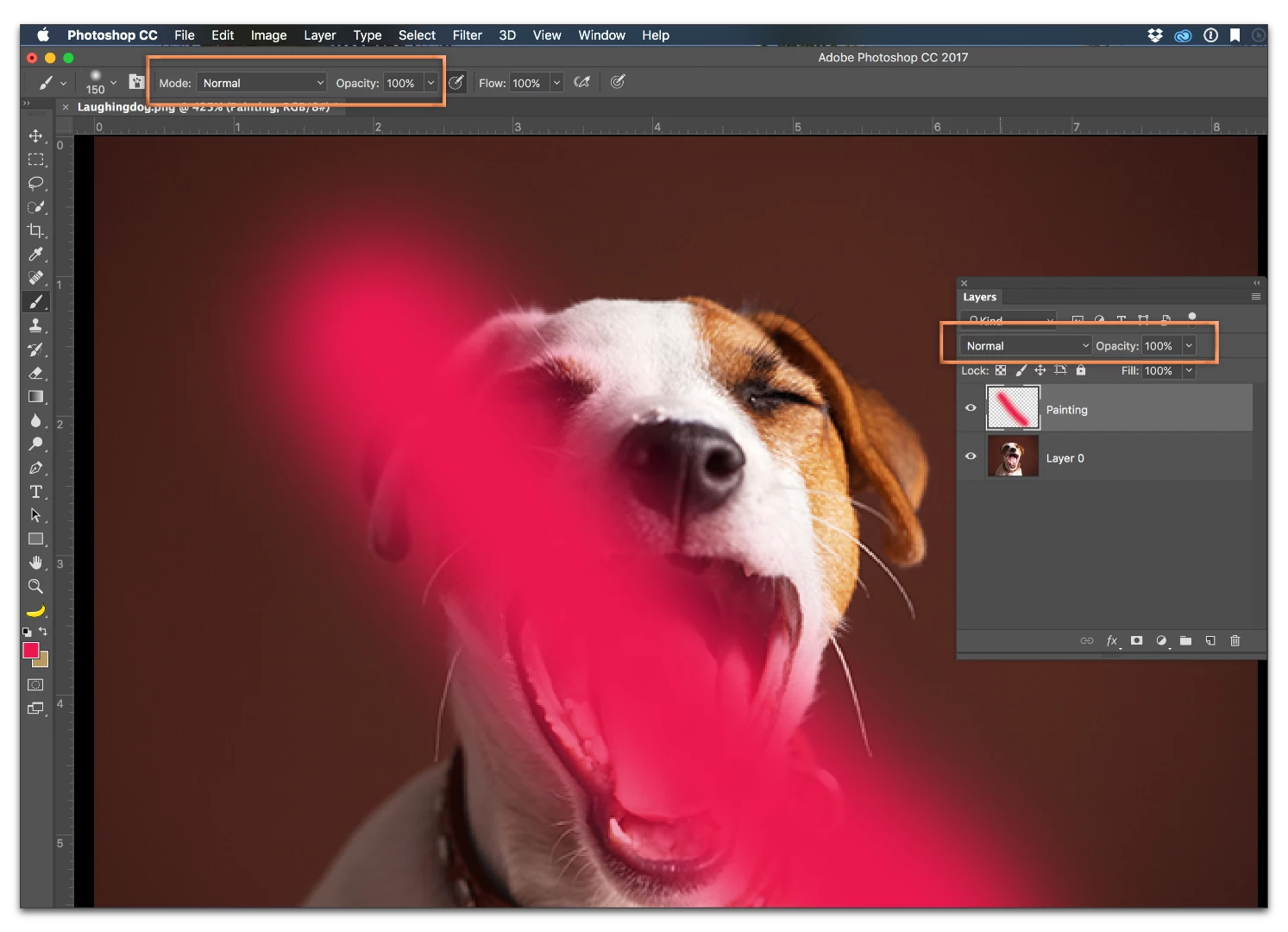
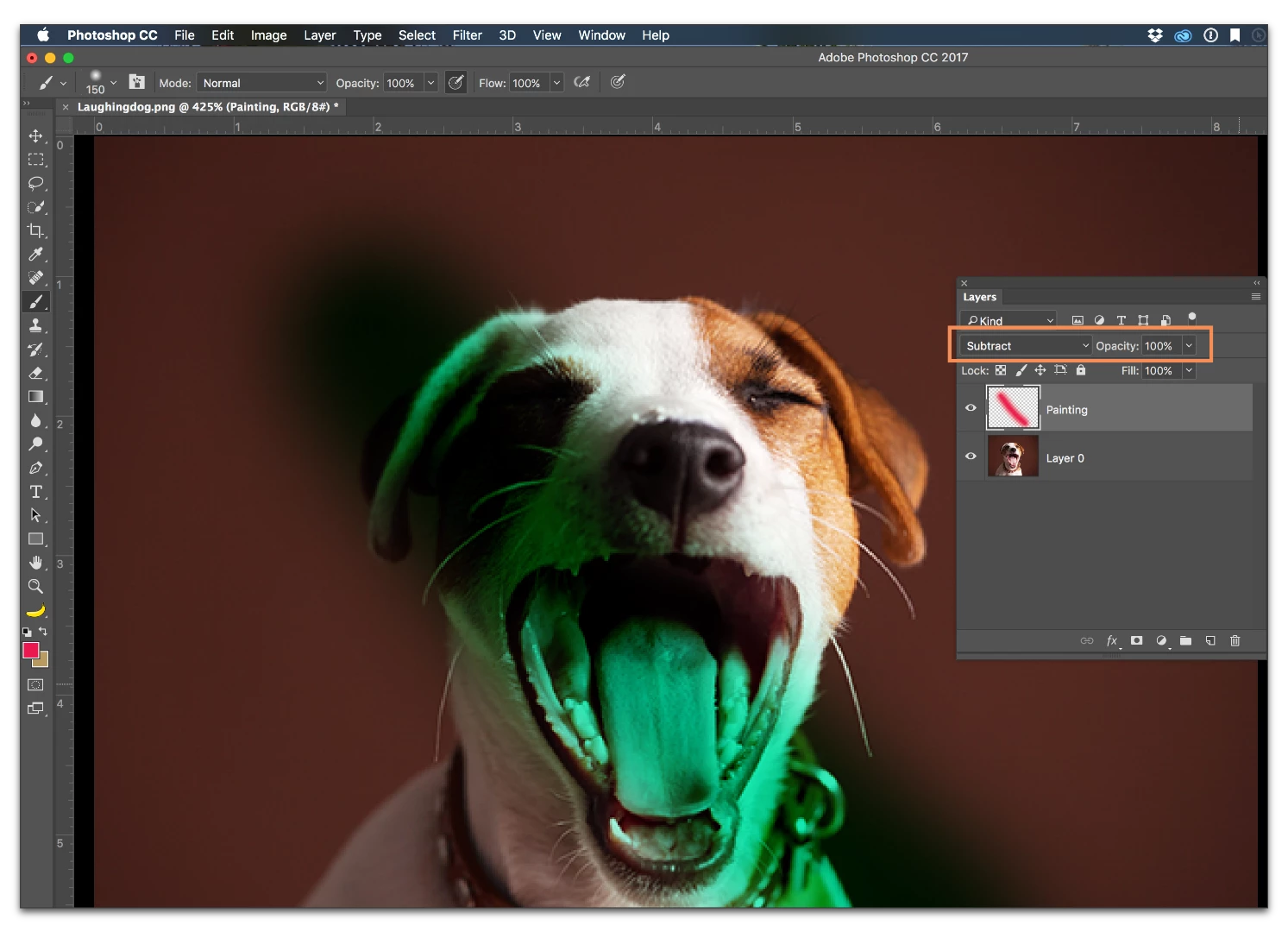
If that isn't it, please insert a screen shot in your reply that shows the image, the Toolbar, the Options bar and the Layers panel. Use the button outlined in orange:

Enter your E-mail address. We'll send you an e-mail with instructions to reset your password.
 AdChoices