


Participant
April 27, 2023
Question

Windows 11 adobe compatible issue

  • April 27, 2023
  • 3 replies
  • 3685 views

Very long time Adobe Creative Cloud not opening in Window laptop. April 2023 App update notification came on windows notification I gave updation suddenly Adobe CC app open & update. Before updating photoshop working fine, after updation photoshop start while opening crashing. I uninstall & tried to reinstall photoshop, shows not compatible. My windows 11 is up to date. Right now illustrator, indesign working fine, but i can't update same compatible issue. Device Spec: Processor: AMD Ryzen 9 5900HX with Radeon Graphics 3.30 GHz & 16GB Ram
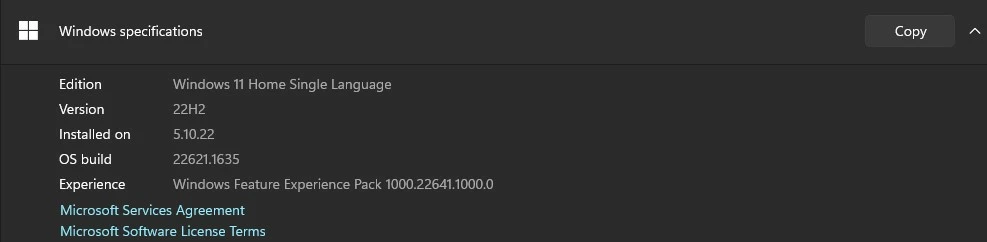
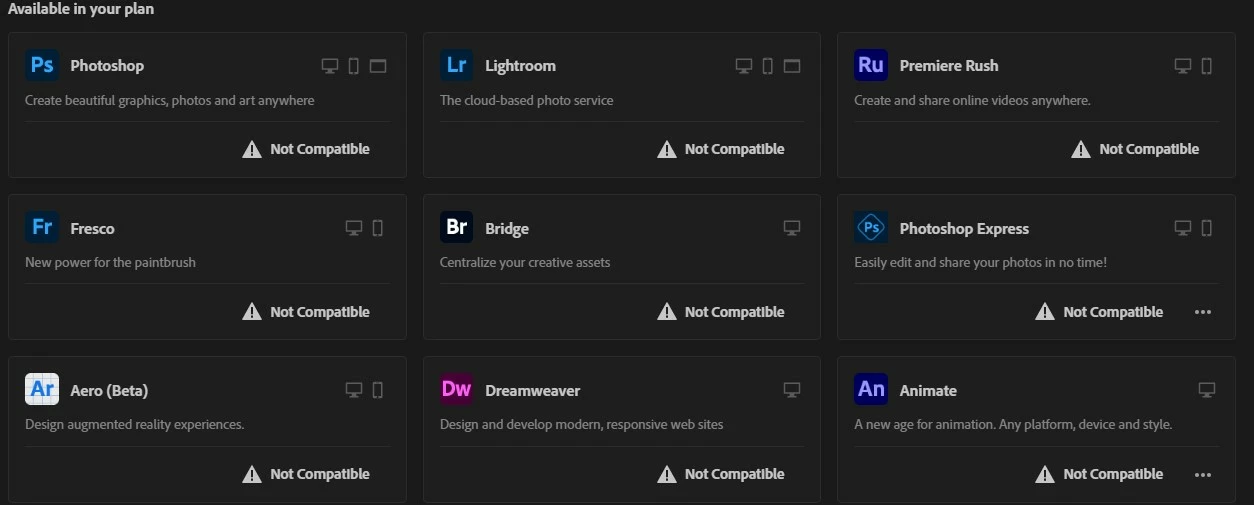
This topic has been closed for replies.

3 replies

Trevor.Dennis
Community Expert
Community Expert
April 28, 2023

This is a laptop?  Check Preferences > Performance to see what graphics processor is being used?  If it is the onboard GPU  then go into the GPU settings and force it to use the main GPU (set performance to max or something like that. I am not familiar with AMD hardware)

Try turning off Use Graphics Processor.  If that fixes it check your video card driver, or — depending on the age of your laptop — try Older GPU Mode.  This one is highly unlikely if your laptop is able to run Windows 11!


If still in trouble, then give us screen shots of any error messages. 

Tell us about your laptop (Go Help > System Info > Copy and paste to this thread.

Tell us agaiu with as much info as you can what you are seeing?

Was Photoshop running OK prior to the update?  Can you roll back to the previous version and see if it fixes it?


Participant
April 28, 2023

Thanks for the replay.

I fix the problem to reset windows completely. I reinstall adobe cc now working everything fine.

AxelMatt
Community Expert
Community Expert
April 28, 2023

Please reset the CC App. Make sure that the Creative Cloud desktop app is in the foreground, then press:

Win: Ctrl + Alt + R

Mac: Cmd + Opt + R


If that doesn't work, try uninstalling and reinstalling the CC App:

https://helpx.adobe.com/creative-cloud/help/uninstall-creative-cloud-desktop-app.html

https://helpx.adobe.com/download-install/kb/creative-cloud-desktop-app-download.html


If this doesn't help I would suggest a complete and clean reinstallation.

Please follow the steps below:


If you're unable to install the cc desktop app at this stage, use an administrator account (solution 4 here, https://helpx.adobe.com/creative-cloud/kb/creative-cloud-missing-damaged.html)


My System: Intel i7-8700K - 64GB RAM - NVidia Geforce RTX 3060 - Windows 11 Pro 25H2 -- LR-Classic 15 - Photoshop 27 - Nik Collection 8 - PureRAW 5 - Topaz Photo
Trevor.Dennis
Community Expert
Community Expert
April 27, 2023

If things are that messed up, I'd be inclined to run the Cleaner tool and then reinstall Photoshop.

https://helpx.adobe.com/nz/creative-cloud/kb/cc-cleaner-tool-installation-problems.html


Good luck

Participant
April 28, 2023

Didn't work