


Wacom Tablet Suddenly Not Painting in Photoshop
Hi,
I've never had this problem before - it occurred suddenly out of the blue - so here's what I've got going on:
- I have a wacom bamboo craft tablet model CTH-461 - I've had it since like 2012
- My computer is a Dell inspiron 13 running Windows 10
- I'm using Photoshop Elements 13
So I open photoshop to try to paint and I can't paint lines or drag sliders. My pen wants to drag the screen instead. I wasn't pressing any buttons on the pen (which could cause this) but I went ahead in settings and disabled the buttons to be safe - didn't help. I found out that I can make a mark if I essentially stab the pen into the tablet - it'll make a dot, but not a line. I tested out the tablet in other programs including MS Paint and it worked fine. So far I have tried turning touch on and off on the tablet, disconnecting/reconnecting the tablet, restarting photoshop, restarting my computer, plugging in the tablet before starting photoshop, opening different photoshop files, and resetting all preferences. I have not figured out how to reset individual tools because right clicking on the tools doesn't do anything for me. I also verified that caps lock isn't on. (I've done a lot of google searches but haven't found a fix for this that has worked) I've also tried different brushes, different brush settings, and the pencil tool, with the same result.
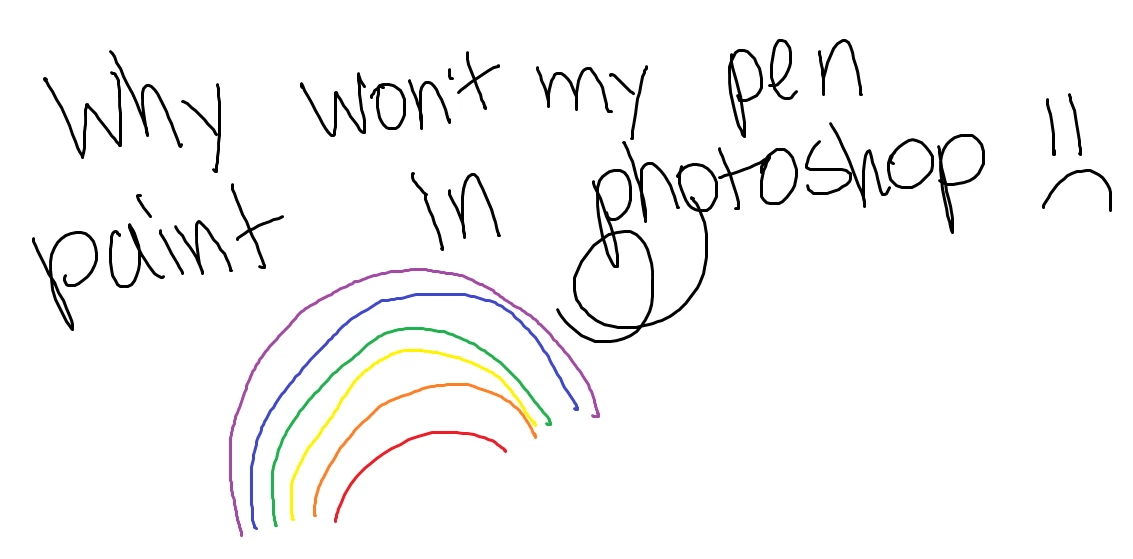
Here's a thing I drew in MS Paint (to illustrate that my tablet is working okay):
Here's what things look like in photoshop:
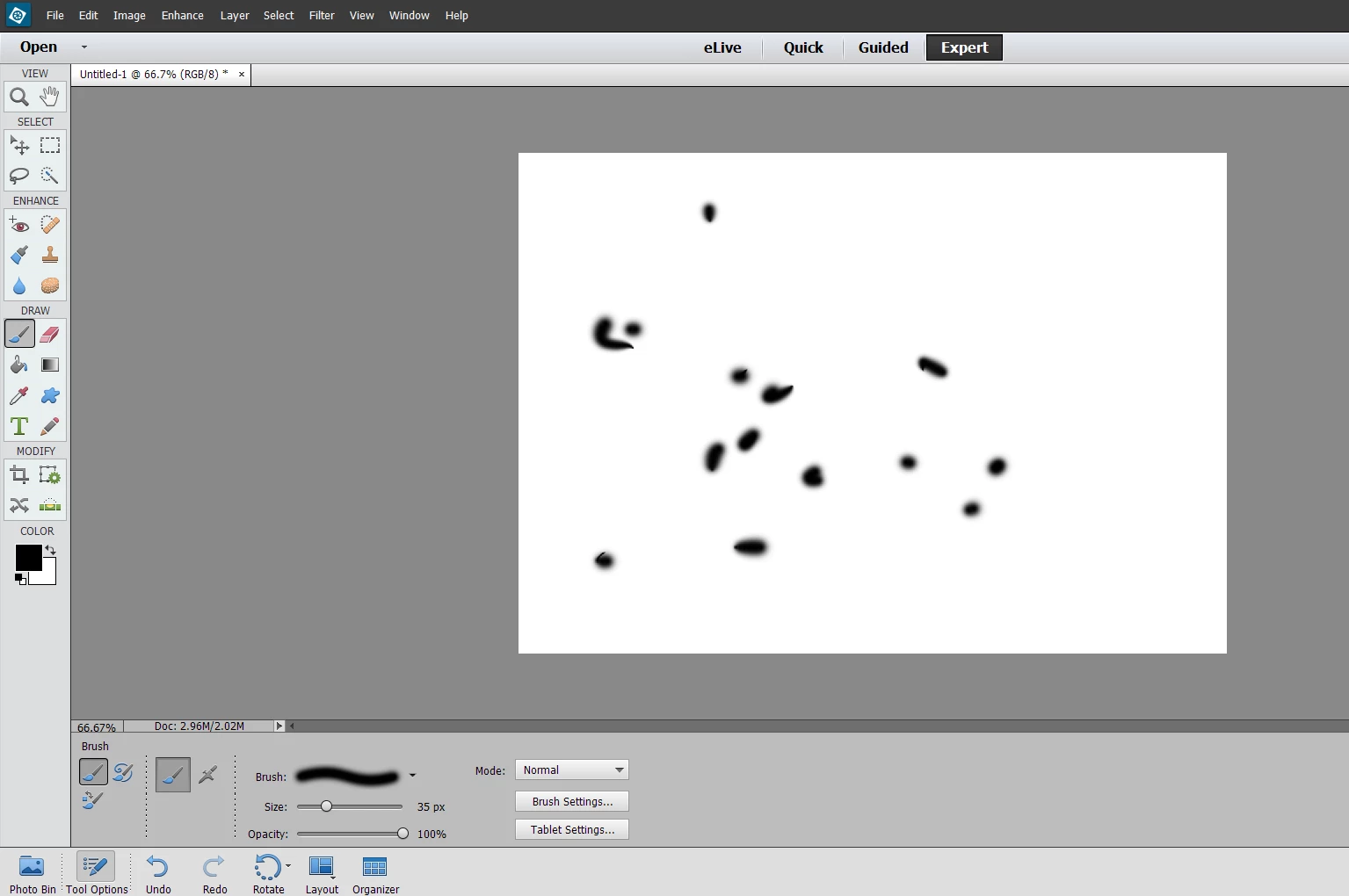
Those dots represent about 50% of my attempts to make marks on the page. as you can see, I couldn't make any lines - they just won't show up. Using my mouse works fine, I'm able to draw lines with my computer mouse, but not my tablet. Please help me, I'm very sad I suddenly can't create any digital art.
(On a side note - potentially related? - photoshop elements 13 and premiere elements are both telling me to install an update every time I open them but no matter how many times I go okay install update, they tell me the next time I open them that I have that same new update)
 AdChoices