



Premiere Pro Community Digest — January 2021
Premiere Pro Community Digest
Hello Premiere Pro Community! Here are your community highlights for January 2021.
 January 2021: Hope you all had an absolutely wonderful January and are primed and ready for February 2021 and beyond. This past month, we had a new release of Premiere Pro, version 14.8. Just a few new features this time, and some bug fixes too. Lots of great content was also released, so we'll look at that too.
Let's recap the highlights of January.
- Premiere Pro 14.8 was released. Need help with updating? Here's an article on how to update Creative Cloud apps.
- More premium content from Adobe MAX was added to the Premiere Pro forum with new skill building tutorials from the following experts.
- Creating Photoshop Graphics for Video Use by Richard Harrington
- Proven Feature Film Workflow Techniques for Video Creators by Vashi Nedomansky, ACE.
- For all the sessions go here: MAX 2020 Sessions.
- Premiere Pro Beta has added new features, including the ability for some users to use even more of the upcoming speech to text workflow. Join active discussions in the Premiere Pro Beta community here.
 Premiere Pro Team Blog Posts: In January, there were some Premiere Pro Team blog posts you may have missed. I also included a few helpful technical articles from Creative Cow by our own Dave Helmly, as well. Hope you find the content useful.
Here is a list of the articles.
- Now in Beta: Premiere Pro, Premiere Rush, and Audition for Apple M1 Systems
- Motion Picture & Television Fund combats isolation among seniors with a lineup of live broadcasts
- Adobe Stock’s 2021 creative trends: resilience rising
- Get your video to sign-off faster with Dropbox and Adobe
- Disability civil rights at the forefront of Netflix’s Crip Camp
- Celebrating creativity at 2021 Sundance Film Festival
- Adobe and JE Delve help turn young creators into music video pros
- Ensure Performance in Premiere Pro With A Few Quick Settings (Dave Helmly)
- How to Choose the Right System for Adobe Premiere Pro and After Effects (Dave Helmly)
- What Adobe Premiere Pro Is Trying to Tell You About Performance (Dave Helmly)
 Information: Adobe Premiere Pro (14.8)
There are new features and enhancements in the January 2021 (version 14.8) release of Premiere Pro: Documentation on the new features is here.
- Timecode Support for Non-Standard Frame Rates: Added support to display and use any non-standard frame rate timecodes, such as 120fps, 240fps or VFR clips.
- Color Space and Gamma Changes: The default working color space and Gamma curve has been modified for all RED files.
- Performance improvements: Performance improvements in H.264/HEVC encoding for TigerLake processors (11th generation Intel Core mobile processors).
Premiere Pro Beta New Features
Some new features are now ready for testing in Premiere Pro Beta. You can discuss with other community members about these issues on the Premiere Pro Beta forum, as well.
- Have a new MacBook Pro with a Silicon M1 chip? You're in luck! Discuss here. Team blog post here.
- Media Replacement for Motion Graphics Templates: Discuss here.
- Copy/Paste Track Audio Effects: Discuss here.
- Support for ARRI Alexa Mini LF camera files: Discuss here.
- UPDATED: New Captions Workflow in Premiere Pro: Discuss here.
 Top Troubleshooting Threads (14.8)
- Premiere Pro 14.8 requires update of NVIDIA Driver: NVIDIA had released a game ready driver that a lot of editors downloaded. This driver conflicted with Premiere Pro and other GPU centric applications. A new game ready driver was released that fixed this issue. The studio driver is the prefered one and a clean installation of the studio driver will fix most issues.
- Exporting video - where does it go? Some editors get confused as to the location of their exported file. This popular troubleshooting post should help those that need help with this common problem.
Cool New How-to Content
Here are some great new "How To" technique threads, videos, and other stuff you may find interesting. If you have a tutorial or technique to share with the community, please drop Kevin a message.
5+ Tips for Mastering Effects in Adobe Premiere Pro CC (Tutorial) By Justin Odisho
Inception world bend or mirror effect By Storysium
How To Create Rolling Credits In Premiere Pro By Motion Array Tutorials
Quick Tips for working with black bars in video in Premiere Pro By Video Revealed
POV Blinking Effect By Brooker Films
Motion Track Text To An Object - 3 Methods in Premiere Pro and After Effects By Javier Mercedes
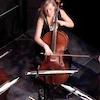 Featured ACP - Michael Grenadier
This month's featured ACP is Michael Grenadier, AKA "mgrenadier" here on the Adobe Premiere Pro Community. I really appreciate Michael's help around the Premiere Pro forum. Since 2012, he has responded on over 3,400 posts sharing workflow solutions and editing technique. In speaking with Michael, he gave me some notes on his background. Here is what I learned.
Michael is a film and video production pro from the old school. Michael began his career standing at the moviola cutting films and editing in linear editing bays. Later, Michael taught himself Media Composer, went hardcore into the Apple world of Final Cut Pro, and, after a career of using Adobe tools finds himself working with applications from Adobe Creative Cloud (including Premiere Pro).
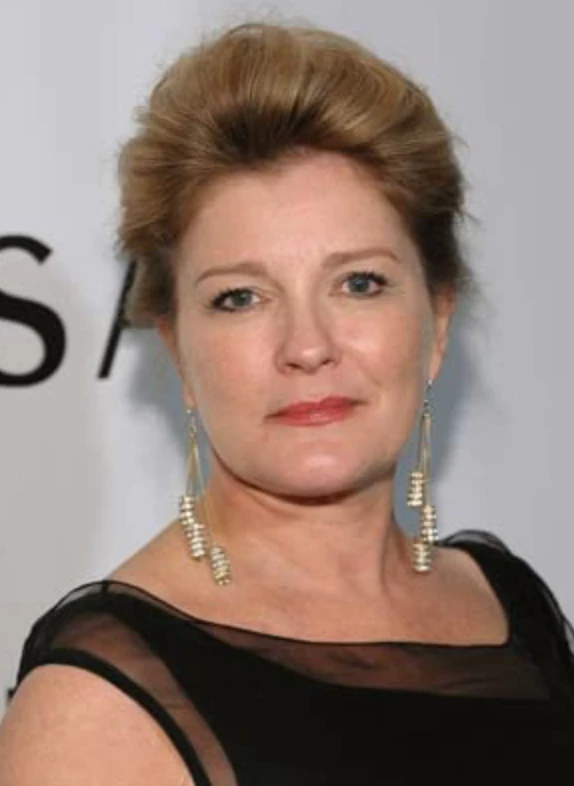 Michael’s done such things as cut sound effects for a horror film, interviewed the likes of Kate Mulgrew, and supervised animation for commercials, which included working with an optical printer. He’s also done work in stereoscopic video and created animation projects that had him traveling the world!
Some examples of Michael’s work include the following: Directing and editing a string quintet, combining multiple takes and speed changes.
He also shot Loudon Wainwright III, Chris Thile, Erik Friedlander, and Rob Moose in what became part of a Grammy winning album.
Nowadays, we find Michael consulting and collaborating with a number of clients who are editing in Premiere via Team viewer and Zoom. For example, supervising streaming video projects for a performance space on the lower east side in NYC.
Michael says he enjoys participating in the back and forth on the Premiere forum and meeting all the great people here in the community. Feel free to reach out to Michael here on his profile. On behalf of Adobe and the entire community, thank you, Michael for all you've done.
That concludes our monthly digest for the January 2021 edition of the Premiere Pro Community Digest. Contact Kevin for info.
Past Digests
Premiere Pro August 2020 Community Digest
Premiere Pro September 2020 Community Digest
Premiere Pro October 2020 Community Digest
Premiere Pro November 2020 Community Digest
Premiere Pro December 2020 Community Digest
Premiere Pro Community Digest — January
 AdChoices