
Unable to remove areas of video I don't need from outside the green screen, Driving me crazy!
Hi all,
I'm completely new to adobe premier pro and I am struggling with an issue. I have applied an ultra key to my green screen so the background is now black where my green screen was. However, there are areas outside the green screen i'd like to remove without cropping the video. I have watched hours of youtube videos and the way to do this seems to be using the free drawer tool within masks, higliting the area you want to remove with the tool and then it turns black same as the area where the green screen is. The issue i'm having is when I draw the area using the free drawer tool nothing happens (please see image). Does anyone know why the area selected isn't automatically turning black like I see on so many youtube videos. Any help greatly appreciated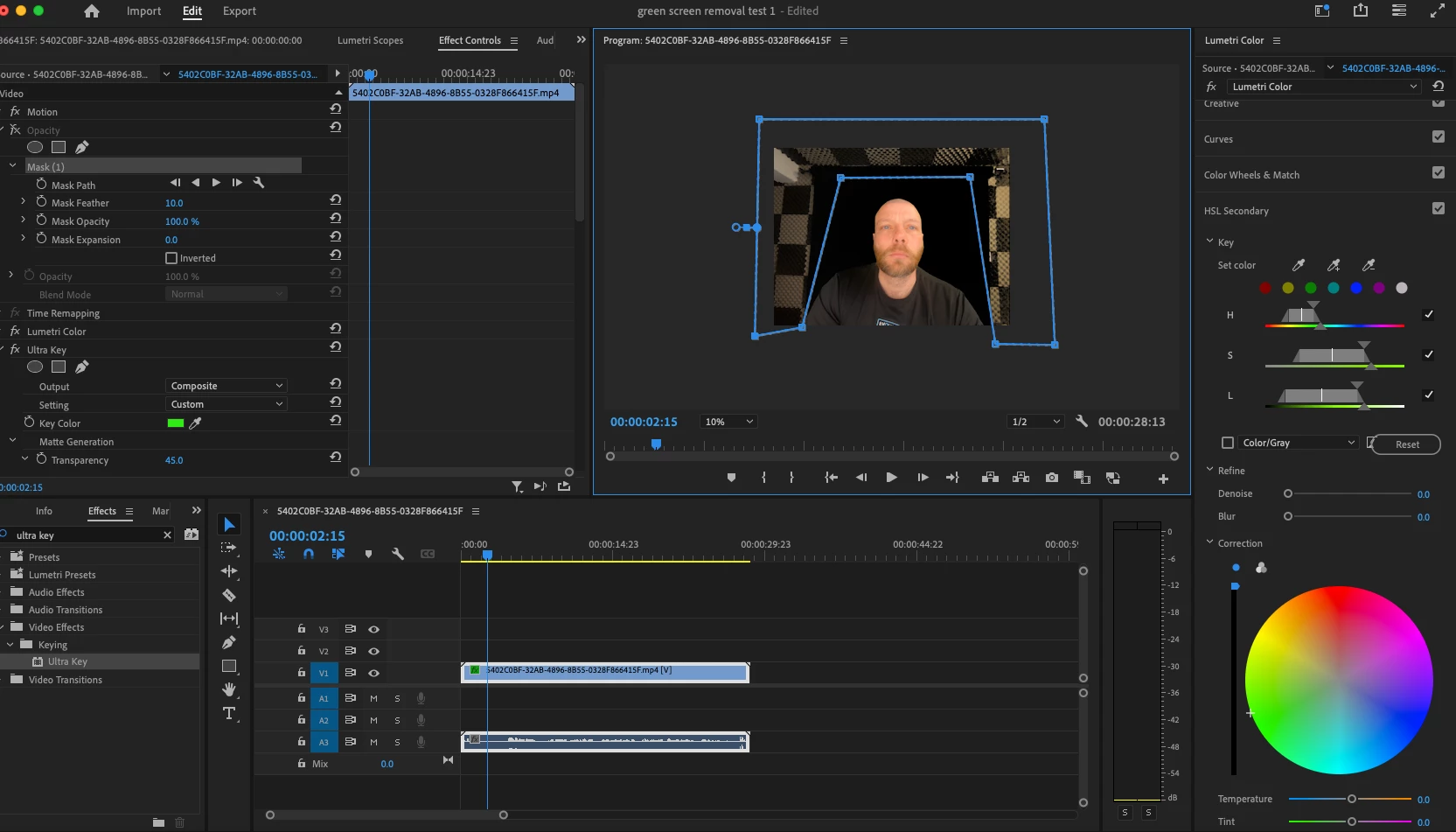


 AdChoices