


Known Participant
June 19, 2024
質問

Output Paragraph Breaks not correct after latest update 2022.4.179

  • June 19, 2024
  • 返信数 3.
  • 945 ビュー

Hello


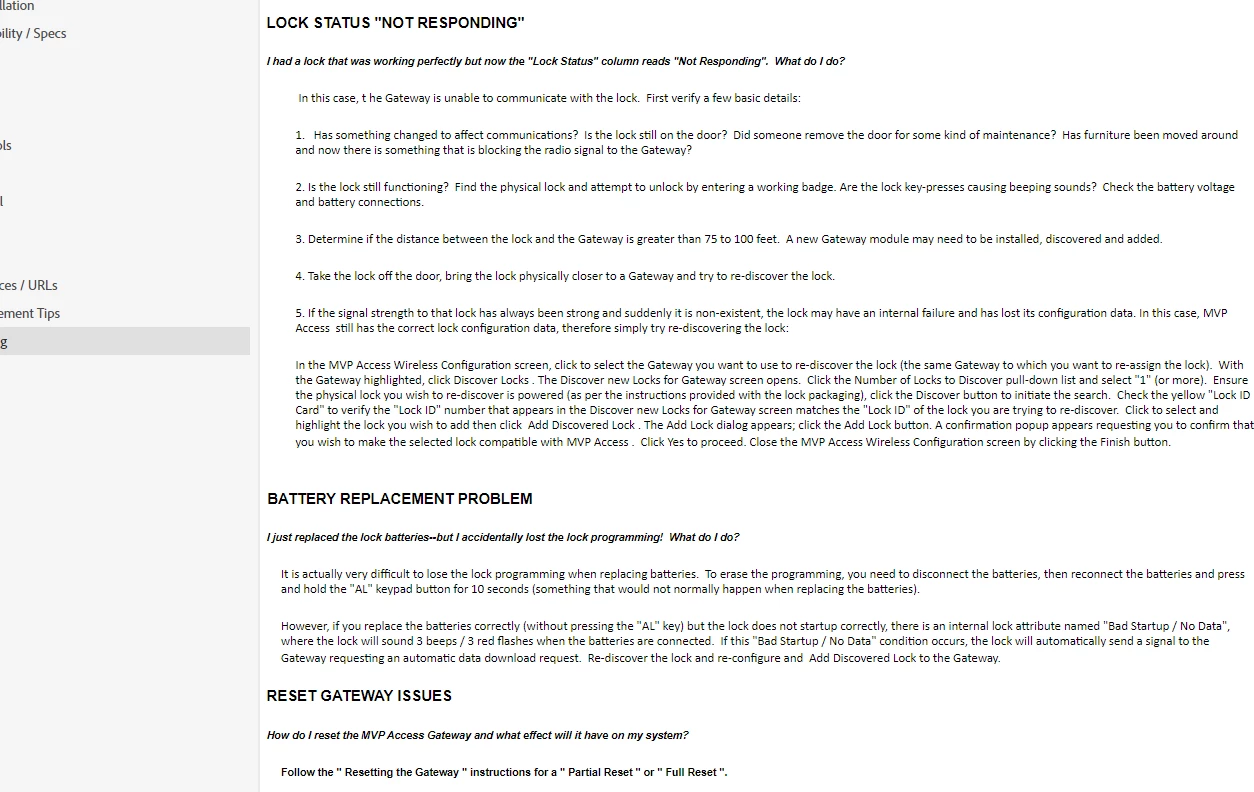
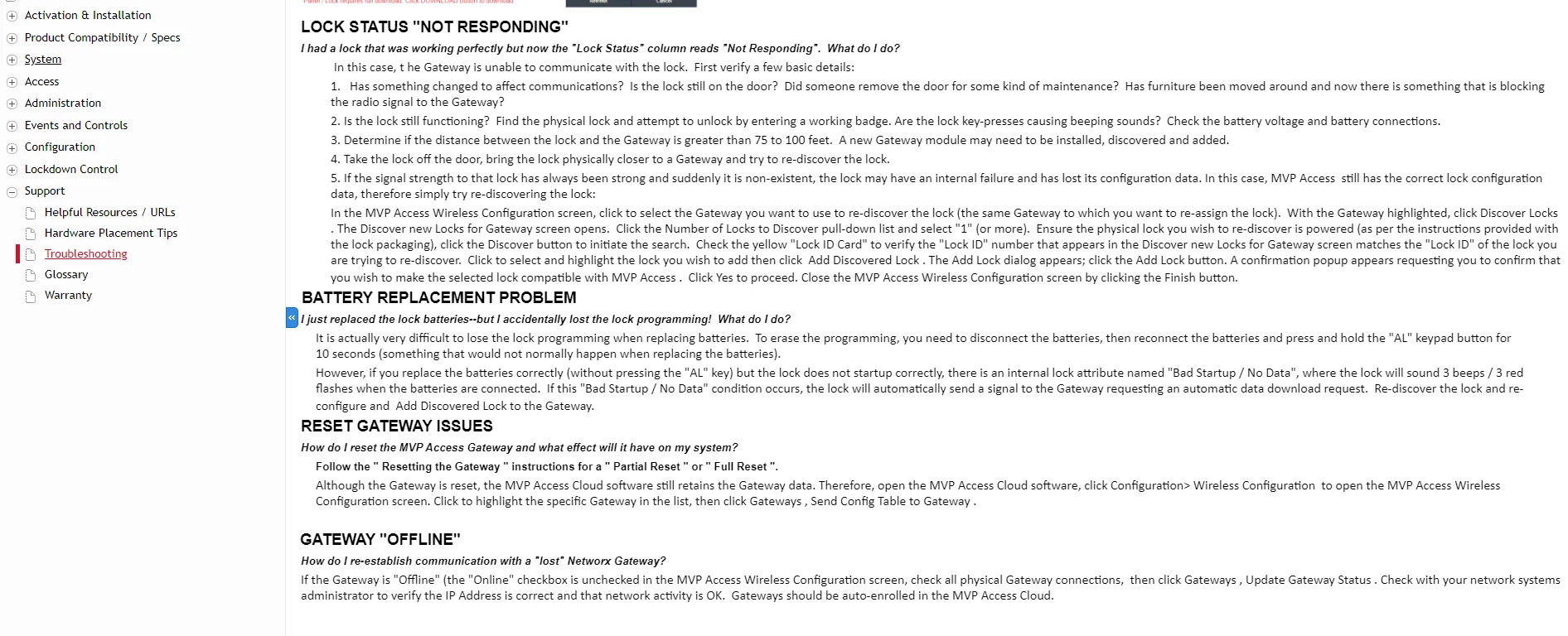
I recently updated to the latest version robohelp.  Any page that I edit when I output the paragraph breaks are not correct.  As you see below in robohelp I have spaces after each paragraph and in the output they do not.  Its happening once I make a change on a topic (Just readjusting the paragraph break on a page) causes the output to remove all paragraphs and breaks from the output.  Any advise would be greatly appreciated.   This was not an issue with previous version nothing has changed as well.  


Robohelp showing correct paragraphs breaks 
 

Output not showing the same
 

    このトピックへの返信は締め切られました。

    返信数 3

    Peter Grainge
    Community Expert
    Community Expert
    July 1, 2024

    I just saw that on 19th June you posted you could not open RoboHelp. Is that fixed?

    ________________________________________________________

    My site www.grainge.org includes many free Authoring and RoboHelp resources that may be of help.


    Use the menu (bottom right) to mark the Best Answer or Highlight particularly useful replies. Found the answer elsewhere? Share it here.
    Known Participant
    July 1, 2024

    yes once i pasted into css the outputs were showing correct format. 

    Peter Grainge
    Community Expert
    Community Expert
    June 19, 2024

    This has been covered in recent threads. 


    See Item 32 at https://www.grainge.org/RoboHelp_Gems/RoboHelp_Gems.htm#content_creation

    ________________________________________________________
    My site www.grainge.org includes many free Authoring and RoboHelp resources that may be of help.


    Use the menu (bottom right) to mark the Best Answer or Highlight particularly useful replies. Found the answer elsewhere? Share it here.
    Known Participant
    June 19, 2024


    When Saving as a PDF, Im now getting these abnormal characters, is this somehow related?


    Jeff_Coatsworth
    Community Expert
    Community Expert
    June 19, 2024

    I cant even open up the sample projects keeps crashing saying to restart robohelp.  


    Is it in your \My Documents\My RoboHelp Projects\ folder? If not, copy the "factory" version from the C:\Program Files\ install location to that My Documents location. You should be able to open it from there.

    Peter Grainge
    Community Expert
    Community Expert
    June 19, 2024

    @Jeff_Coatsworth That post doesn't include the fix for tables. I'll edit it later.

    ________________________________________________________
    My site www.grainge.org includes many free Authoring and RoboHelp resources that may be of help.


    Use the menu (bottom right) to mark the Best Answer or Highlight particularly useful replies. Found the answer elsewhere? Share it here.