


Participant
August 10, 2020
Question

Acrobat Document Object convert list empty

  • August 10, 2020
  • 2 replies
  • 928 views

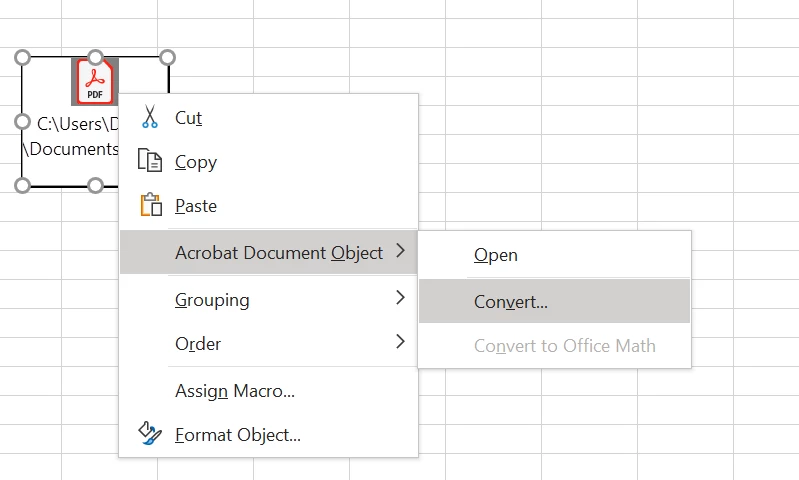
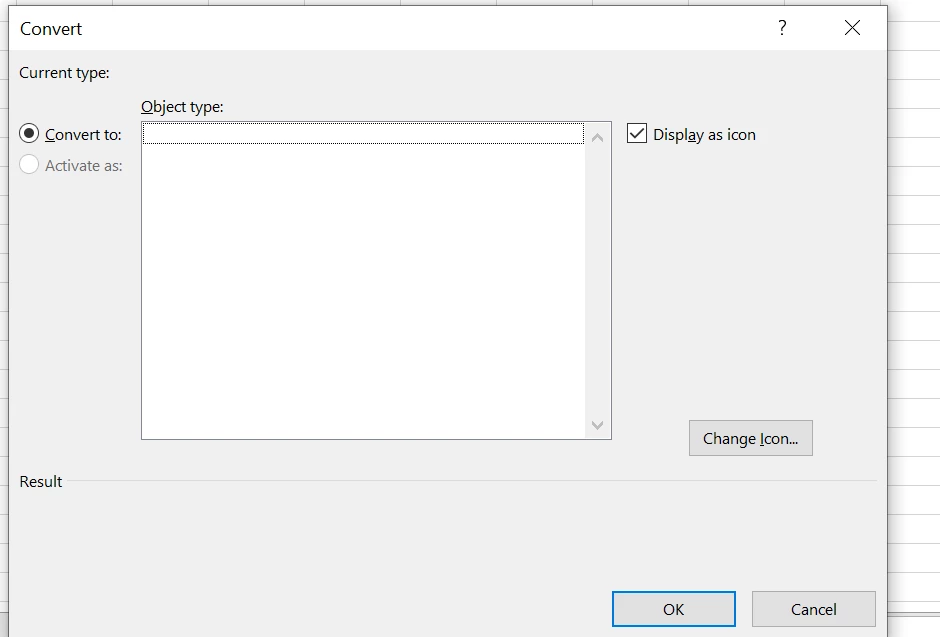
After inserting a PDF file in excel via the object insertion and trying to convert it via the "Acrobat Document Object > Convert... " option the Object type list is empty with Exccel and Adobe Acrobat both installed and up to date to latest version.
This topic has been closed for replies.

2 replies

Participant
November 14, 2023

I'm having the same issue.  When I open a pdf and am wanting to convert it to PowerPoint, when I click on "Convert", it is completely blank.

Dave__M
Community Expert
Community Expert
August 10, 2020

Can you tell us exactly what you're trying to do?  It's already a PDF.  Do you want it in another format?  Perhaps inserting the  PDF into your Excel file as a first step is not the route to take.  Any more details you can provide might help us help you.


My best,

Dave

Dori4Author
Participant
August 12, 2020

Please see below what I would like to see in the convert panel:

But the object type is empty in my case as you can see in my previous post.


And this is what I would like to reach with this converting option:


Before:


After

Kind regards,

Dóra