


Participant
June 20, 2023
Question

Adobe Document Cloud Issue

  • June 20, 2023
  • 1 reply
  • 889 views

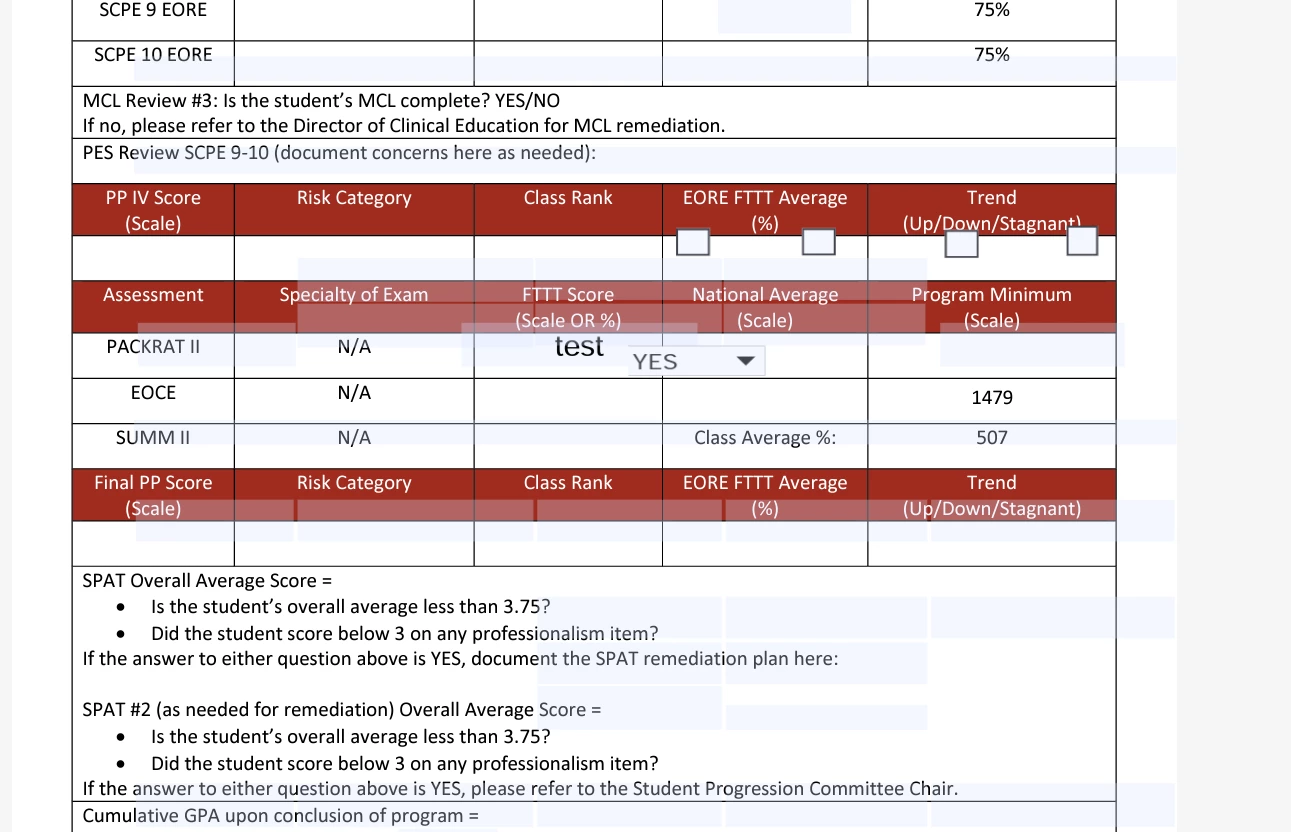
Hi everyone, I have an issue with a few of my running pdf files in document cloud. To further explain what is going on, we have used OneDrive/DC integration to allow users to fill out multiple forms within their specific folders. This has been the case for over two years now. Last week, I noticed that most of my files have broken fields and they become, "scrambled." 

Is there something that I am doing wrong or overlooking? See below for the issue:
 

This topic has been closed for replies.

1 reply

Participant
June 20, 2023

To note, any other way you access the file, (Adobe Reader for Desktop, Adobe Pro, downloading from Chrome/Edge) will have the fields in the correct place on the pdf. It only reacts this way in document cloud.

AkanchhaS8194121
Legend
July 1, 2023

Hi @Gage30612532vwhr 


Hope you are doing well. Sorry for the delay.

It's mentioned that the files opened in Document Cloud have dispositioned the text fields.

Are you accessing the files on the web from the Ondrive account, or is it saved on Document Cloud storage?

  • Try signing in on a different web browser, as it could be a browser issue.  https://acrobat.adobe.com/link/home/ 
  • Delete cache and cookies and reset the browser and check back. 


Since it's a web UI, there's nothing much to suggest for troubleshooting.   


Thanks,

Akanchha