


Participant
August 14, 2024
質問

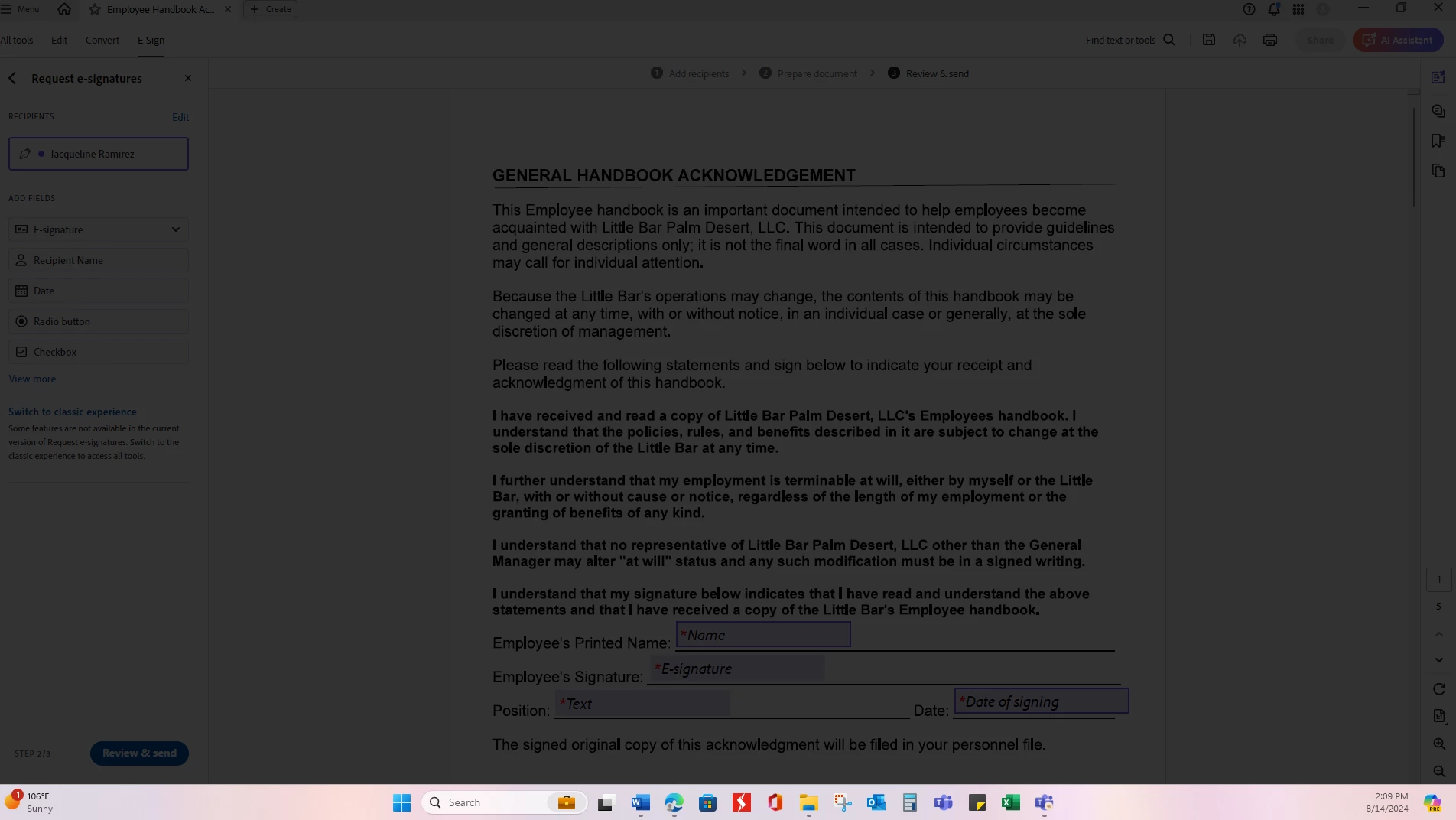
Dark Film over document when clicked on Review and Send while requesting a signature via adobe sign
  • August 14, 2024
  • 返信数 1.
  • 285 ビュー

I was sending an e-signature request and when I clicked on "Review & Send" this dark film appeared over the document I was working on. Now, I can't finalize the request or click on any of the menu options withing the adobe program. I even tried opening the app and other PDF documents but it did not work. I did a restart on my computer and I was able to get working on it and complete one of the requests for signature but while trying to send another one, it did it again. I can continue to move other items into that monitor and work on them but unfortunately can't access the adobe document to continue working on it and even after closing it, it is still open and wont allow me to open any other PDF's.


Help Please!

このトピックへの返信は締め切られました。

返信数 1

Meenakshi_Negi
Legend
October 30, 2024

Hi RRR_2024,


Thank you for reaching out, and sorry about the delay in response.


I assume that the issue might have been resolved by now. If not, please see if you can send the document via the Acrobat Online account: https://acrobat.adobe.com/link/home/. Sign in using your Adobe ID and password. Check if it works fine.

This will help us understand whether the issue is with the desktop application or the service.


You may also try reinstalling the using the following steps:
-Remove the application and run the cleaner tool (https://www.adobe.com/devnet-docs/acrobatetk/tools/Labs/cleaner.html).
-Reboot the machine
-Install Adobe Acrobat from the following page: https://helpx.adobe.com/acrobat/kb/acrobat-dc-downloads.html. 

See if that makes any difference.


Let us know if you need any help.


Thanks,

Meenakshi