


Participant
January 10, 2011
Question

Remove OCR

  • January 10, 2011
  • 3 replies
  • 32831 views

Hello,

I have a question.

Is there a way to remove the OCR in a .pdf?

I want to keep the text, but I don't want people to find the text with the search button.

I can print the pdf to an image, but then the quality is to bad.

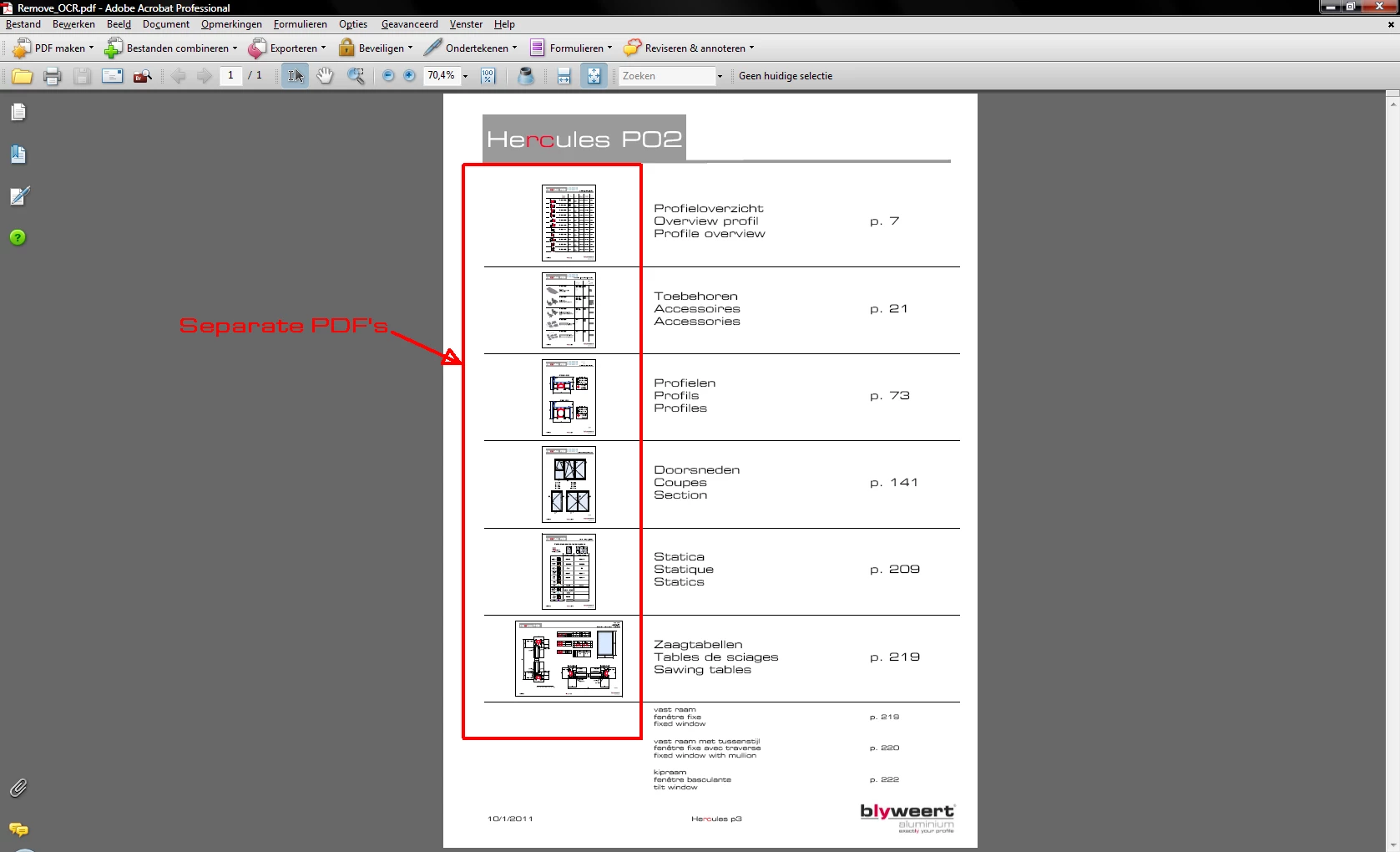
I have several pdf's in one pdf, made with Framemaker. see attached.

Does anyone have a solution?
regards

Pieter

    This topic has been closed for replies.

    3 replies

    July 20, 2011

    Simple...

    - - - - - - - - - -

    Step 1:

    "Document" > "Examine Document..."

    Step 2:

    In the "Examine Document" panel, select "Hidden text (xx pages)" under "Results".

    Step 3:

    In the "Examine Document" panel, click "Remove".

    Step 4:

    *hi5*

    - - - - - - - - - -

    Note: I'm using "Adobe Acrobat 9 Pro" version 9.4.5.

    ~graffiti
    Legend
    January 10, 2011

    Try file>Export>Image. Choose .tif. Create a new PDF from that .tif.

    Bernd Alheit
    Community Expert
    Community Expert
    January 10, 2011

    Don't perform OCR on the documents.

    Participant
    February 17, 2011

    How do you create a pdf without OCR

    I can't find the right propertie

    thanks

    Bernd Alheit
    Community Expert
    Community Expert
    February 17, 2011

    How do you create a pdf without OCR

    Don't enable OCR when scanning documents.