May 30, 2019
解決済み

Delete Archived Document

  • May 30, 2019
  • 返信数 7.
  • 22029 ビュー

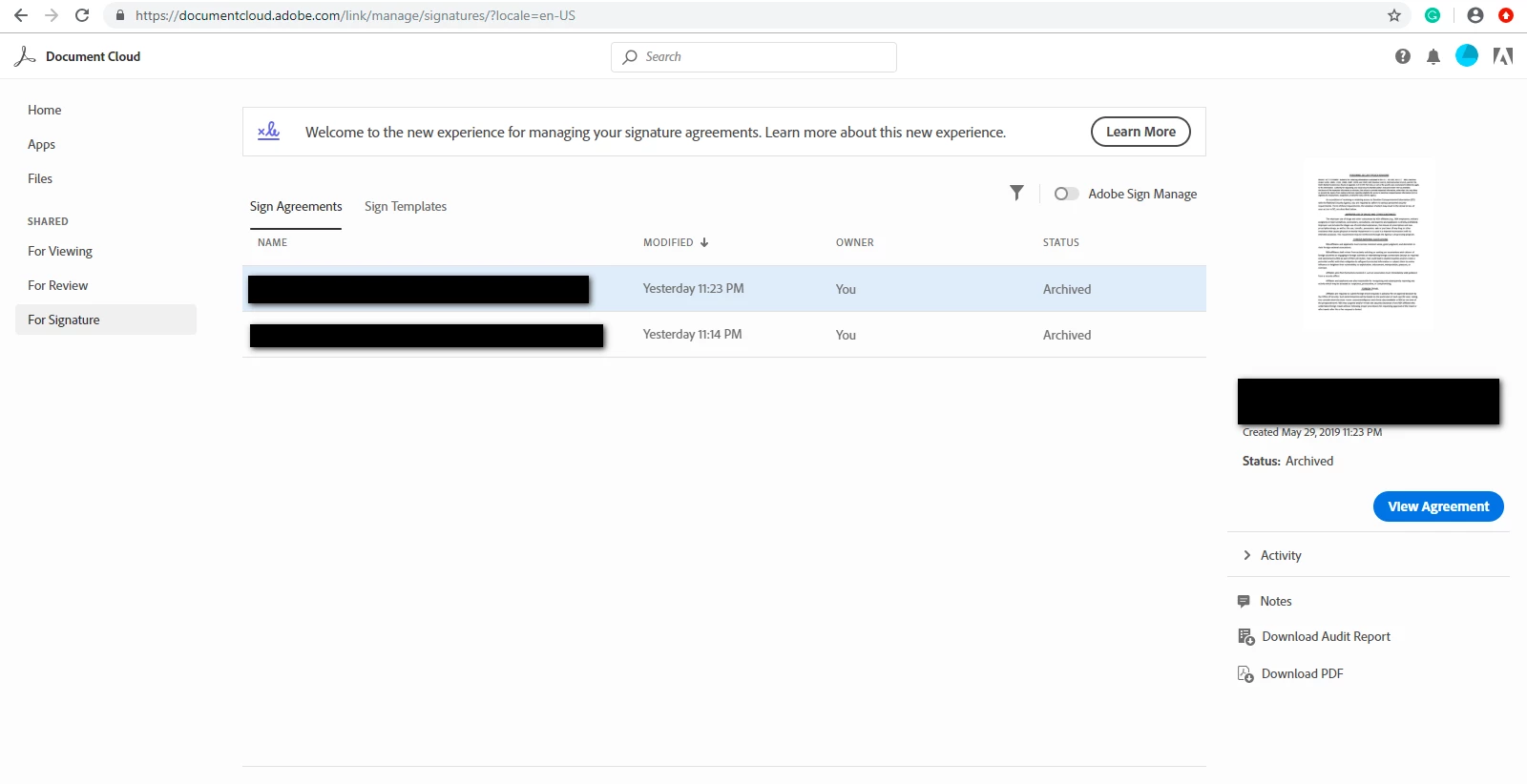
I have used the Adobe Reader desktop application to sign two documents.  Adobe generated a URL for them, and I downloaded the signed files from my Document Cloud.  The documents show a status of 'Archived'.  I want to delete those files, but there is no option to do so.  How may I accomplish this?

I have attached a screenshot with redacted filenames showing the options that I have to work with.  Thank you for your assistance. 

解決に役立った回答 Meenakshi Negi

Hi Mj,

Sorry for the delay in response.

Please refer to the information mentioned below in order to delete the document from Manage page or from the Account in Adobe Sign.

  • If you are trying to remove the account from the manage page, then use the "Hide" option provided when you select the document from the list. That option will remove the document from the Manage page in your account.
  • In case, you are using Document Cloud to access Adobe Sign account, use the steps provided below in order to delete the document from Adobe Sign account permanently.

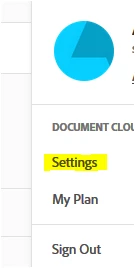
     - In the account, click on the circle in blue provided at the extreme right-hand side of the screen.

    - Select Settings > Edit signature settings.
   - Then select "Privacy" from the left-hand side pane.

   - Enter the email address of the recipient in the search bar. That will open all the documents for that particular recipient.

   - Select the document from the list that needs to be deleted.

   - Click on the trash icon provided at the extreme right-hand side of the document.

Hope the information helps.

Let us know if you have any questions.

Regards,

Meenakshi

返信数 7

Participant
September 18, 2022

When I tried to delete the file using this method, it said your request has been submitted and the file will be deleted. Does someone at Adobe manually look into this request?

Meenakshi Negi
Community Manager
Community Manager
September 21, 2022

Hi Guest_VS,


Thank you for reaching out.


Could you please confirm the method you have used to delete the file?

Did you check if the file appears in the list or if you still open that file?

If the file still appears, please try the steps again and share the screenshot of the message you receive.


Thanks,

Meenakshi

Participant
March 8, 2023

So this issue has been going on, just based on this thread, for almost 4 years now and still no solution from Adobe? How can we delete an archived file listed under "Agreements"?!


Participant
August 6, 2021

Unfortunately this method is no longer valid. If the documents were signed and saved, they are archived to the documentcloud.adobe and the option to "delete" is not available. There appears to be no way for the end user to delete the pdf?

Meenakshi Negi
Community Manager
Community Manager
August 16, 2021

Hi J MW,


Sorry for the delay in response.


As you have mentioned above, there is no option to delete the file. Could you please confirm if you are trying to delete the Adobe Sign file or the PDF from in Documet Cloud.

It would be helpful if you can share the screenshot of the window showing the file and options you get.


Thanks,

Meenakshi

Participant
November 11, 2021

My client wants all excuted documents/references/copies etc to be permanently removed from the Adobe Servers. How is this done?

Participant
October 3, 2020

ABSOLUTELY NO REASON ADOBE SHOULD MAKE IT THIS HARD TO DELETE A DOCUMENT.

NO LOGICAL REASON.  IF THERE WAS A LOGICAL REASON, ADOBE WOULD SHARE THE REASON.

TOTAL BS TO WASTE EVERYONE'S TIME, AS YOU CAN FROM THESE CUSTOMER POSTS.

Participant
August 17, 2020

THANK YOU!!!!

Holy bleep that shouldn't be such a run around task.  The delete file function should be available at the top.  OR at least a link to the privacy page.  Ridiculous how unnecessarily challenging this is.  I will never get back the 90 minutes it took to figure this out!!!

Participant
June 5, 2020

Took me ages to find answers for agreements. There was no information in help guide to "UN-Hide" agreement. I even went as far as to choose the "Older Layout" option. This was perfect, even if I took 2 hours to find! Thank you.

June 17, 2020

Hi! Thank you. 

Participant
March 28, 2020
  1. I want to unshare documents and delete them from the system permanently but I'm having issues doing so.
  2. When I try to delete them through my settings > signatures > privacy, there are no argreements listed on the page for me to delete, despite clearly having documents listed on document cloud.
  3. Both archived and hidden documents that I have previously shared are still accessible to anyone who clicks on the share link.
  4. This is not compliant with GDPR.
  5. Please help with this issue. 


Participant
August 12, 2020

You need to search for your email in the search bar (see where it says 'Enter email...' in your 2nd image), try the email associated with your account. The list is blank by default.

Participant
March 15, 2021

I am having a similar issue, but it still says your search turned up no agreements. Are there settings I need to change to make the agreements visible in this "privacy" section?

Meenakshi Negi
Community Manager
Community Manager
July 26, 2019

Hi Mj,

Sorry for the delay in response.

Please refer to the information mentioned below in order to delete the document from Manage page or from the Account in Adobe Sign.

  • If you are trying to remove the account from the manage page, then use the "Hide" option provided when you select the document from the list. That option will remove the document from the Manage page in your account.
  • In case, you are using Document Cloud to access Adobe Sign account, use the steps provided below in order to delete the document from Adobe Sign account permanently.

     - In the account, click on the circle in blue provided at the extreme right-hand side of the screen.

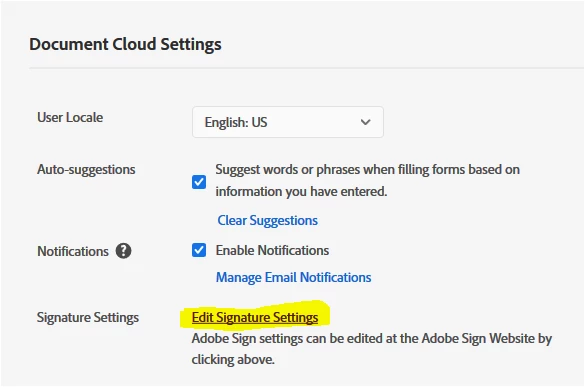
    - Select Settings > Edit signature settings.
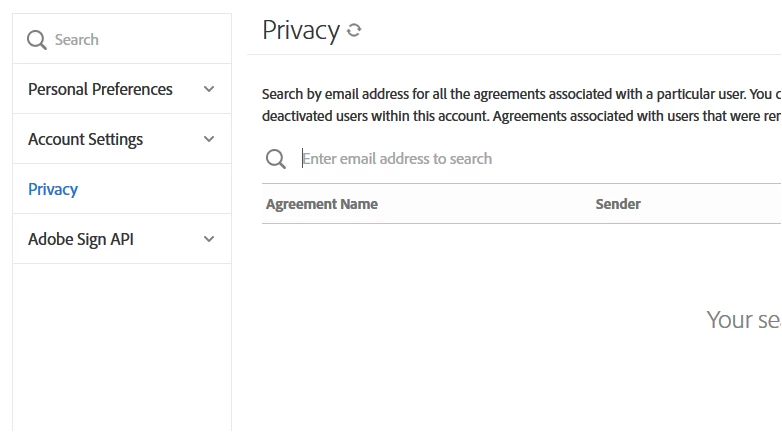
   - Then select "Privacy" from the left-hand side pane.

   - Enter the email address of the recipient in the search bar. That will open all the documents for that particular recipient.
   - Select the document from the list that needs to be deleted.

   - Click on the trash icon provided at the extreme right-hand side of the document.

Hope the information helps.

Let us know if you have any questions.

Regards,

Meenakshi

Participant
March 2, 2020

Your post is a life saver! Thank you so much! I wish the site support would be informed of this as well.