Exit
  • Global community
    • Language:
      • Deutsch
      • English
      • Español
      • Français
      • Português
  • 日本語コミュニティ
  • 한국 커뮤니티
0

Ask: changing text in two different comp

Community Beginner ,
Apr 16, 2018 Apr 16, 2018

Hi, everyone..

I have two comp (comp1 and comp2) which are inside the comp there is a different text font type

which i want to ask, is there any way ..

if I change (sentence text) in comp1, (sentence text) in comp2 also change according to what I type in (text) comp1

but does not change its font type

TOPICS
Expressions
557
Translate
Report
Community guidelines
Be kind and respectful, give credit to the original source of content, and search for duplicates before posting. Learn more
community guidelines
Community Expert ,
Apr 16, 2018 Apr 16, 2018

If you apply an expression like this to the text in comp2:

comp("comp1").layer("text").text.sourceText

it will get the text from comp1, but will get its font from its own first character. So you can't maintain multiple fonts in that text, but you can maintain the font of the first character.

Dan

Translate
Report
Community guidelines
Be kind and respectful, give credit to the original source of content, and search for duplicates before posting. Learn more
community guidelines
Community Beginner ,
Apr 16, 2018 Apr 16, 2018

thank you Dan..

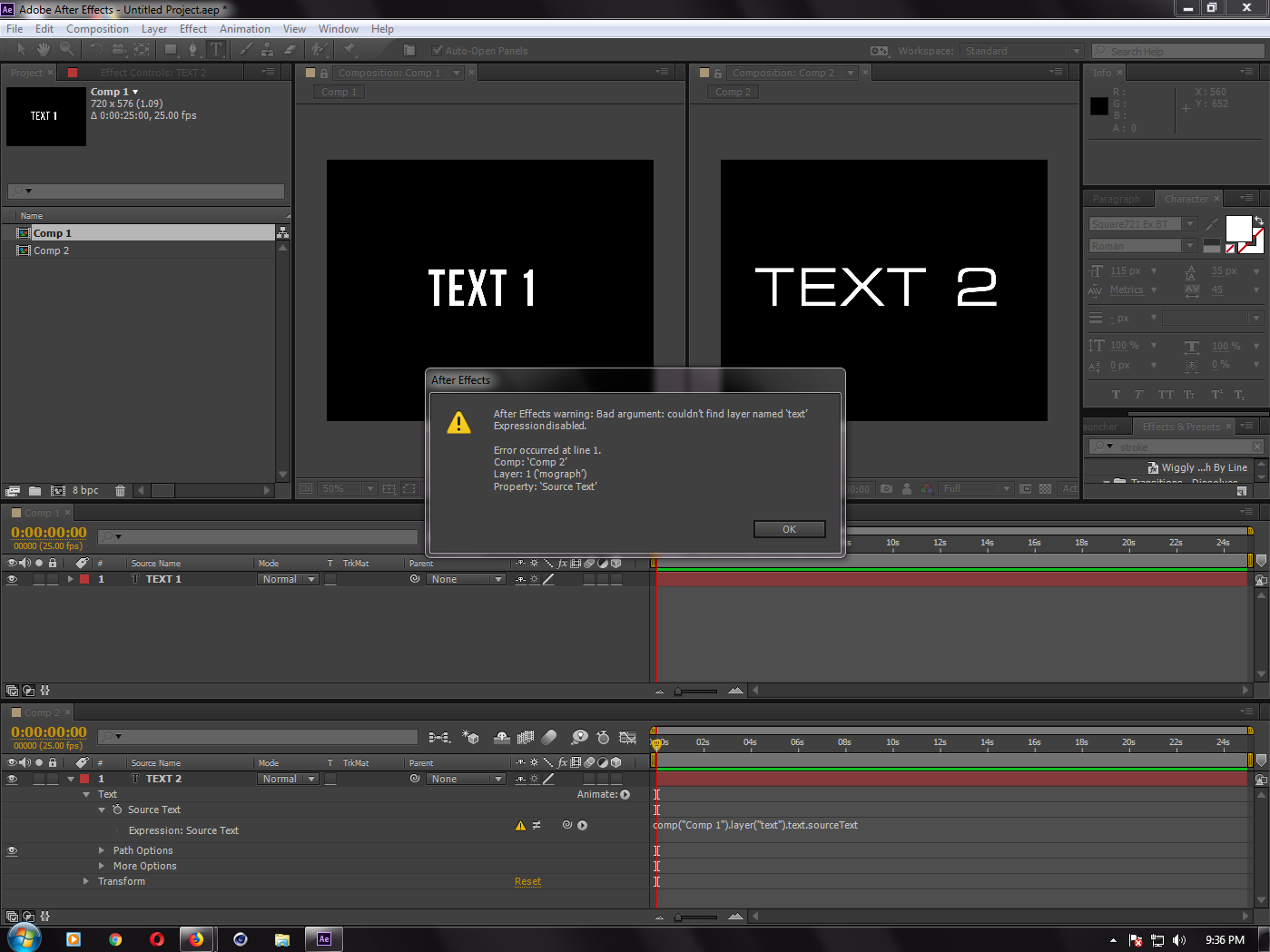
I've tried as you mean, but I get this problem

Capture_text.PNG

Translate
Report
Community guidelines
Be kind and respectful, give credit to the original source of content, and search for duplicates before posting. Learn more
community guidelines
Community Expert ,
Apr 16, 2018 Apr 16, 2018

Well, you would have to use the actual name of your text layer:

comp("Comp 1").layer("Text 1").text.sourceText

Make sure you explicitly name the text layer so it doesn't change when you change the text itself.

Dan

Translate
Report
Community guidelines
Be kind and respectful, give credit to the original source of content, and search for duplicates before posting. Learn more
community guidelines
Community Beginner ,
Apr 17, 2018 Apr 17, 2018
LATEST

WOW.. Amazing it works..

thank you so much mr. Dan...

Translate
Report
Community guidelines
Be kind and respectful, give credit to the original source of content, and search for duplicates before posting. Learn more
community guidelines