


Adobe Creative Cloud: installation fails, self-repair fails, removal fails
Initially I had a "Node.js stopped working" problem (this happened whenever I tried to launch Creative Cloud or Photoshop, though the latter would otherwise work normally) and tried to remove all Adobe applications and reinstall them.
Since Adobe own uninstallers (for some of the applications) rely on Creative Cloud, I used third party software to remove them. Then I tried to download and install Creative Cloud again, and, apparently, something is going wrong.
OS is Windows 7 x64 SP1, non-English locale for non-Unicode programs.
When launching Creative_Cloud_Set-Up.exe as administrator, it appears to work normally:
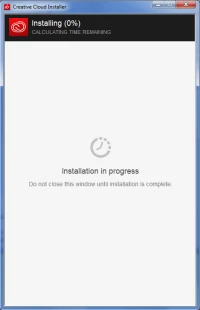
Then, without my input, it closes and "Creative Cloud" window opens with waiting animation. After some time (a couple of minutes) a message appears:
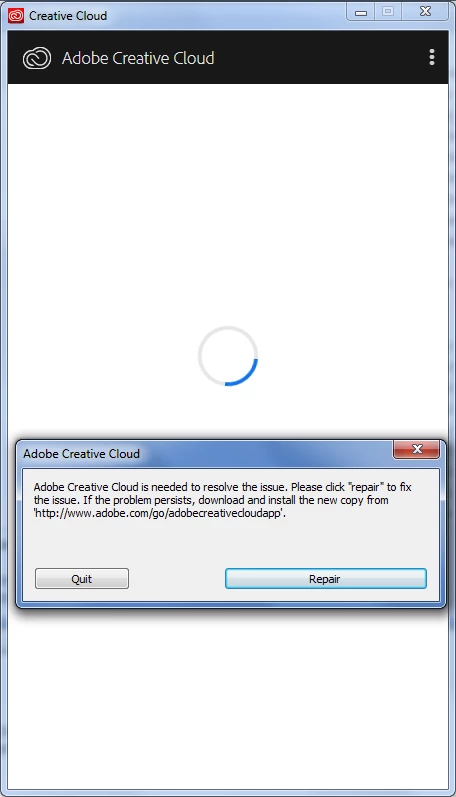
Quitting does nothing; after quitting Creative_Cloud_Set-Up.exe crashes if I try to launch it again before manually killing all Adobe processes and removing all files from "Program Files(x86)/Adobe" and "Program Files(x86)/Common Files/Adobe".
"Repair" initiates another installer:
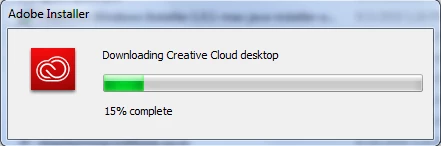
It does install Adobe services (AdobeUpdateService, Adobe Genuine Software Integrity Service and Adobe Genuine Monitor Service), but after the window closes nothing else happens; if I launch Creative Cloud manually, it just crashes shortly after launch (with generic "Creative Cloud stopped working" message).
Running Creative Cloud Uninstaller doesn't do anything as far as I can tell: it displays progress bar, then after a while says "Uninstallation of Creative Cloud desktop completed with errors" and doesn't actually remove any directories I know of.
AdobeCreativeCloudCleanerTool.exe works without errors, reporting that it removed everything.
Rebooting system after removing Adobe files by any means doesn't seem to affect anything.
Windows "Administrative events" log shows errors of "Creative_Cloud_Set-Up.exe", "adobe_licensing_helper.exe" and "Adobe Desktop Service.exe" all referencing imshelper.dll:
Faulting application name: adobe_licensing_helper.exe, version: 1.0.0.12, time stamp: 0x5b10060c
Faulting module name: imshelper.dll, version: 1.0.0.12, time stamp: 0x5b100571
Exception code: 0xc0000005
Fault offset: 0x0000615a
Faulting process id: 0x3080
Faulting application start time: 0x01d44e0a1688ef4a
Faulting application path: C:\Program Files (x86)\Common Files\Adobe\Adobe Desktop Common\LCC\adobe_licensing_helper.exe
Faulting module path: C:\Program Files (x86)\Common Files\Adobe\Adobe Desktop Common\LCC\imshelper.dll
Report Id: 54794990-b9fd-11e8-a017-005056c00001
Any advice on how to get better diagnostic (or, ideally, a way to fix the problem...) would be appreciated.
 AdChoices