


Participant
September 2, 2023
解決済み

Adobe Creative Cloud Payment Refused

  • September 2, 2023
  • 返信数 2.
  • 4906 ビュー

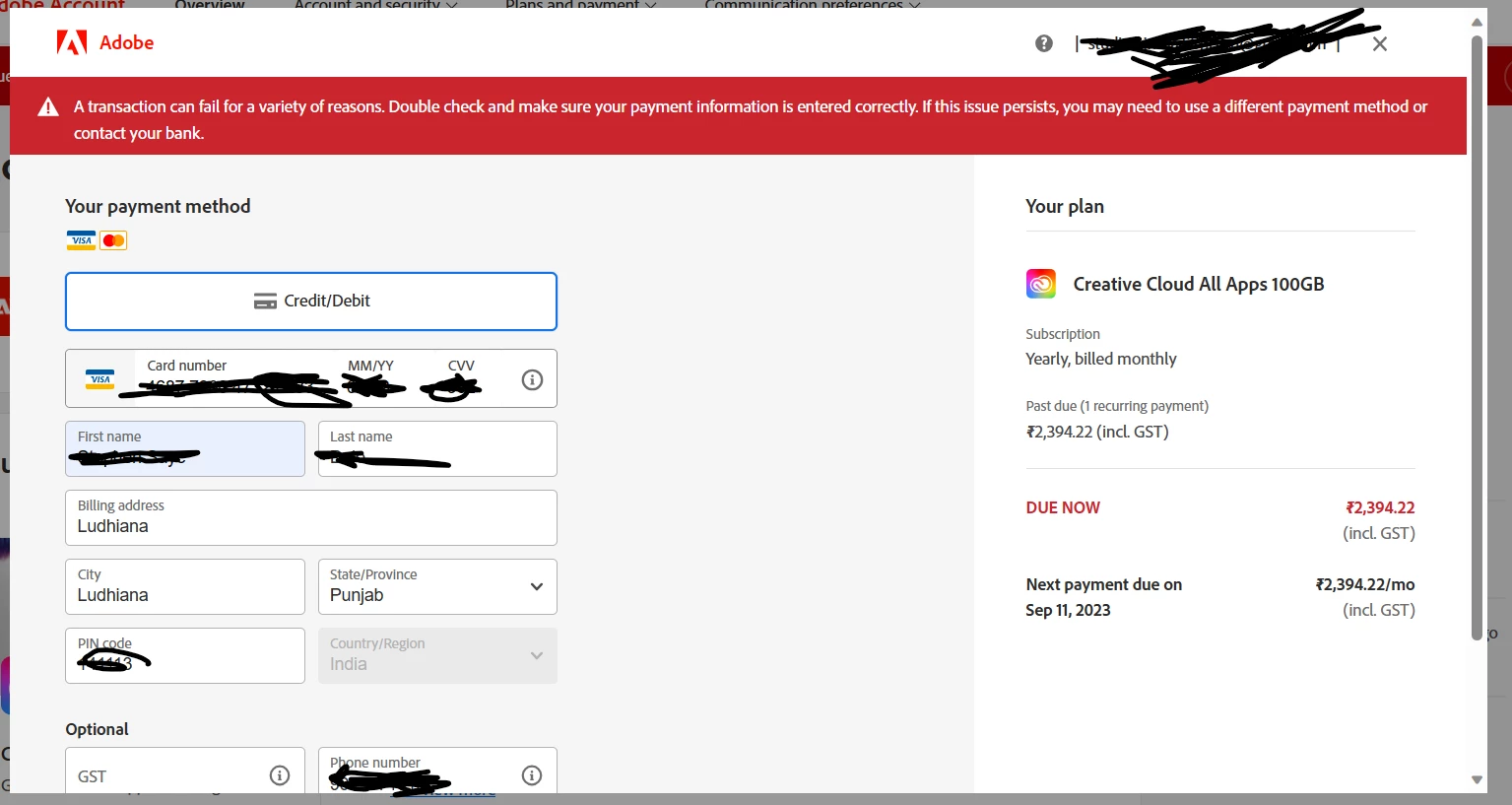
A transaction can fail for a variety of reasons. Double check and make sure your payment information is entered correctly. If this issue persists, you may need to use a different payment method or contact your bank.

This has been the error message since my trial period expired in August. Kindly check and fix this solution.

The problem is not with my cards. I have two VISA cards of separets Bank. I have tried all two including one of my friends card still this error is stopping me from paying my due. The service will be taken from me on September 10 2023. I need a quick solution. My payemt country is Punjab, Ludhiana, India-141113.
解決に役立った回答 kglad

contact adobe support.  there are 2 ways to contact adobe; chat and twitter:

chat:
use a browser that allows popups and cookies
and click here, https://helpx.adobe.com/contact.html?rghtup=autoOpen
in the chat field (lower right), type AGENT
be patient, it can take quite a while to reach a human.

twitter:
tweet @AdobeCare

p.s. if you're contacted by anyone (via email or private message), it's much more likely to be a scammer than an adobe representative. ie, double check for an employee badge if contacted in the forums and look for an adobe.com domain in the email address if you click reply to an email. then check again and be very suspicious. any other method of contacting (or offering to contact you) is almost certainly a scam, https://community.adobe.com/t5/using-the-community-discussions/staying-safe-in-the-adobe-support-community/td-p/12919684/redirect_from_archived_page/true

返信数 2

Participant
August 1, 2024

Hello Stephen28611540iri7 

i am also facing the same problem as well, i tried a millions of times but still and i am from Pakistan and PayPal is not allowed in Pakistan. 


kglad
Community Expert
Community Expert
August 1, 2024

@Jamshaid389390140k4p 


contact adobe support or you can use klarna (https://www.klarna.com) or another authorized reseller, https://adobe.my.salesforce-sites.com/PartnerSearch?lang=en

kglad
Community Expert
Community Expert
September 2, 2023

add chrome extension linked below, make your purchase and then remove the extension.


https://chrome.google.com/webstore/detail/ignore-x-frame-headers/gleekbfjekiniecknbkamfmkohkpodhe

Participant
September 3, 2023

The same error still happens after installing the Chrome extenstion 

Ignore X-Frame headers


kglad
Community Expert
kgladCommunity Expert解決!
Community Expert
September 3, 2023

contact adobe support.  there are 2 ways to contact adobe; chat and twitter:

chat:
use a browser that allows popups and cookies
and click here, https://helpx.adobe.com/contact.html?rghtup=autoOpen
in the chat field (lower right), type AGENT
be patient, it can take quite a while to reach a human.

twitter:
tweet @AdobeCare

p.s. if you're contacted by anyone (via email or private message), it's much more likely to be a scammer than an adobe representative. ie, double check for an employee badge if contacted in the forums and look for an adobe.com domain in the email address if you click reply to an email. then check again and be very suspicious. any other method of contacting (or offering to contact you) is almost certainly a scam, https://community.adobe.com/t5/using-the-community-discussions/staying-safe-in-the-adobe-support-community/td-p/12919684/redirect_from_archived_page/true