


downeaster59
Participant
February 27, 2022
解決済み

How to decrease PDF page size

  • February 27, 2022
  • 返信数 1.
  • 3196 ビュー

I am new at Acrobat DC.  I have a series of PDFs whose pagee size is about 22 by 32 inches.  That makes the files larger than they need to be, in more ways than one! Is there a way that I can reduce the PDF page size to a more standard 8.5 by 11?  


Thanks!  
このトピックへの返信は締め切られました。
解決に役立った回答 Luke Jennings3

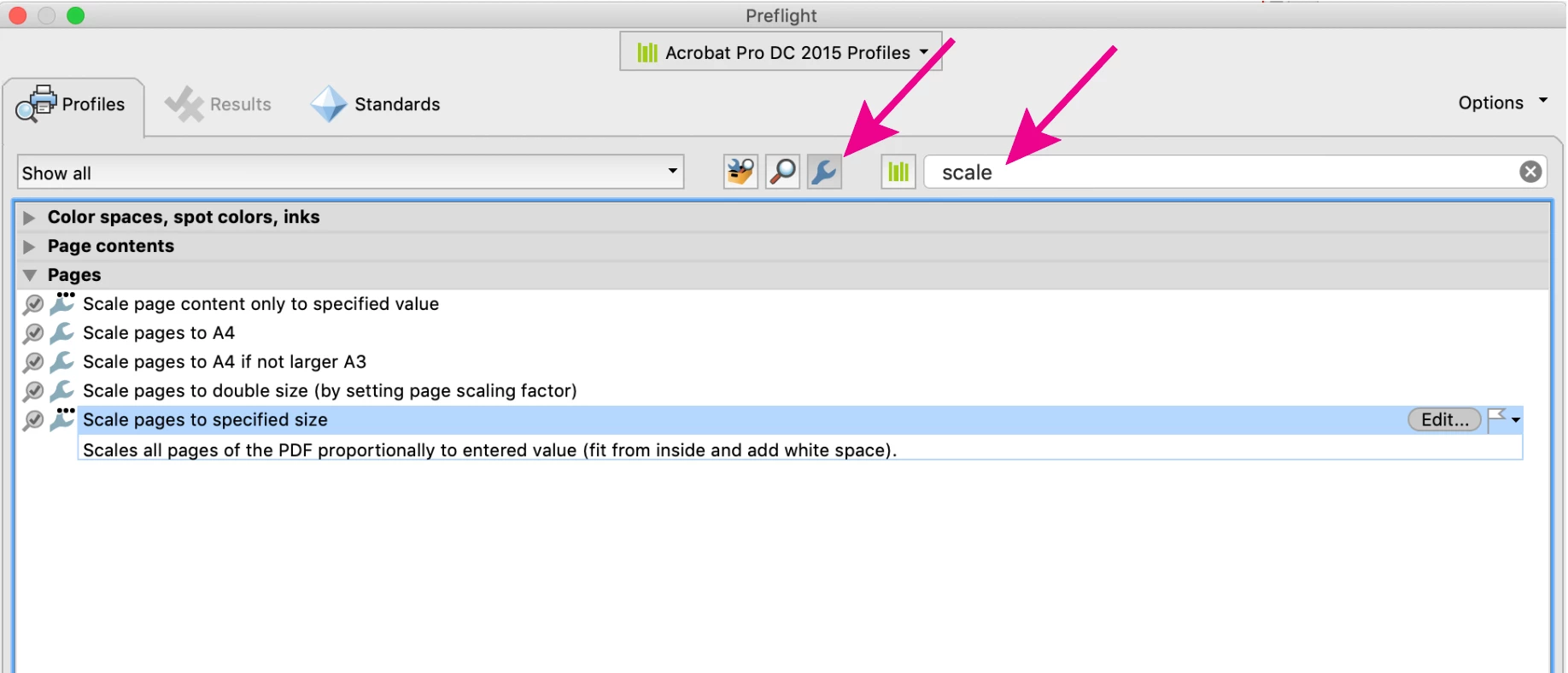
You can run a preflight profile to change the page size, Tools> Print Production> Preflight. Note that this will add white space because the new size is not proportional to the original size. You can also save a pdf as an Optimized pdf (File> Save as other> Optimized pdf) where you can choose to downsample and compress images and also remove unwanted elements from the pdf, reducing the file size.

Alternately, you can place your pdf into a new InDesign page at the desired size and export to a new pdf, you can choose to downsample the images in the export dialog.

返信数 1

Luke Jennings3
Community Expert
Community Expert
February 27, 2022

You can run a preflight profile to change the page size, Tools> Print Production> Preflight. Note that this will add white space because the new size is not proportional to the original size. You can also save a pdf as an Optimized pdf (File> Save as other> Optimized pdf) where you can choose to downsample and compress images and also remove unwanted elements from the pdf, reducing the file size.

Alternately, you can place your pdf into a new InDesign page at the desired size and export to a new pdf, you can choose to downsample the images in the export dialog.

downeaster59
downeaster59作成者
Participant
February 27, 2022

Thanks! That is just what I needed!