


kevinh75786959
Participating Frequently
April 20, 2020
解決済み

Runaway CPU in Acrobat DC Pro 2020.006.20042 (Mac OS X 10.15.4 - Catalina)

  • April 20, 2020
  • 返信数 2.
  • 7859 ビュー

When I open a PDF file in Acrobat DC Pro, CPU usage rises to over 95% and stays there as long as the window is in focus. If I bring another application window into focus (such as Chrome, where I am writing this now), CPU usage drops to below 10%. However, if I bring the Acrobat window back into focus, the CPU pegs again. I am doing nothing in Acrobat. I just opened a document, and I'm reading the first page. CPU usage remains at 95%+ as long as the window stays in focus.
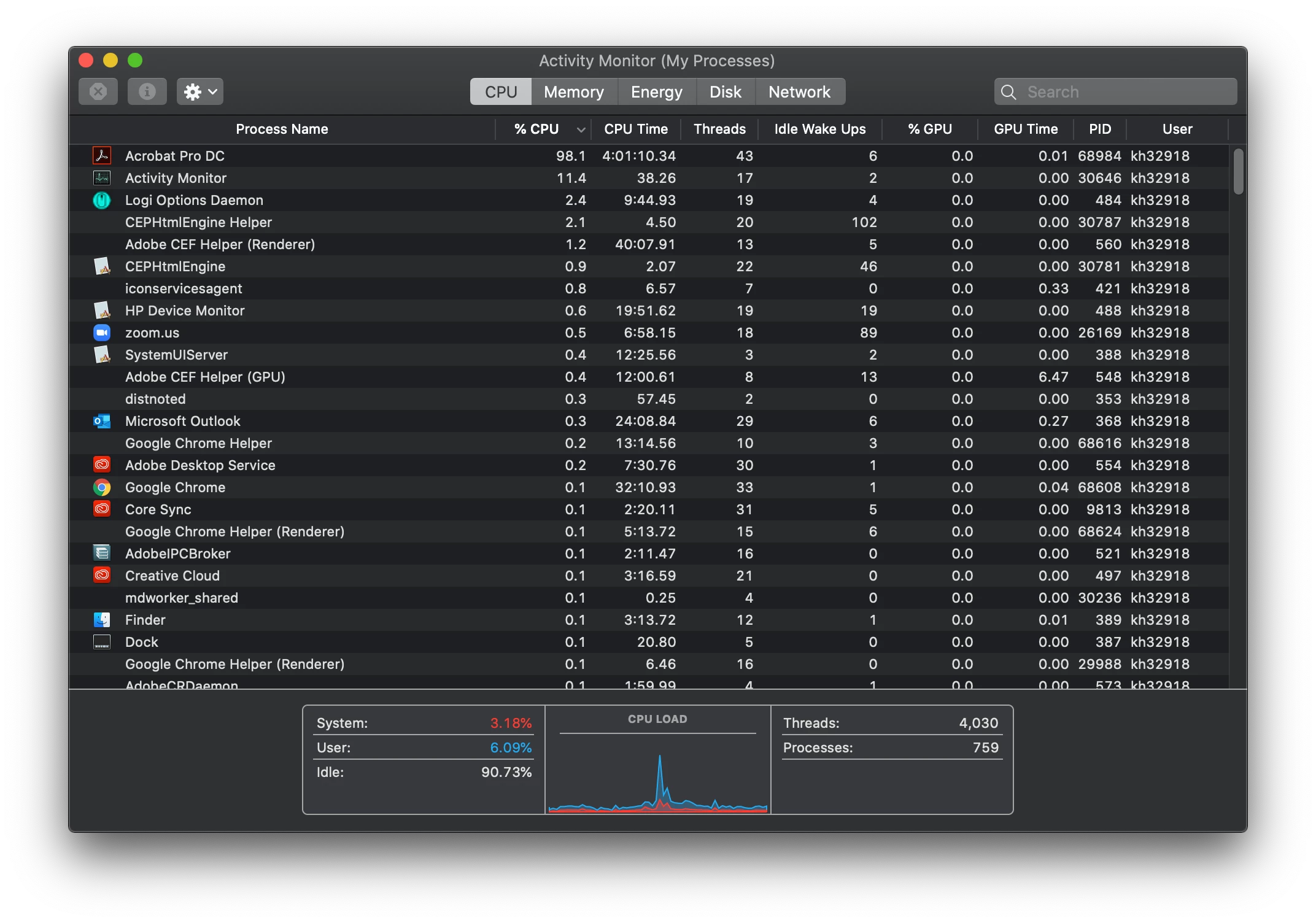
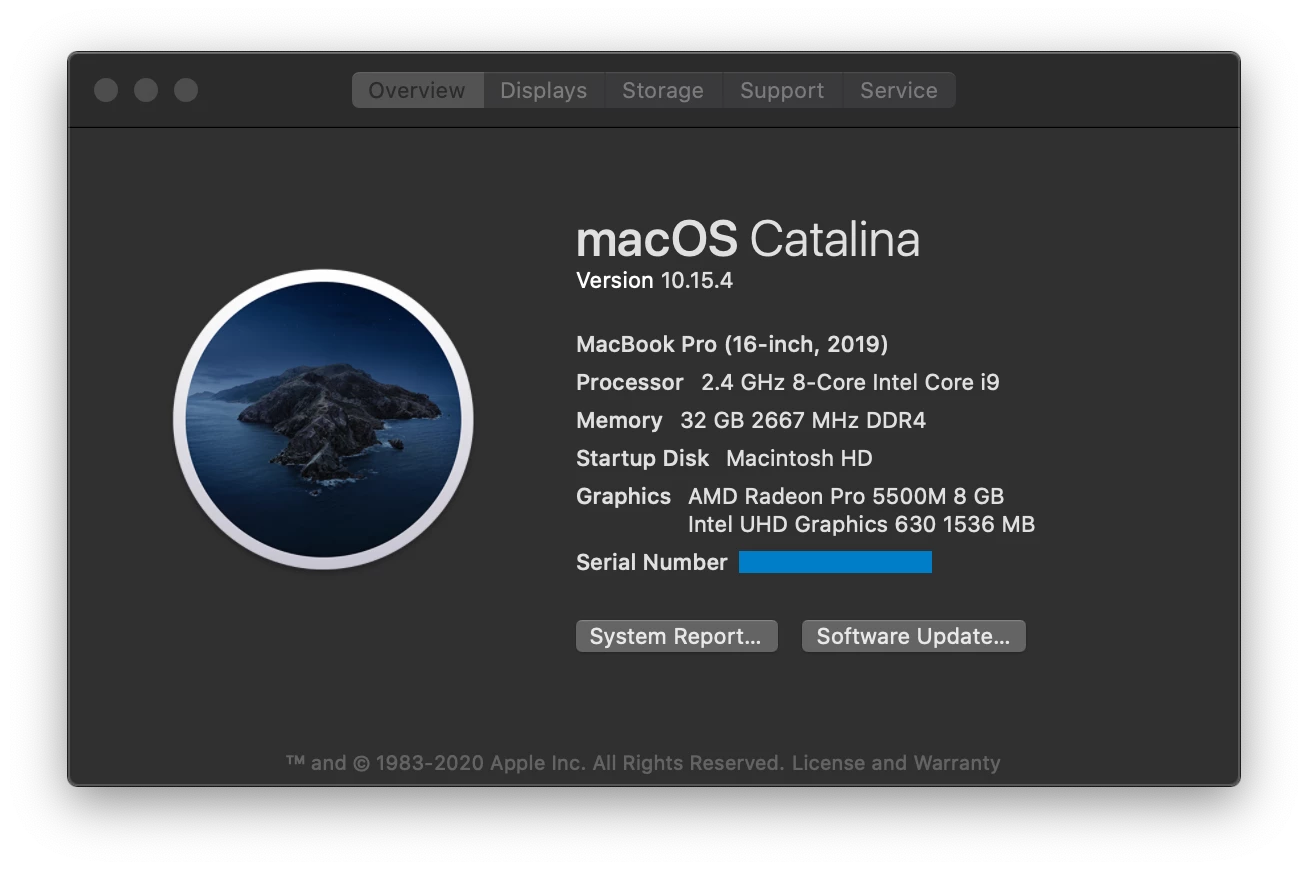
This has been happening for over a week. I have rebooted the system several times in the interim, but the issue persists. Here is some info on my machine:
Any help would be appreciated.
このトピックへの返信は締め切られました。
解決に役立った回答 Amal.

Hi Kevin


Thank you for sharing the logs. Please give us some time to get it checked, we will share the update soon.


In the meantime, please try to reset the preferences to default as described here https://community.adobe.com/t5/acrobat/how-to-reset-acrobat-preference-settings-to-default/td-p/4792082?page=1  and see if that makes any difference.


If it still doesn't work, please create a new test user profile or enable the root account in mac https://support.apple.com/en-in/HT204012 and try using the application there and check for the issue.


Keep us posted with the results.


Thanks for your time, patience and cooperation


Regards

Amal


Hi Kevin,


We have got the update from the engineering team.


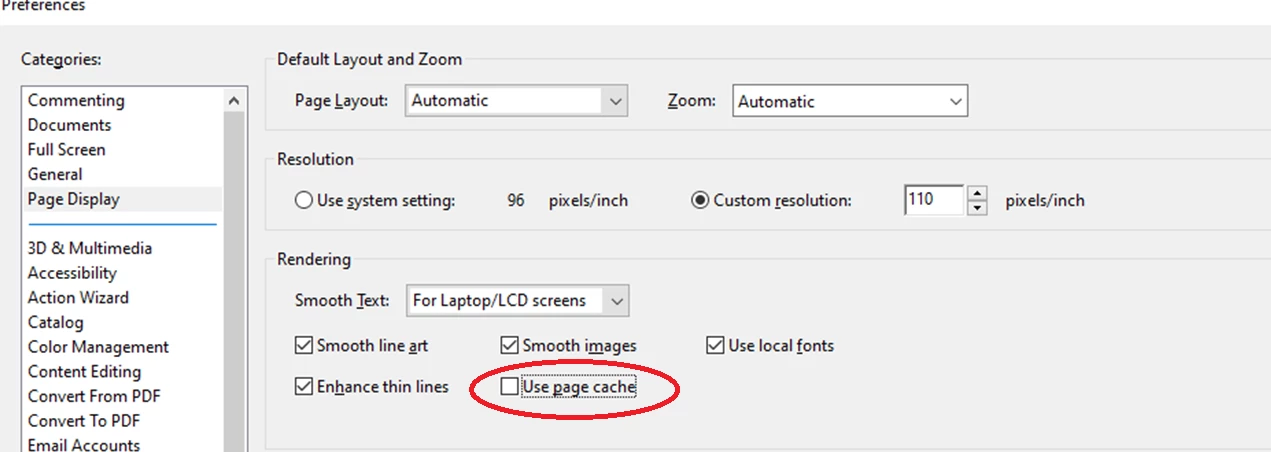
Please try to disable page caching by unchecking the option "Use page cache" in Edit > Preferences > Page Display > Rendering.


Keep us posted how it goes


Regards

Amal

返信数 2

Participant
March 17, 2022

Btw the solution of Amal worked for me on Windows 11, too. Thanks!

Amal.
Community Manager
Community Manager
April 20, 2020

Hi kevinh


We are sorry for the trouble and the experience.


As described the Acrobat Dc is using most of the CPU  storage, it may be due to some processes running in the backend and thus consuming high CPU storage. Since you already have the latest version of the application. Please try the following steps and see if that helps:


Let us know how it goes


Regards

Amal

kevinh75786959
Participating Frequently
April 28, 2020

Hi Amal,


Removing and reinstalling (according to your instructions) appears to have resolved the issue. Thanks!


Kevin

kevinh75786959
Participating Frequently
September 1, 2020

Hi there


We are sorry to hear that and for the delay in response.


Please make sure you have the latest version 20.12.20043 installed. If not, please update the application from the help menu > check for updates. and see if that works for you.


Regards

Amal


Hi Amal,

I verified that I'm running 2020.012.20043. I still have the issue.

I was reading an email, and then I clicked on the Acrobat Pro DC window. I
did nothing but click on the window and start reading a page of the PDF
file. 15 seconds later, the fan starts running, and once again, this:

[image: image.png]

It ran like this for a few minutes, then "settled down" to 25% CPU. For
doing nothing.

Any ideas?

thanks,

Kevin