



Now in Beta: Enhanced 3D and Vector Workflows, New Effects and Improved Caching
Hello After Effects users!
We have a cornucopia of new features entering public beta today in version 26.0x8, and we’re excited to share what’s on the way:
3D workflow enhancements
Parametric Meshes
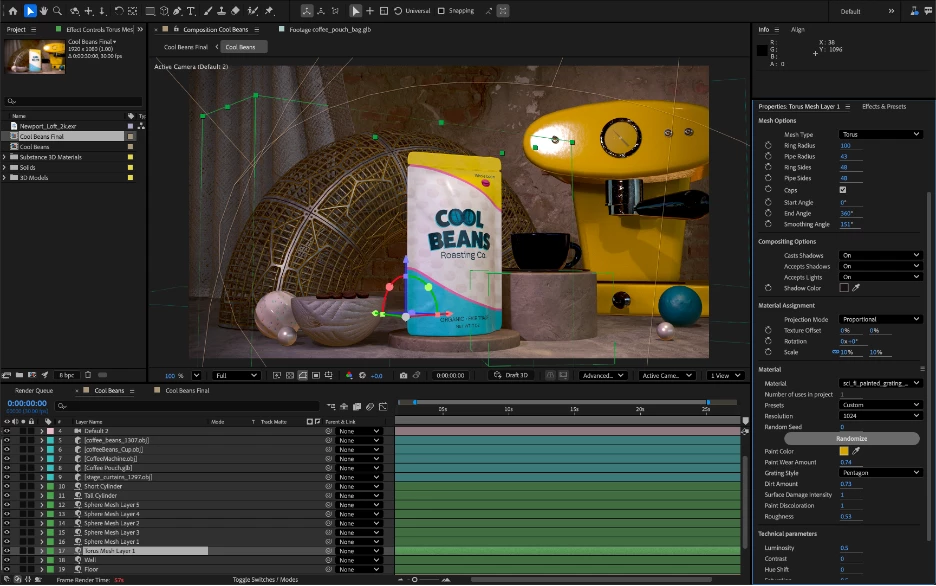
Parametric Meshes are the 3D version of shape layers. Create spheres, cubes, cones & more; customize and animate their size, shape and appearance. Easily make meshes look plastic or metallic by adjusting simple, physically-based material properties, or assign a Substance 3D material to take things to the next level.
Substance 3D Materials
Build beautiful 3D scenes rich in shape and texture natively within After Effects. Substance 3D Materials (.sbsar files) are dynamic, adjustable materials capable of giving 3D models and parametric meshes almost any look, from photo-real to highly stylized. Get access to thousands of free materials through Substance Community Assets.
Expanded vector support
Import SVG files as native shape layers
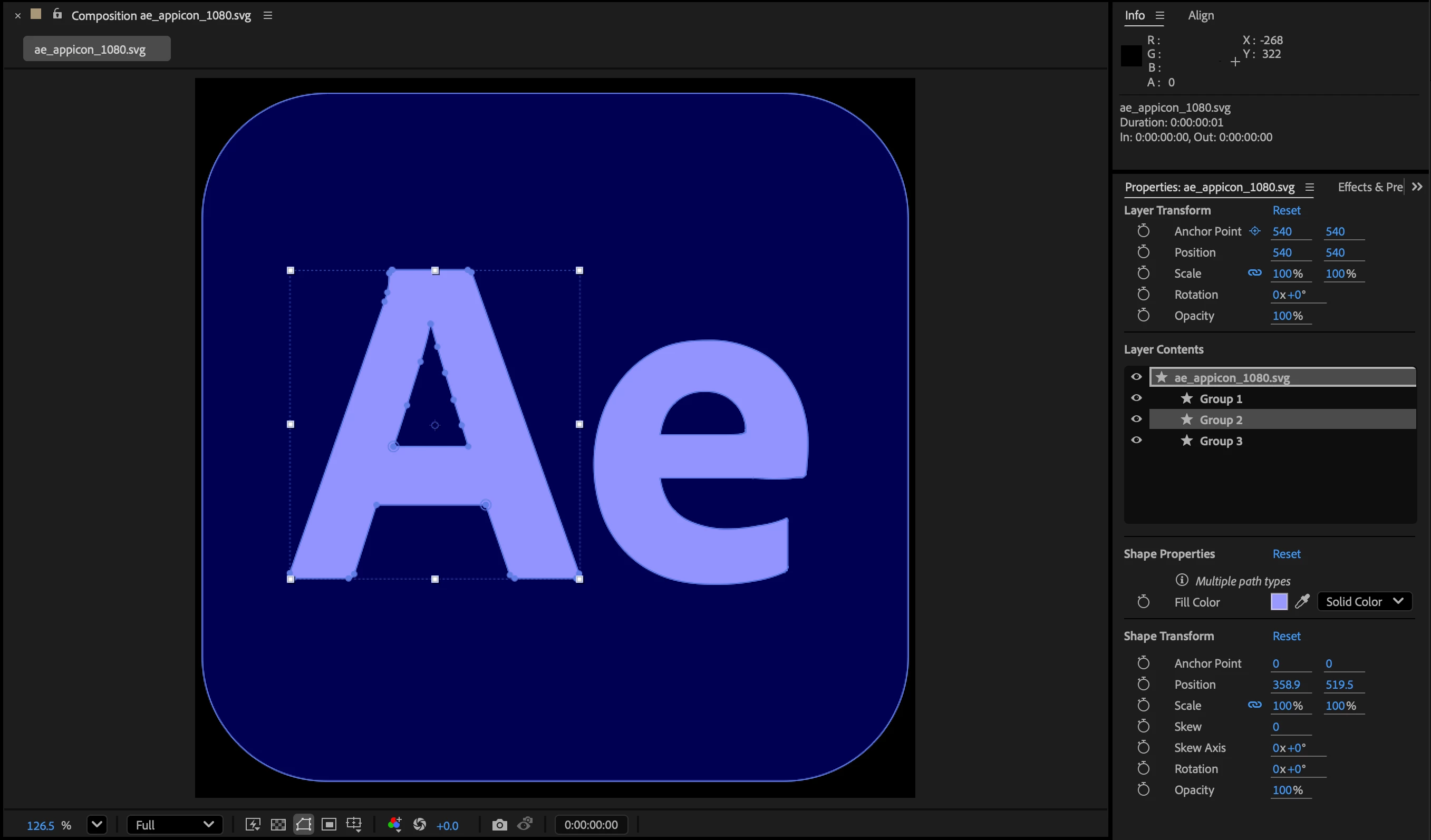
Import logos, UI mockups and other SVG vector files and start animating instantly with full vector fidelity.
Maintain gradients and transparency when converting Illustrator layers to After Effects shape layers
When converted to native AE shape layers, Illustrator vectors will now maintain their gradient fills, gradient strokes and transparency. Smoother conversion means less rework and more creative possibilities.
Scale and rotate vector gradients
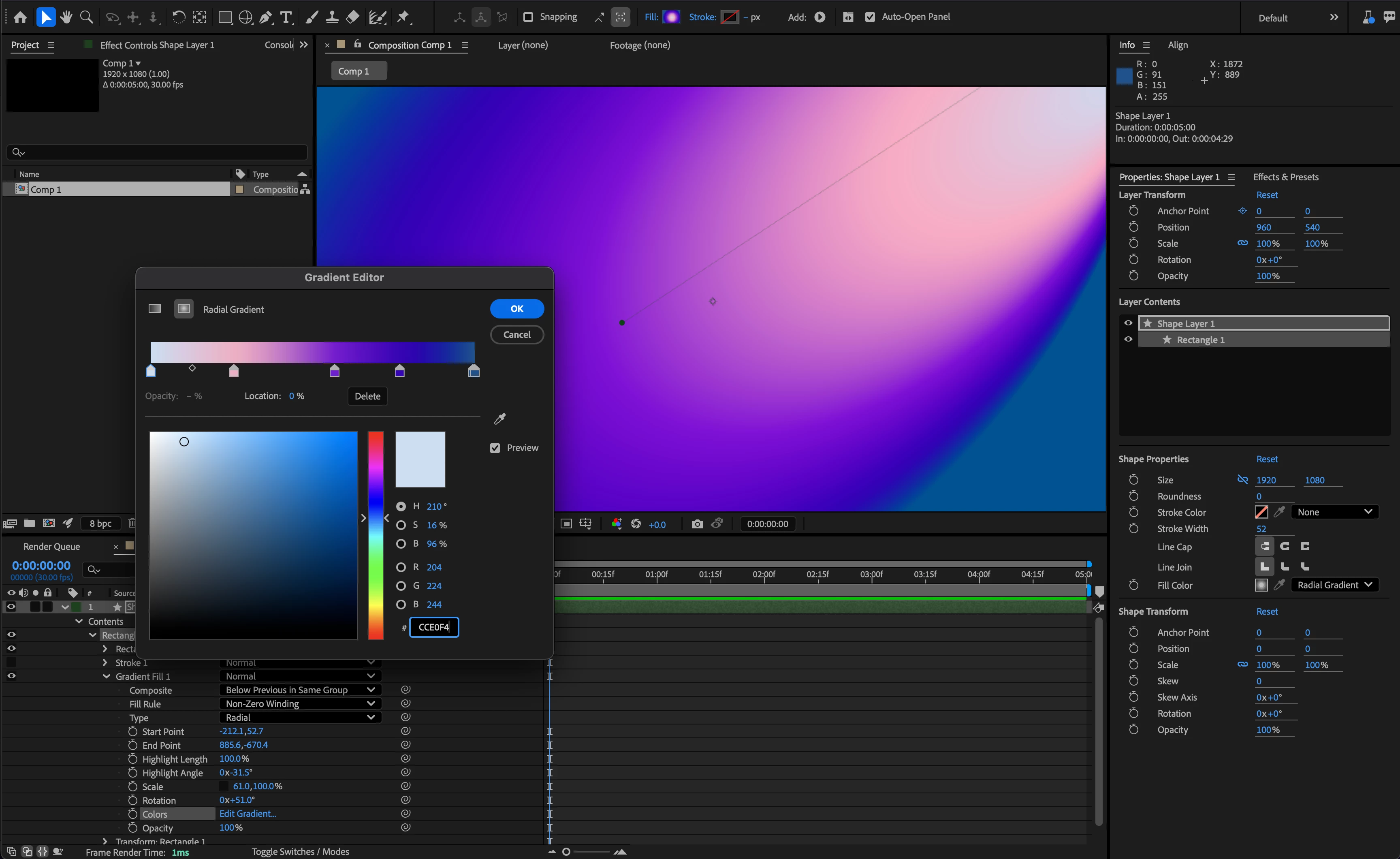
New Scale and Rotation properties for gradient fills and strokes allow you to stretch, squash and animate gradients to create new looks for all your shape layers.
Four new effects


Unmult effect
Easily composite footage with solid black or white backgrounds like fire, smoke or light leaks. Unmult removes parts of an image based on their brightness level: pixels below a given threshold become transparent, while those above remain opaque.
Gate, Compressor and Distortion audio effects
Three new audio effects provide access to common audio workflows without having to round-trip through another application. Use Gate to clean up noise, Compressor to even out dynamics and Distortion to add creative flavor.
Lossless compressed playback

Supercharge your disk cache with compressed frames. Stay in your creative flow by previewing longer durations while using significantly less disk space, with no loss in visual fidelity.
Heads up: Beta version compatibility
You may also notice that the beta version number has switched to 26.0. We make this switch once a year when we get close to shipping the last dot release of one major version and switch to the beta of the next major version.
If you open an existing project in v26, After Effects will guide you through the project upgrade process and automatically version the project file. Unless you specifically save over the original file, you will have a backup.
Like previous major version changes, After Effects projects saved in v26 cannot be opened in previous versions of After Effects, including 25.x shipping versions. You can open your projects in an older version by going to File > Save As > Save a Copy as 25.x. Beta features will not be visible in older versions.
It is also required to have v26 of Premiere Pro beta and Media Encoder beta to make use of Dynamic Link. We suggest updating all three at the same time.
 AdChoices