


- Home
- After Effects
- Discussions
- Re: Aerender Not Detecting Main GPU
- Re: Aerender Not Detecting Main GPU

Copy link to clipboard
Copied
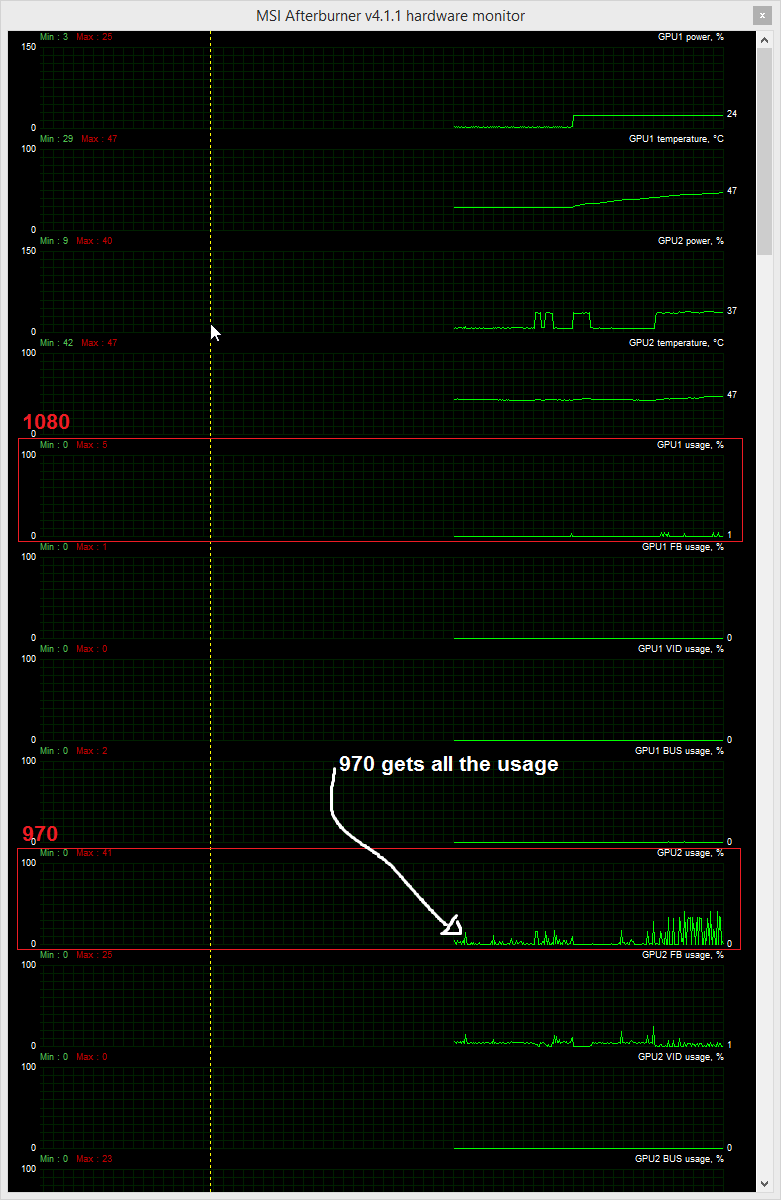
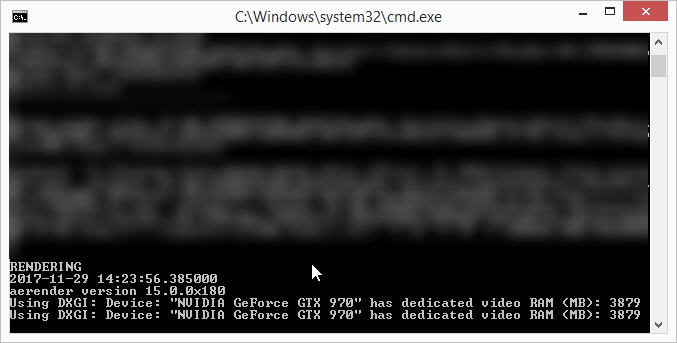
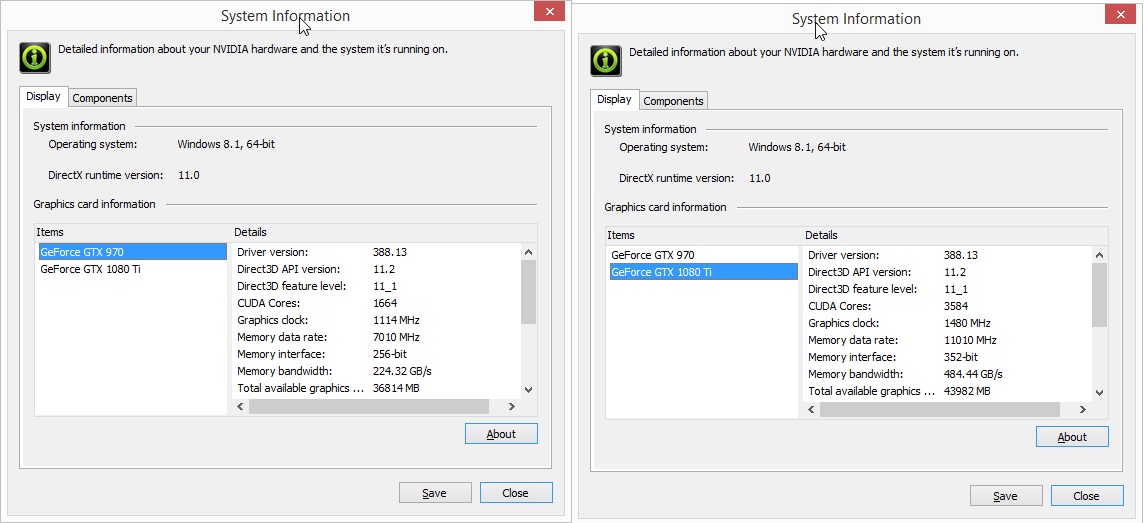
I have two GPUs--a new 1080 ti in the main PCIe slot and an older 970 for my monitor. Ae sees the 1080 ti according to the GPU info window in Preferences > Previews. However, when rendering (via the render queue as well as AME), it's the 970 that gets all the usage. Instances of aerender.exe detect only the 970.
Is there any way to get Ae to use the 1080? I checked out this Adobe help article on aerender and didn't see a flag or option to detect other GPUs. See attachments for more details.
Windows 8.1
Ae CC 2018 (version 15.0)
Thanks,
Tom



 1 Correct answer


 6
Replies
6
6
Replies
6


Copy link to clipboard
Copied
Without knowing the logical ordering of your PCI devices nobody can really be sure, but it seems your cards are simply in the wrong slots. what your describe as your "main" slot could by all means be a secondary PCI lane. Aside from that I'd simply look through the BIOS/ EFI and the MSI board drivers. Some of that stuff can be changed. You may also be able to get Windows to do a switcheroo by removing the cards via device manager and letting them being detected anew.
Mylenium
Copy link to clipboard
Copied
Thanks Mylenium!
Does the screenshot below showing bus/slot help at all? Device manager says 1080 is in bus 1 (slot 4) and 970 is in bus 2(slot 6). Would a pic of their actual physical placement help?
I'm pretty sure I set everything up correctly according to the NVIDIA technician over the phone. 1080 was supposed to be in bus 1, he said. But I'm not certain...
Also, the 1080, and *not* the 970, clearly shows up in the Ae GPU info window. Why the discrepancy between that and the actual usage during render (and aerender screenshot)? I'm hesitant to dig into BIOS/EFI since that can sometimes result in a huge time-sink in general, and if it screws something up which I then need to troubleshoot in particular.

Copy link to clipboard
Copied
Hi Tom_01,
Still seeing this issue or has Mylenium got the issue solved for you?
Let us know,
Kevin
Copy link to clipboard
Copied
Hi Kevin,
Still seeing the issue. Thanks for checking.
Hope you can help.
Thanks,
Tom
Copy link to clipboard
Copied
Hi Tom,
If you're still seeing this, definitely contact us. Here's how.
Thanks,
Kevin
Copy link to clipboard
Copied
Perfect! Thank you!
On Mon, Dec 18, 2017 at 7:04 PM Kevin-Monahan <forums_noreply@adobe.com>


Get ready! An upgraded Adobe Community experience is coming in January.
Learn more
 AdChoices