


- Home
- After Effects
- Discussions
- After Effects warning: Undo group mismatch, will a...
- After Effects warning: Undo group mismatch, will a...
After Effects warning: Undo group mismatch, will attempt to fix

Copy link to clipboard
Copied
After Effects warning: Undo group mismatch, will attempt to fix. Have reinstalled After Effects a number of times, and now have a new computer. IT support at work are baffled. This happens as a result of not being able to import files in the normal way (File> Import, double click the media browser, right click on media browser and import) This is not a continuous issue, when I first open AE, I am able to work as normal, import at normal. Only after importing a few different comps does this begin to happen. I am suddenly unable to import any type of file or media. It does not respond or react to opening a box to even begin browsing for what I wish to import. The only other way to import would be to drag and drop my desired media into the project. As a result, when attempting to edit key frames for that imported item, this error (as before) will appear, and all imported media will disappear. Any idea how on earth to fix this issue, or what else I can do? The work around I have at the moment, is to close AE and reopen it, for it to work for about 30 mins before stopping again. it also quite often crashes when this pop up appears. 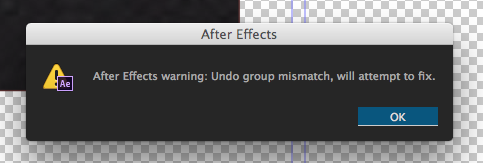



 34
Replies
34
34
Replies
34


Copy link to clipboard
Copied
Resurrecting this thread for anyone else who is getting the error message:
After Effects warning: logged 2 errors, please check log. First error was "warning: Undo group mismatch, will attempt to fix."
Has been happening for a few weeks before today Tue 15 Aug 2023. From this thread I'm concluding it is caused by the Plug-in script "Render Frame at Markers". I will bring it to the programmer's attention.
After Effects Version 23.6.0 (Build 62)
MacOS Ventura 13.4.1 (c)

Copy link to clipboard
Copied
Yeah, still ongoing in AE 24.0.3, latest Ventura, with an M1 Macbook Pro Max topped off. It's not so debilitating on this end as it is annoying and silly. Why on earth would an error message be worded so vaguely, so passively? Will attempt? I don't want to know that the app is "attempting" anything, just freaking do it. If it fails then let me know.


Copy link to clipboard
Copied
It's phrased in developer-speak.
It could read something like, "Something happened that could cause a crash. After Effects is attempting to prevent it. If a crash does not occur, this was successful. Ok."
Copy link to clipboard
Copied
I hear you, but again, why do we need to see this message at all? If it crashes, it crashes, but why interrupt the process and make me have to click one more thing to get back to work?

Copy link to clipboard
Copied
Hello, out of Nowhere, I am constatly getting this error message very randomly and it often undos whatever i've done or just closes after effects completely, i've updated to the latest version, cleared my cache, retstarted my laptop, nothing seems to work.
I'm working with Ae 2020 on an 8gb Macbook Pro M1 2020 if that helps
Copy link to clipboard
Copied
This is one of those neverending bugs that Adobe can't seem to squash, nor do they seem interested. They just consistently shrug their shoulders and amble on. What I really don't understand, why not have After Effects just handle the freaking bug, you know, "attempt to fix" it without this stupid, annoying and repetitive alert that does nothing?

Copy link to clipboard
Copied
This happens when my undogroup isn't stated correctly in my scripts. Are you using any particular scripts that's causing this?

Copy link to clipboard
Copied
cant believe that this problem dating from 2015 still exist, randomly hits me too
Copy link to clipboard
Copied
@igordugonjic
It's a frustrating error message, especially if it doesn't clear after clicking "Ok". 99 times out of 100 (more or less), it should. If it's not, try starting After Effects in Safe Mode. Another option is to import the AEP that's having the issue into a new, empty project, save the new project with a descriptive name, and then try to continue to work.

Copy link to clipboard
Copied
Just had the same problem on CC 25.3.2
The issue apparently was a bunch of shape layers, where the different contents inside a shape layer had the same name. So once I renamed the duplicate names, the error disappeared.

-
- 1
- 2

Get ready! An upgraded Adobe Community experience is coming in January.
Learn more
 AdChoices