Participating Frequently
May 20, 2021
質問

Audio Visualiser

  • May 20, 2021
  • 返信数 2.
  • 367 ビュー
Hello. I am working on making an audio visualizer react to an mp3 file to make the rings react to the audio.   
 
The compositions titled WAVE (1,2,3 and 4) all have audio spectrum and I am trying to change the source of the audio to an mp3 file titled 'VXBX8S_01.mp3' for the rings to react to the audio outside of the planet.   
 
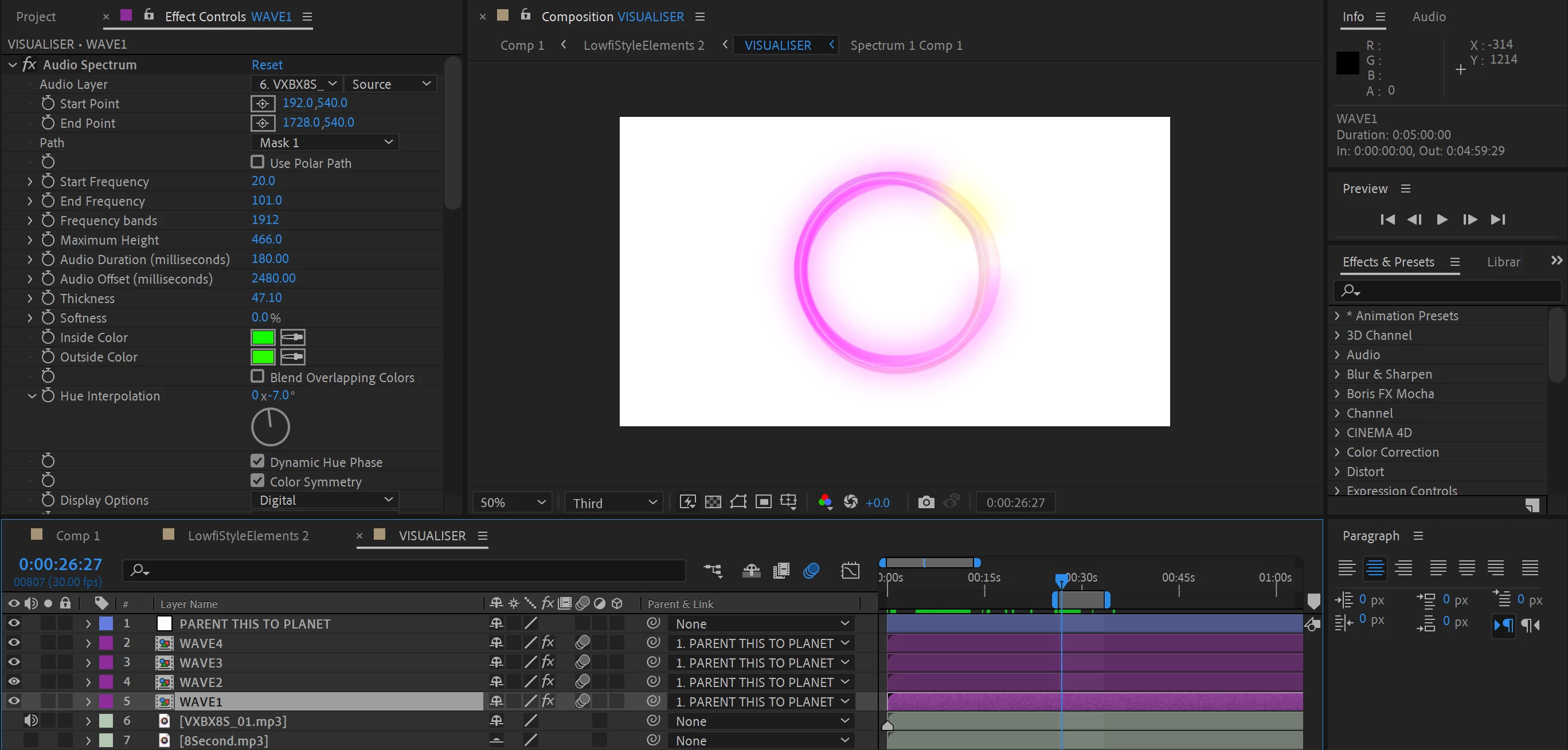
When I change the source to the audio clip (VXBX8S_01.mp3) It doesn't respond. (Screenshot 2 attached below)  
 
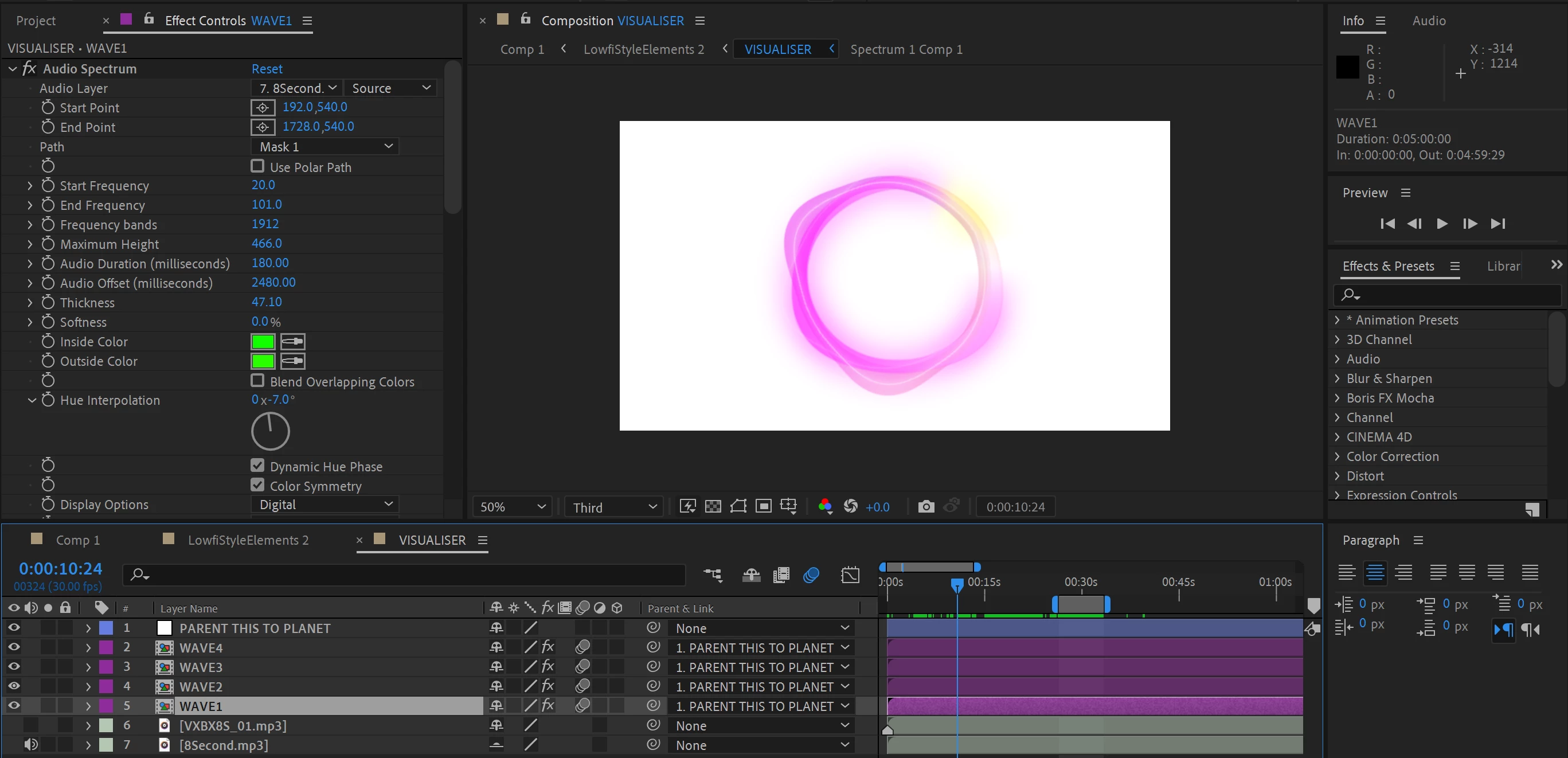
However, in the audio clip below (8Second.mp3) when changing the source to this audio clip the rings react to the audio. (Screenshot 1 attached below)
 
Originally VXBX8S_01.mp3 was a WAV file that I had to convert and when I changed it to mp3 format still didn't react to the audio.  Is there something I am missing or would this be an issue on the audio? 
 
このトピックへの返信は締め切られました。

返信数 2

Mylenium
Legend
May 20, 2021

The usualy applies - if your spectrum doesn't look like you want, process duplicates of the file in an audio editing tool to boost or transpose certain frequency bands, then use those files as muted layers and reference them in the effects instead of the actual audible version. @Andrew Yoole provided one possible explanation, but of course there could be any number of other issues as well. And technically you are not helping the situation by converting to an MP3 when your original WAV file may in fact have contained more fidelity. Only use compressed files if you have nothing else.


Mylenium

Kai201作成者
Participating Frequently
May 22, 2021

Hey Mylenium. You were right the audio format wasn't the problem. Thank you 

Andrew Yoole
Inspiring
May 20, 2021

The issue appears to be that you've set your End Frequency parameter very low - 101hz.


This means that the only audio your waveform is reacting to is sub-bass frequencies.  I suspect your problem audio file simply doesn't have any bottom end frequency that is so low.  Many audio engineers will remove frequencies below 100 hz just to "clean up" a track.


Try pushing that End Frequency parameter quite a bit higher to see if your animation begins to respond.  Humans can hear up to 20,000 hz, so there's a whole lot of audio your animation is not hearing at this point.


Kai201作成者
Participating Frequently
May 22, 2021

Hi Andrew, thanks for your response to my question I was able to get the audio to react after changing the end frequency but also the Audio offset was at 2000. dropped it to 0 and it react perfectly. Thank you for your help. If it didn't play with the settings then I wouldn't be able to progress. Thank you.