


Participant
March 25, 2018
解決済み

BENDING/ANIMATING GRADIENTS AFTER EFFECTS

  • March 25, 2018
  • 返信数 1.
  • 3134 ビュー

I previously created an animation in which I keyframed a variety of gradient/color values. This was a parallax on After Effects, to show an example here is my video:

With this project, I questioned whether on not I could bend gradients, then animate them. Ex:
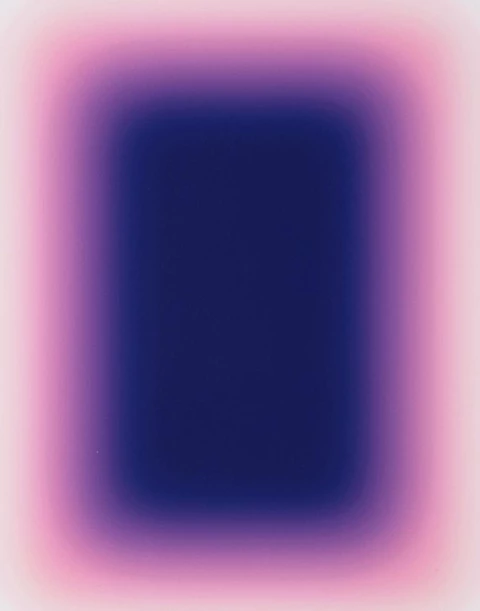
This is a big question for me, I've literally tried everything possible, even on illustrator. I believe the only thing I haven't tried is a formulaic approach on After Effects.

このトピックへの返信は締め切られました。
解決に役立った回答 Mylenium

You are probably going to need to shell out money for Revision FX' RE:Flex warping/ morphing plug-ins. There's no built-in way to achieve that kind of complex deformations. All stock AE distortion effects are too unsophisticated for that and don't provide the path/ mask based control liek you seem to need it.

Mylenium

返信数 1

Mylenium
Mylenium解決!
Legend
March 25, 2018

You are probably going to need to shell out money for Revision FX' RE:Flex warping/ morphing plug-ins. There's no built-in way to achieve that kind of complex deformations. All stock AE distortion effects are too unsophisticated for that and don't provide the path/ mask based control liek you seem to need it.

Mylenium

Participant
September 4, 2018

thank you! I'm going to create a new project to tackle this. I'm going to use this information for sure.

Community Expert
September 4, 2018

If you just want to blend gradients and animate them you can use shape layers. For example, can add as many gradients as you like to a single rectangle, change their blend modes to make them interact, and change the colors and positions. For example, one rectangle, two gradient fills and some animation.

There's tremendous power in this technique. You can add as many gradients or fills as you like and animate a ton of properties.