- Home
- After Effects
- Discussions
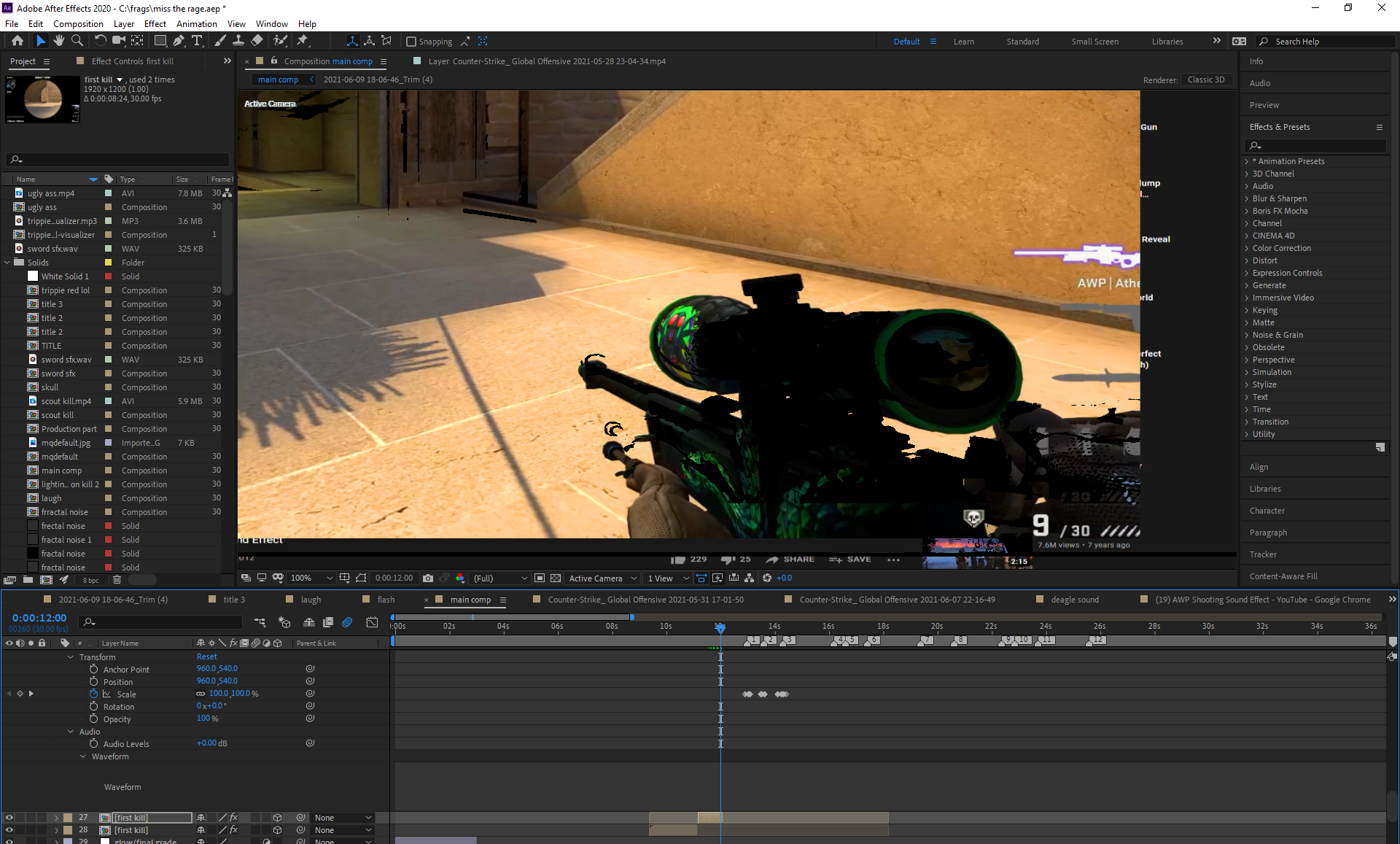
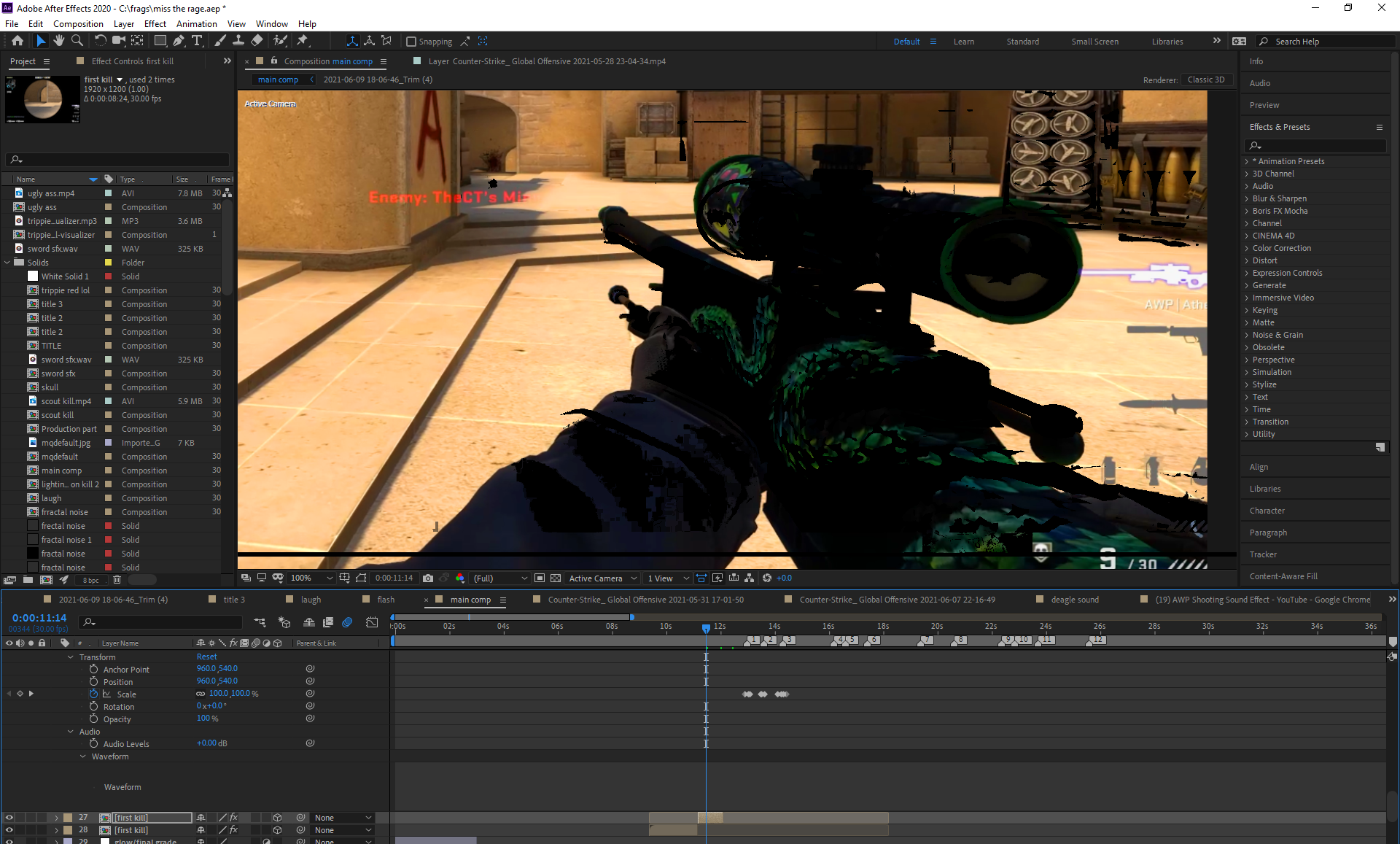
- Black lines in the Composition panel in After Effe...
- Black lines in the Composition panel in After Effe...
Black lines in the Composition panel in After Effects 2020

Copy link to clipboard
Copied


 9
Replies
9
9
Replies
9


Copy link to clipboard
Copied
Hi Isaac5EDC,
Sorry for your issue.
That looks like related to GPU. When do you get this issue - does it appear randomly or it's there the whole time? Does it happen in all the projects? Also, what are your system specifications (CPU, GPU, RAM, OS)?
Try updating your GPU driver if it's not updated already.
Looking forward to your response.
Thanks,
Nishu
Copy link to clipboard
Copied
Hi nishu, it happened to all the projects. After I rendered it. And I will find out. What I have and normally I update everyrhing.
After I update it what do I do?
Copy link to clipboard
Copied
Thanks for getting back.
Once you have updated the GPU driver, restart your computer and see if it helps.
Let us know.
Thanks,
Nishu
Copy link to clipboard
Copied
hey nishu, i finally updated my drivers and still nothing.
Copy link to clipboard
Copied
i have a ddr3, nvidia 1080 ti and a i-7
Copy link to clipboard
Copied
Thanks for trying that.
Does it happen with all the projects? I see that you're working with a screen recorded footage and they cause all kinds of issues. Can you test it on a footage recorded from a camera? If the issue still persists, try disabling the Hardware Accelerated Composition, Layer, and Footage Panels under After Effects Preferences > Display.
Let us know how it goes.
Thanks,
Nishu
Copy link to clipboard
Copied
the footage on a camera was fine i did what you said and it still didnt work.but it did make some of the screen better.
Copy link to clipboard
Copied
but not by much, i just dont get why everything happened after i rendred it because everything was perfect/
Copy link to clipboard
Copied
Are you exporting it from the After Effects Render Queue? If so, try exporting it with Media Encoder. Also, try disabling the "Enable hardware accelerated decoding" under After Effects Preferences > Import?
Let us know how it goes.
Thanks,
Nishu


Get ready! An upgraded Adobe Community experience is coming in January.
Learn more
 AdChoices