
Copy link to clipboard
Copied
Hello.
I am using Element 3D and I have created a scene using Videocopilot's 3D models from their Motion Design 2 pack with applied textures from their Pro Shaders pack.
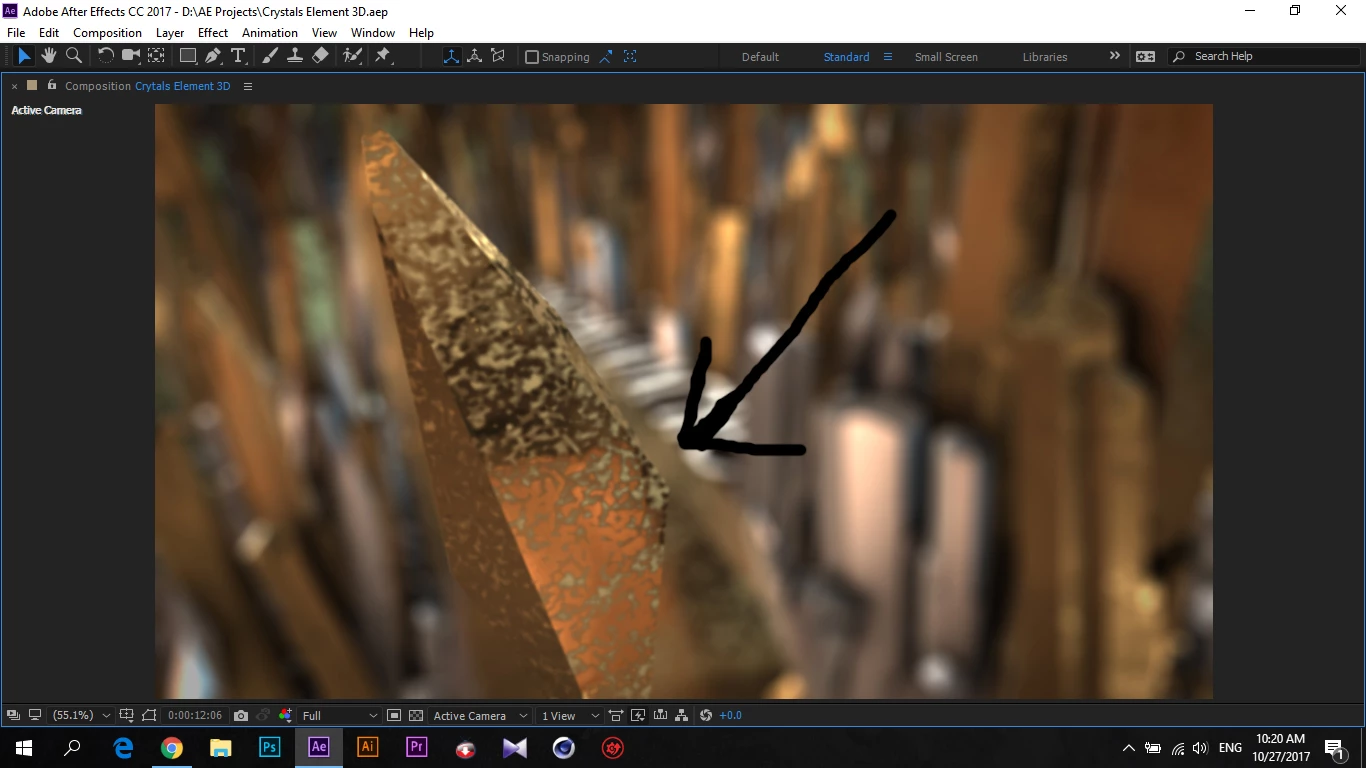
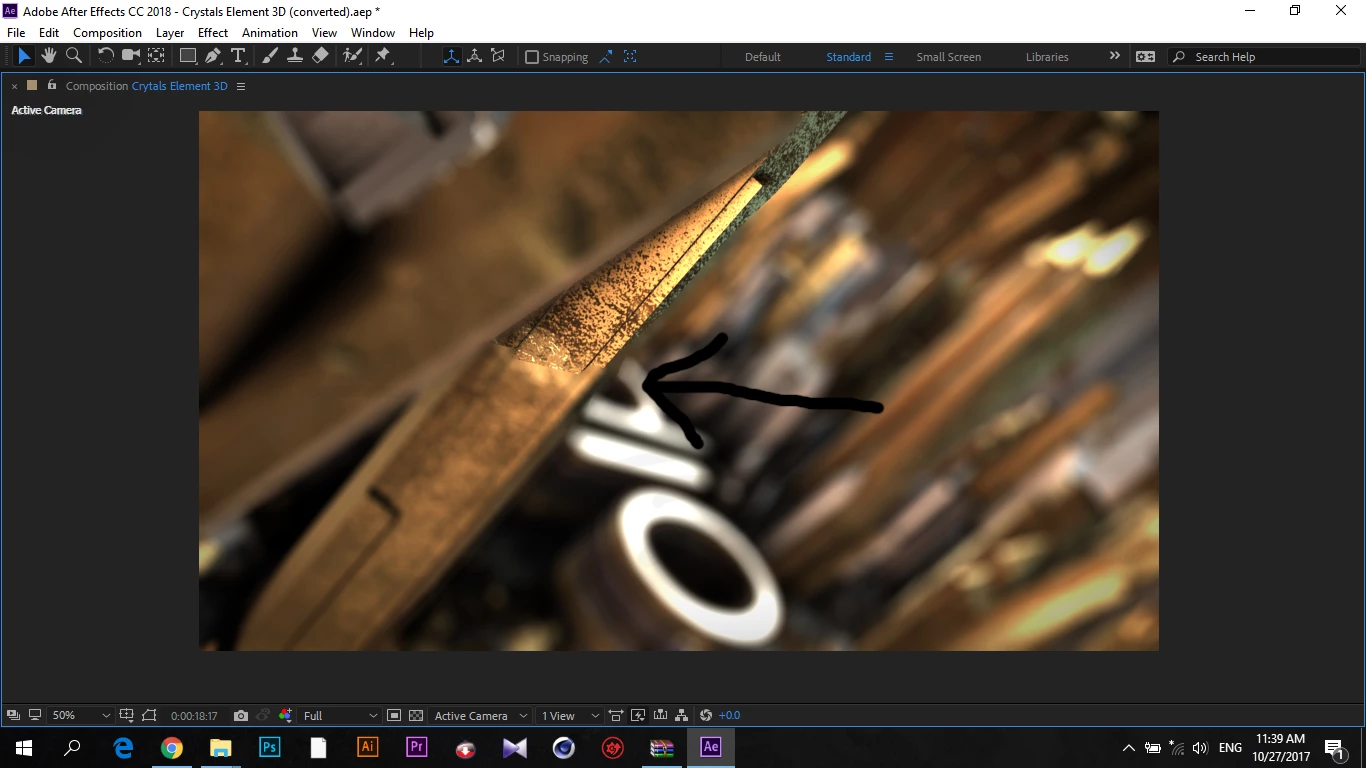
When I activate Depth of Field it creates a sharp line between the blur and the focused area. I have no idea why this is happening. Thank you in advance for the help.
Copy link to clipboard
Copied
Hi GZEDITS,
Have you reported the issue to Video Copilot yet? What did they say? Let us know if you found any solutions.
Thanks,
Kevin
Copy link to clipboard
Copied
Hello.
Sorry for the late reply. This issue gets fixed when you change the DOF Mode inside of the Render Settings in the E3D layer from Pixel Blur to Multi Pass (makes the rendering a lot slower but this fixes the issue).
Copy link to clipboard
Copied
Thank you so much! I struggled for hours trying to fix this!
Copy link to clipboard
Copied
Thanks GZEDITS. Years down the line someone will always find this helpful. Just like it helped me just now. Cheers.
Get ready! An upgraded Adobe Community experience is coming in January.
Learn more