

Inspiring
January 30, 2021
Answered

Cropping region of interest in After Effects

  • January 30, 2021
  • 2 replies
  • 2031 views

Hi forum


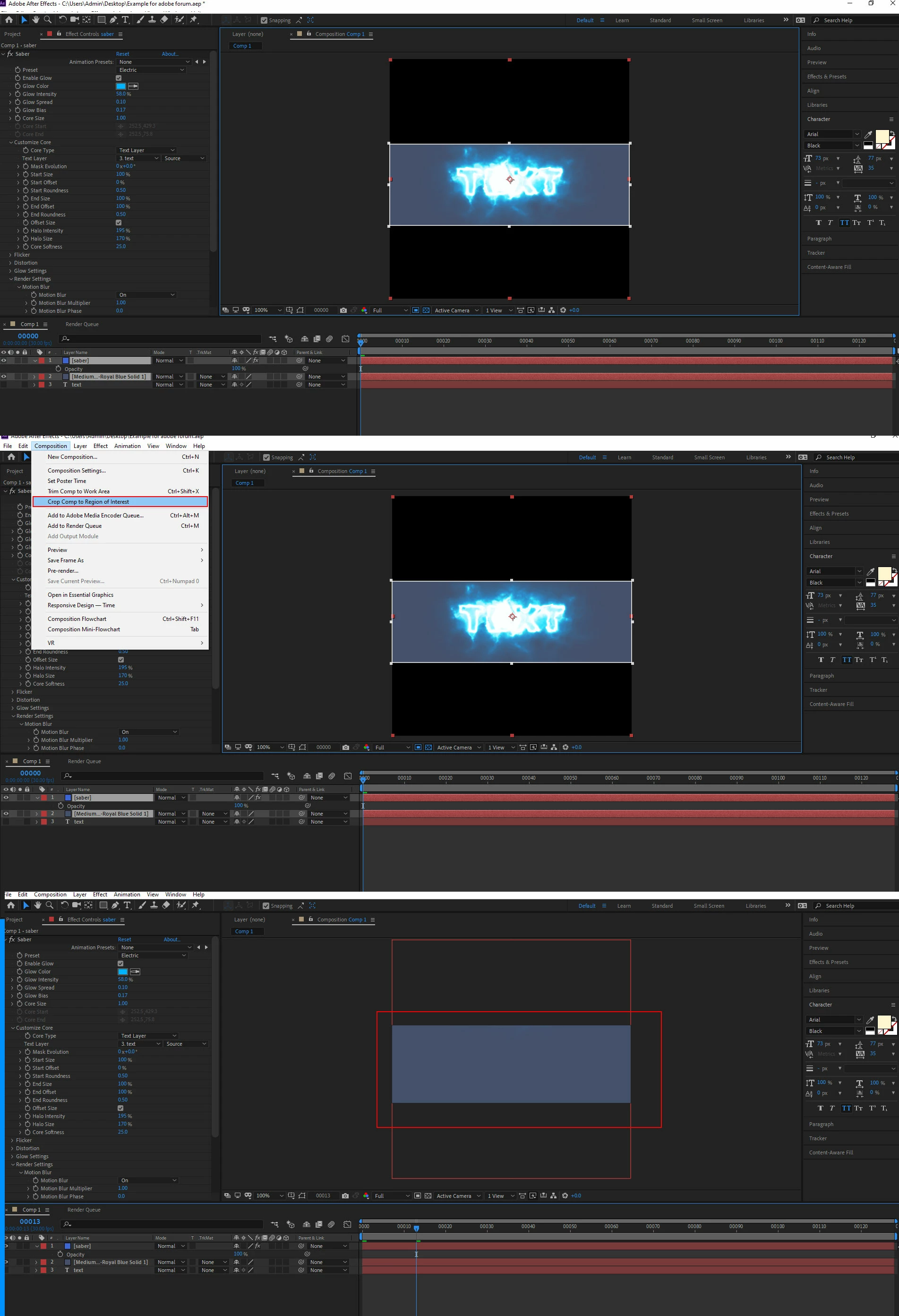
Cropping region of interest in After Effects is inverting my selection, how can I invert it? its cutting out my text which is IN the region of interest.



This topic has been closed for replies.
Correct answer P.M.B

Test to see if it's the Saber plugin causing the conflict by creating anouther composition with som plain text and then crop it the same to see if it happens again.  Then maybe do another quick comp where you apply Saber and crop it and see what happens.  My guess is that has something to do with Saber and maybe how it calculates.  Trying to recreate a problem under a couple different circumstances is a good way to troubleshoot and isolate problems.

2 replies

Inspiring
January 30, 2021

Yep, that was it, it needed to be precomposed before choosing region of interest.


Thank you.

P.M.B
Legend
January 30, 2021

Happy to be able to help/ 🙂

~Gutterfish
P.M.B
P.M.BCorrect answer
Legend
January 30, 2021

Test to see if it's the Saber plugin causing the conflict by creating anouther composition with som plain text and then crop it the same to see if it happens again.  Then maybe do another quick comp where you apply Saber and crop it and see what happens.  My guess is that has something to do with Saber and maybe how it calculates.  Trying to recreate a problem under a couple different circumstances is a good way to troubleshoot and isolate problems.

~Gutterfish