Participating Frequently
May 21, 2020
Question

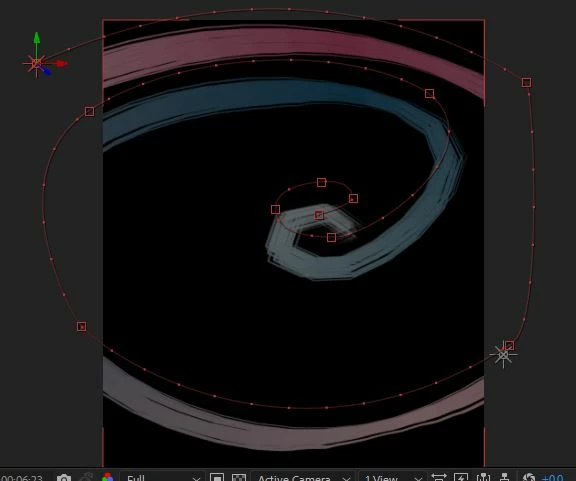
Hi, How to make rounded corners on light path?

  • May 21, 2020
  • 1 reply
  • 900 views

Ive used a light path for trapcode particluar , but the corners are not rounded , is there a solution for this?
 

This topic has been closed for replies.

1 reply

brittnell-CM
Inspiring
May 21, 2020

It has to do with the speed your light is traversing the path at that point (covering a good chunk of the curve between actual frames), so what you need, is to tell Particular to consider what's going on between frames (subframe).


Change the "Position Subframe" setting in Particular (at the top of "Emitter Behavior", below "Light Naming") to something other than "Linear", and it should fix it.

Participating Frequently
May 21, 2020

I changed position subframe to other then liniar, nothing changed


slowering the speed did rounded the corners, but i may need to keep the speed faster


is there any other solution without changing speed?


(thank you brittnell-CM 


brittnell-CM
Inspiring
May 21, 2020

That's really odd, changing the position subframe sampling off of linear should have fixed it (as attached) 🤔 🤔:

If that doesn't seem to work for you for some reason, one thing you can do, is to keep the slower version, precomp it (drag it into a new comp), and then Layer/Time/Time Stretch that to the shorter (and faster) length you were hoping for.