Participating Frequently
April 28, 2025
解決済み

How to animate seamless animation of cars driving on loop

  • April 28, 2025
  • 返信数 2.
  • 1199 ビュー

I am new to after effects and am looking for a way to make the row of vehicles loop continuously almost like a seamless pattern not sure how to go about this? Theres about 8 vehciles and I've masked a precomp with them animated inside
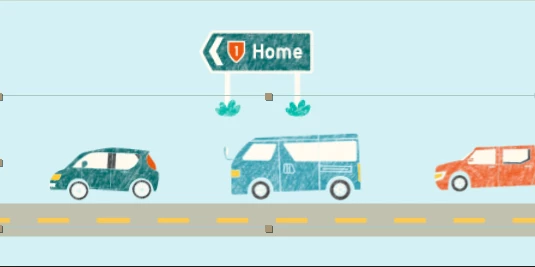
This is inside the precomp I found a tutorial to animate them on a path and created keyframes with a Null object but I don't know how to loop it with the car in the beginning so theres not a big gap at the end when the cycles finished
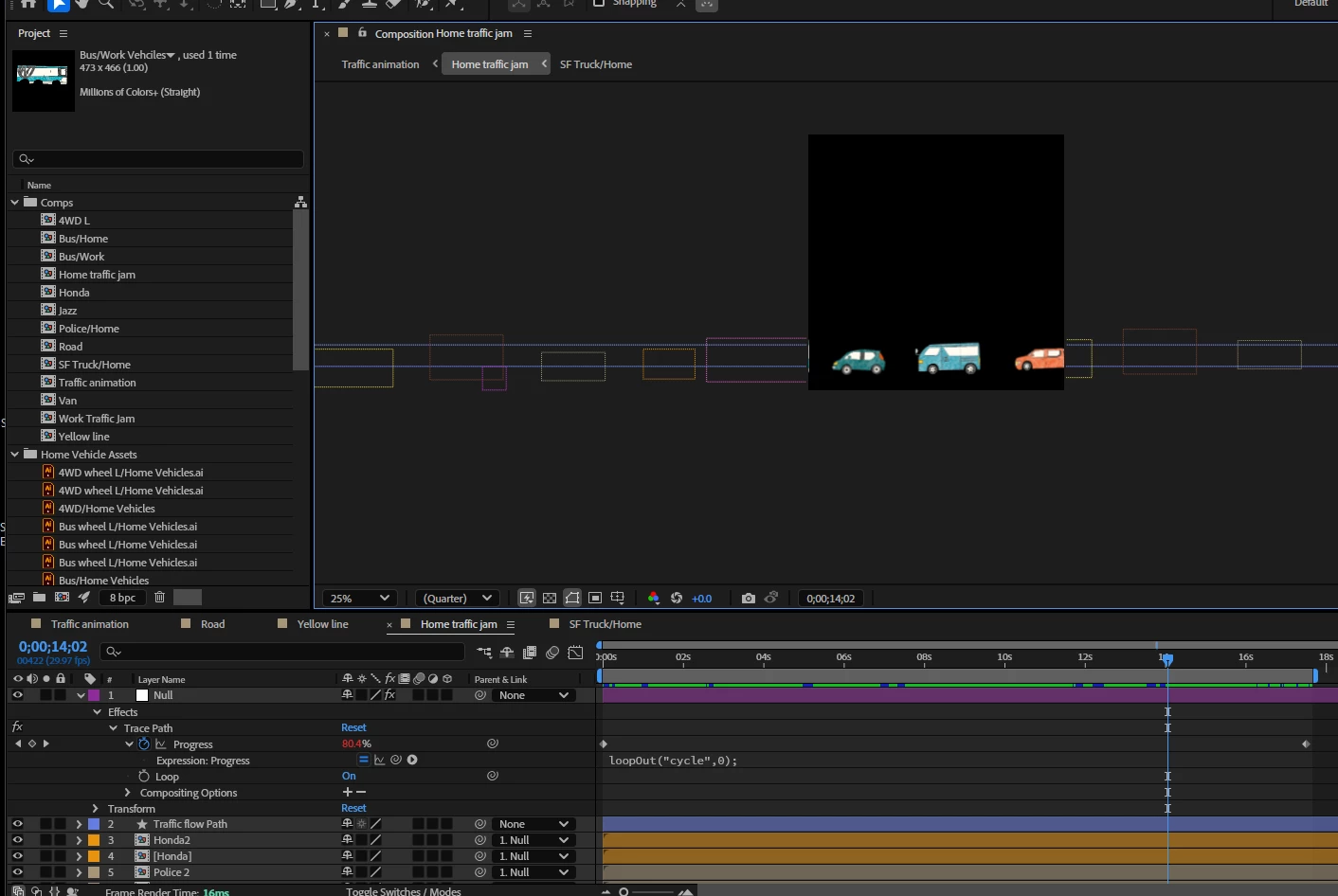



解決に役立った回答 thepixelsmith

Hi @thepixelsmith thank you for your help. I am still having trouble getting my head around this. My pre comp is a long rectangle of cars that is masked within a square comp and scrolls through. So from my understanding of what you are saying what is visible within the mask in the main comp needs to be symmetrical? 

So this would be the pre-comp of all the cars to scroll through


But within the main comp I would just make the masked part symmetrical? I may need a video tutorial if its not too much trouble!


This is a tutorial I made to explain this effect and how to use it.

https://youtu.be/4cj22UzviSo


返信数 2

Participant
August 10, 2025

Creating a seamless animation of cars driving on a loop involves designing a smooth, continuous path and ensuring the start and end frames align perfectly. By using techniques like motion tweening and consistent frame rates, you can keep the movement fluid. Whether you’re showcasing a city scene or promoting travel services like Fiji car hire, looping animations give a dynamic, professional touch. This approach keeps viewers engaged without noticeable breaks in motion.

thepixelsmith
Community Expert
Community Expert
August 15, 2025

This sounds like it was written by A.I.


thepixelsmith
Community Expert
Community Expert
April 29, 2025

There is an effect named offset.

It can be used to repeat a layer from left to right or top to bottom.

1. Create a comp made up of just the cars. Make sure the left and right side of the comp are symmetrical.

2. Add the car comp to your main comp.

3. Add the offset effect to the car comp layer and animate the Shift Center To property along the X axis.


Participating Frequently
May 5, 2025

Thanks for this!
I have started to apply this but am getting confused on what I need to offset the values too in order to make it seamless.


This is the precomp with the rows of cars. Do the cars need to be duplicated and flipped?


I am unsure what values to input in the offset effect and what stage I need to set the keyframes at beginning and end of the animation to make it seamless and not jump. The precomp sits within the main animation which is a square so its masked and the car traffic travels through.


thepixelsmith
Community Expert
Community Expert
May 5, 2025

The layer that you want to loop has to be a graphic where the left and right sides are exactly symmetrical. So if you have 20 pixels of empty space on the left side you should have empty space on the right side of the graphic as well. If you have a red car halfway off the screen on the right if has to be mirrored so it is the same amount offscreen on the left.
You make this graphic a layer in your main comp and then add the offset effect to it.

You animated the Shift Center To property in the Effect. The first number creates left/right movement.
It's late here for me, if you are still havign a problem I can try to make a video for you tomorrow.