Known Participant
July 27, 2018
Question

How to turn Saber Glow to gradient color

  • July 27, 2018
  • 3 replies
  • 10772 views

Hi guys,

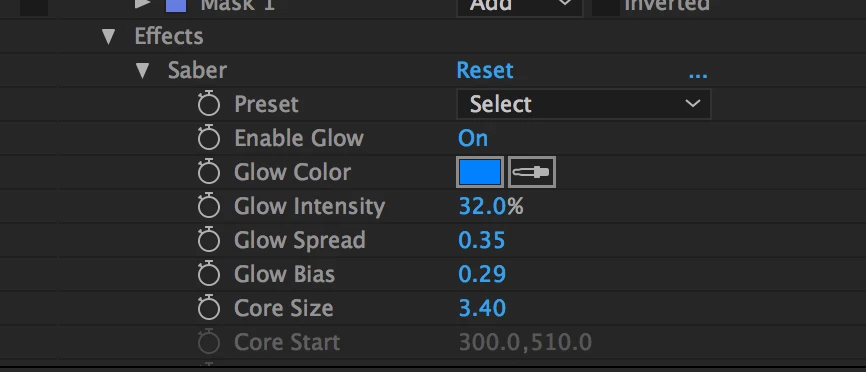
i'm doing an animation with Saber plugin (attached)

i want to change the blue color to a gradient color, but i can't seem to figure out how. I know how it works for regular shapes, but for this one can't figure out how.

Any help would be appreciated.
This topic has been closed for replies.

3 replies

Known Participant
July 27, 2018

It worked! there is however one more point:

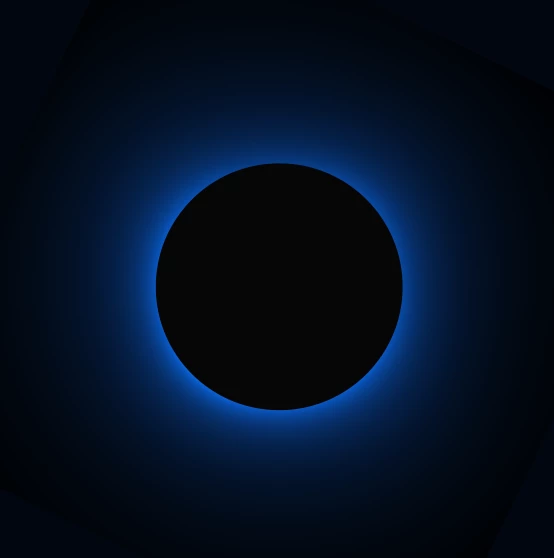
i am attaching how it turned out to be (radial effect), whereas what i potentially want to do is like the second attachment. i want the gradient color to be surrounding the circle and not in the way it currently is.. Any help? if there is any video tutorial i would gladly watch it to cut things short 8-)

Many thanks again

Mike_Abbott
Legend
July 27, 2018

You could just mask out the middle - but Saber has a built in option that will do it I think:

Saber > Render settings:

Alpha mode : Mask Glow

Invert masks: ON

PS: There are lots of other (maybe better ) ways to do a simple radial glow like this - look up: Gradient Ramp (Radial), Glow effect, Shape layer gradient fill (radial), Layer styles (inner / outer glow)... for some other options in the future.

Legend
July 27, 2018

SABER is a purely synthetic effect - just like with plugins like Trapcode Stroke, After Effects cannot see the 'shape' being created on the layer. It would have to be pre-composed to turn it into something that behaves like regular footage.

Mike_Abbott
Legend
July 27, 2018

Dave - it can if Saber's 'Customise Core' is set to mask.

Mike_Abbott
Legend
July 27, 2018

Apply the Colorama effect after the Saber effect.

In Colorama twirl down the 'Output Cycle' section and pick a preset palette or adjust the colour wheel to taste.

Known Participant
July 27, 2018

great! i got this, but how can i apply it over my object?

many thanks

Mike_Abbott
Legend
July 27, 2018

Without seeing a screenshot of your timeline I'm guessing...

I'm assuming you have a layer (solid?) with Saber using a mask for it's outline?

Just apply the colorama immediately under the Saber effect on that layer.