


sabawarnali
Known Participant
March 10, 2022
質問

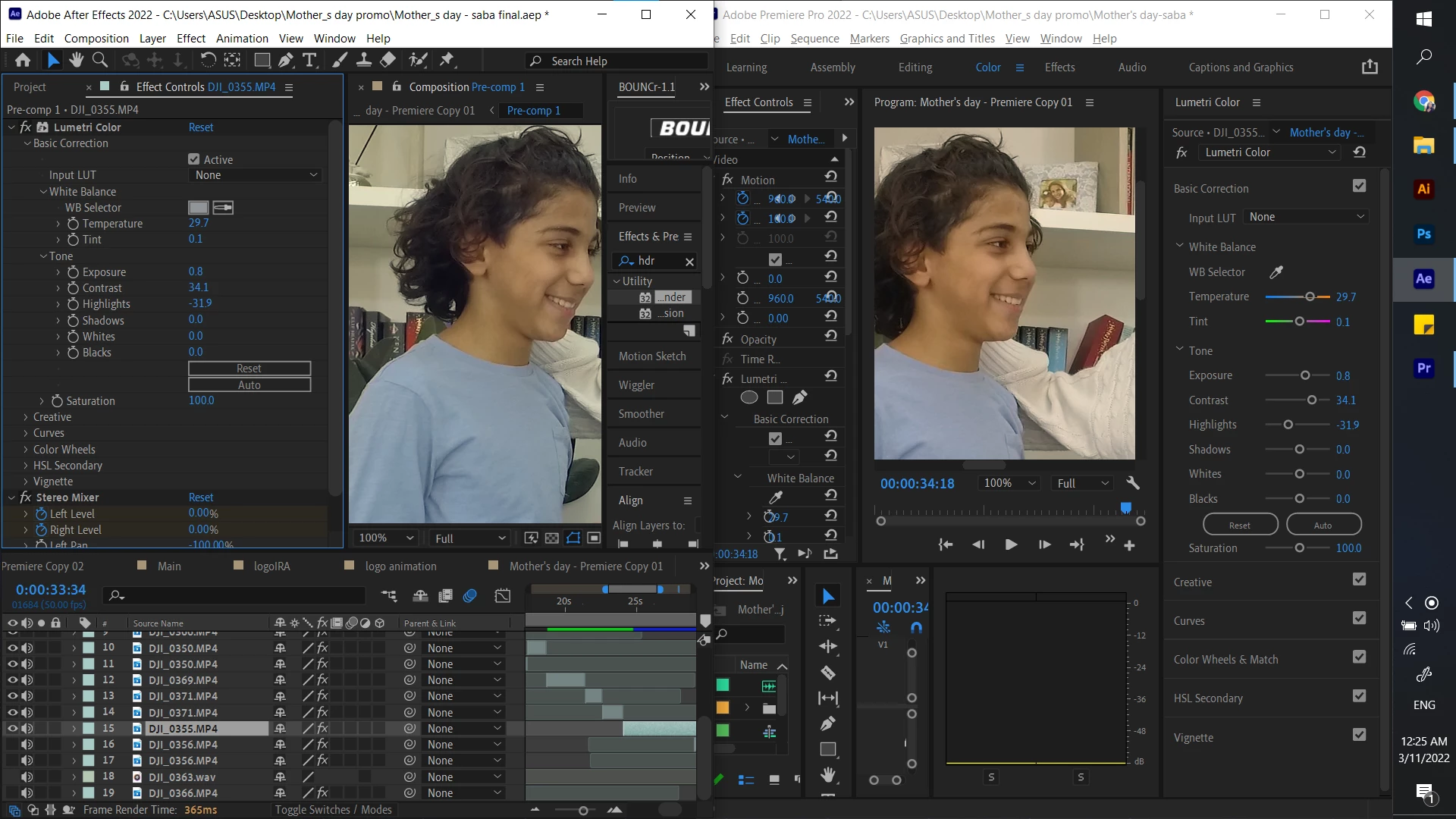
Lumetri Color in AE from Premier using dynamic link doesnt look the same

  • March 10, 2022
  • 返信数 2.
  • 1869 ビュー

hello, 


so I made some color corrections on  video in premier pro, then i linked the premier file in after effects project using dynamic link, the results on left doesn't match what i did on right 


any idea how to fix it ? 


このトピックへの返信は締め切られました。

返信数 2

R Neil Haugen
Legend
March 11, 2022

Kyle's right. In this case, Premiere will be working in Rec.709/gamma 2.4. You need to have Ae set to match. Project settings, Color tab, make sure the Working space is set to Rec.709 gamma 2.4.


Neil

Everyone's mileage always varies ...
sabawarnali
sabawarnali作成者
Known Participant
March 12, 2022

are booth working under the same settings?


R Neil Haugen
Legend
March 12, 2022

In Ae, set the Depth to 10 bit or trillions of colors, whatever that option is. Not the 8 bit.


And use the Working Space drop down to set it to Rec.709 gamma 2.4.


In Premiere, the working color space is set in the Sequence settings, and make sure that is set to Rec.709.


Neil

Everyone's mileage always varies ...
Kyle Hamrick
Community Expert
Community Expert
March 10, 2022

A good first step would be confirming that the two apps don't have different color management settings.

Premiere: File > Project Settings > Color Management

After Effects: File > Project Settings > Color