



Memory Error (Unable to allocate blah,blah,blah of memory )when using Liquify Tool
YOU GUYS.
After Effects Keeps Crashing with memory errors when using the Liquify tool. I'm seeing this complaint from a lot of people in the forums with NO WORKABLE SOLUTION that I have found after spending ALL DAY trying to work this out.
This is the error, though the amount of memory differs from crash to crash. In MOST CASES the amount of memory is 0.002MB.
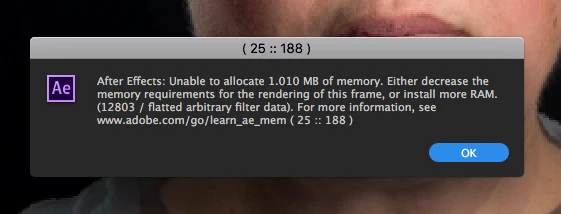
Some of the things I've tried is creating low resolution proxies, everything on the very lowest resolution possible where I'm dealing with being able to see the detail of nothing I'm trying to do, dedicating more RAM to AE, dedicating LESS RAM to AE, clearing caches, not clearing caches, restarting, on and on.
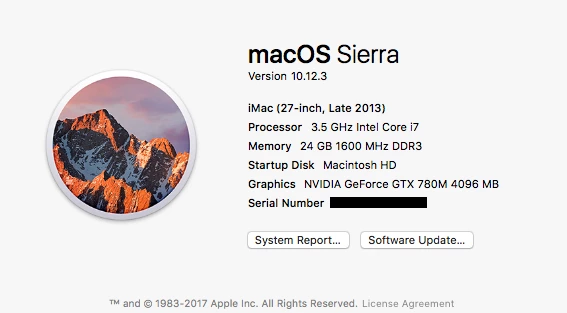
This is my system...
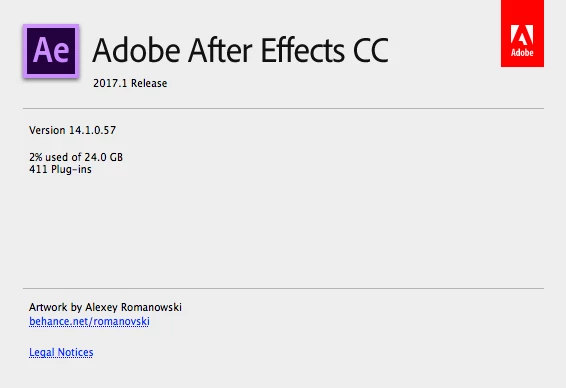
This is the latest version of AE...
Does anyone know how to fix this? My project is dead in the water.
Thanks!Chick
 AdChoices