
Participant
December 1, 2023
Answered

Particular Scripting Jsx

  • December 1, 2023
  • 2 replies
  • 429 views

Hi !
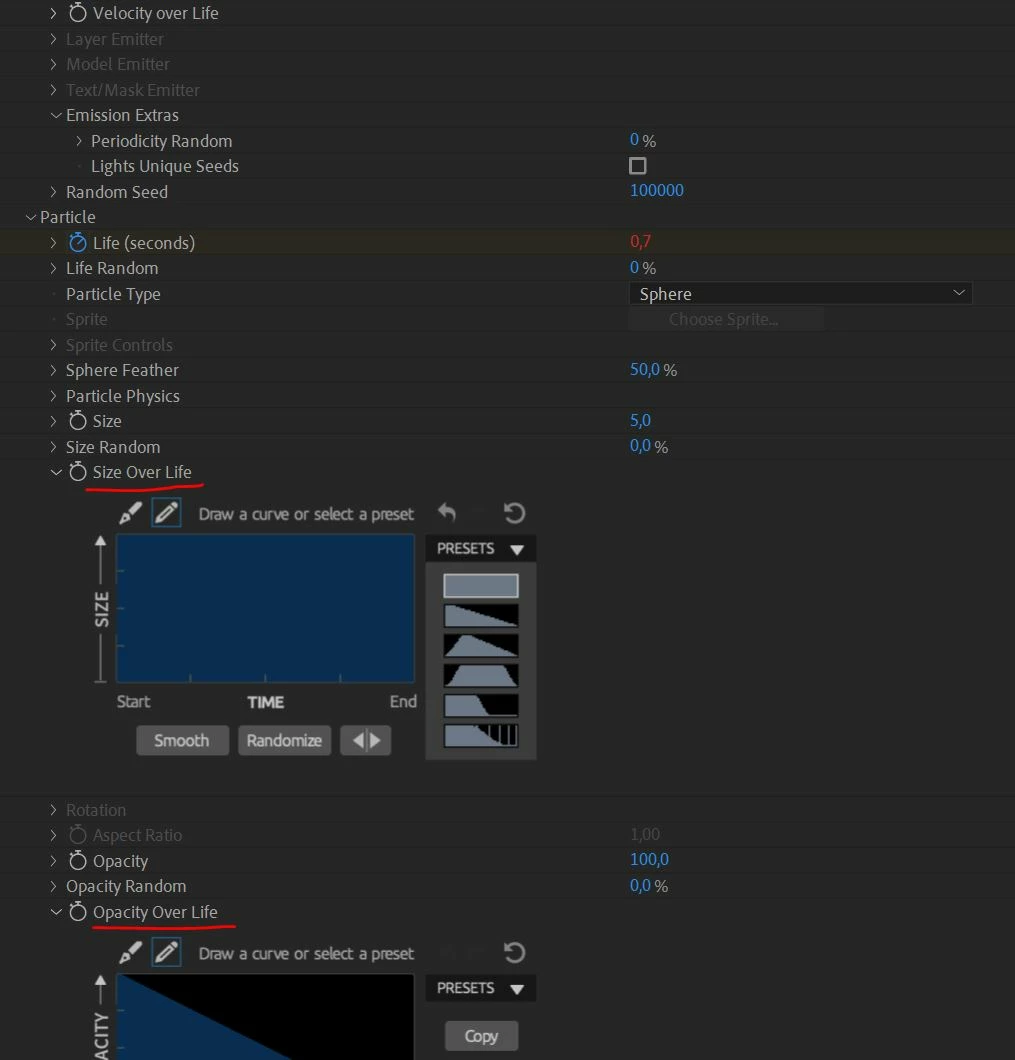
for my effect trapcode particular, i would like changed the "Size Over Life" for the second preset.

actually, i access to values with setValue() like this for "Emitter Type" :

var solidLayer = curComp.layers.addSolid([1, 1, 1], "Particular", curComp.width, curComp.height, 1);

var particularEffect = solidLayer.Effects.addProperty("Particular");
particularEffect.property("Emitter Type").setValue(1);


but, it don't work for "Size Over Life". i tried with ([2]) too.
have you an idea for acceed to properties of "Size Over Life"?
Thanks
This topic has been closed for replies.
Correct answer Mylenium

You can't. Custom controls are inaccessible with scripting.


Mylenium

2 replies

Mylenium
Legend
December 1, 2023

No. This is simply a black box that cannot be accessed.


Mylenium

Mylenium
MyleniumCorrect answer
Legend
December 1, 2023

You can't. Custom controls are inaccessible with scripting.


Mylenium

Participant
December 1, 2023

Hi @Mylenium 
Thanks for your reply.
is it possible to make an expression  ?

Community Expert
December 3, 2023

If you cannot see a property that has a value that you can change, you cannot edit that modify that property directly. The only possible thing you could do would be to change the timing of the keyframes in that animatable property.