Exit
  • Global community
    • Language:
      • Deutsch
      • English
      • Español
      • Français
      • Português
  • 日本語コミュニティ
  • 한국 커뮤니티
0

Problem with vectors

Participant ,
Dec 21, 2016 Dec 21, 2016

Hi

I want to do character rigging but have met problem.

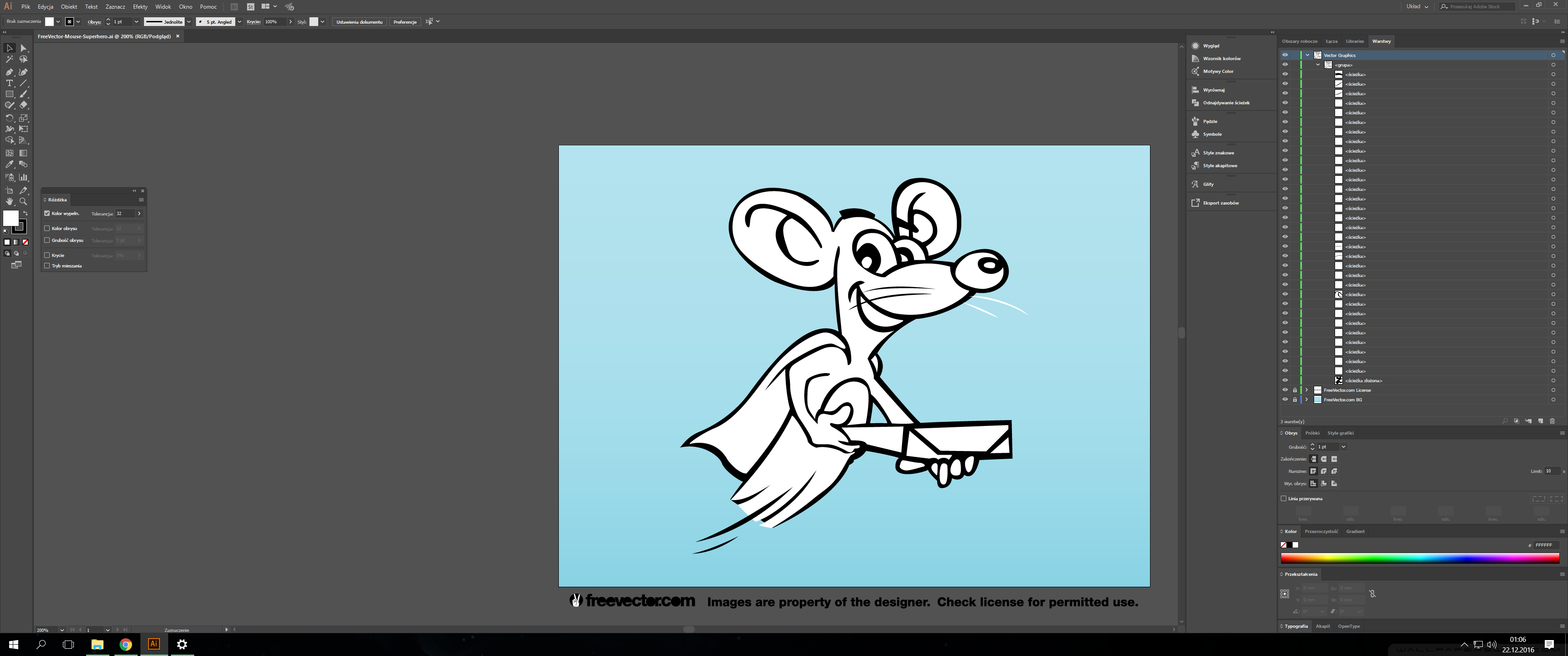
First - when importing Ilustrator project I cant get all layers except for top ones; no sub-layers or paths.

This is how the project looks in Ilustrator:
AI.png

I found this issue to be discussed on random forums, but usualy the sollution was to change import settings. Mine are these:
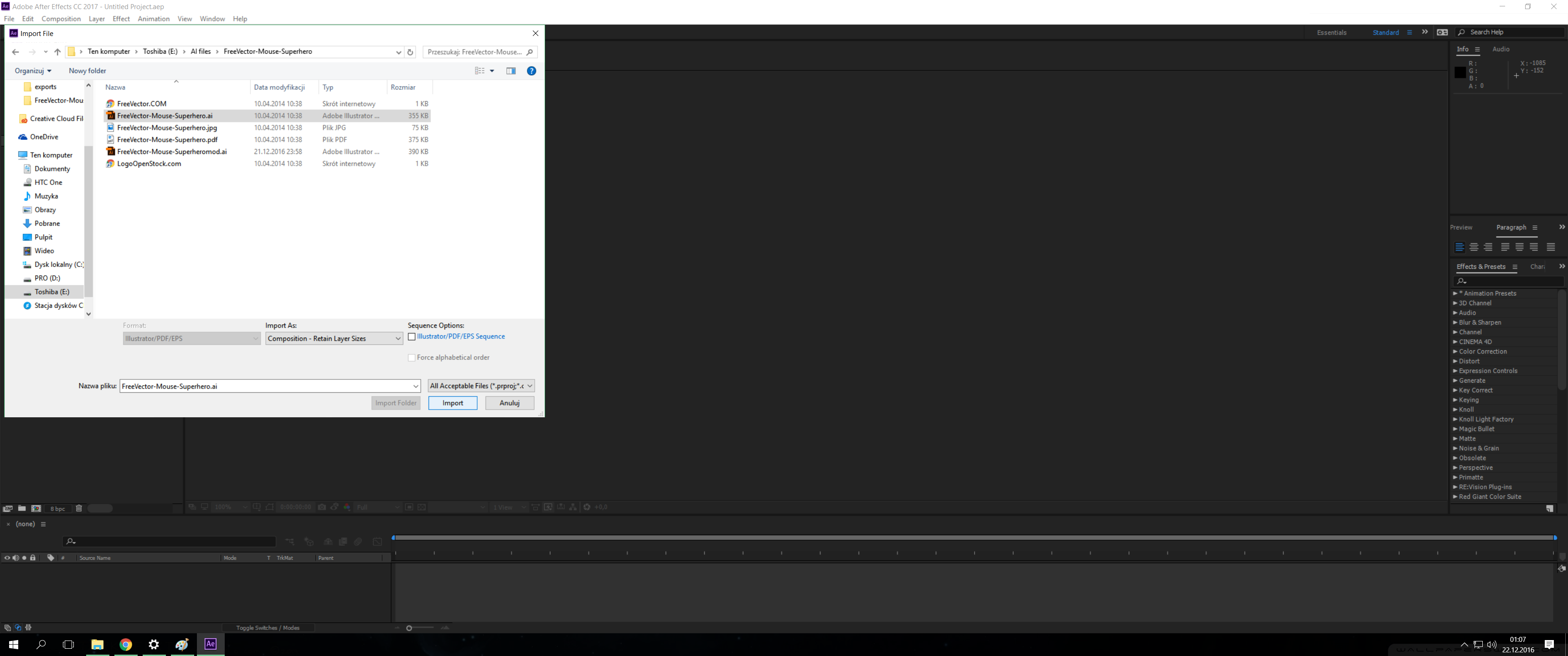
import.png

This is the project imported into AE:
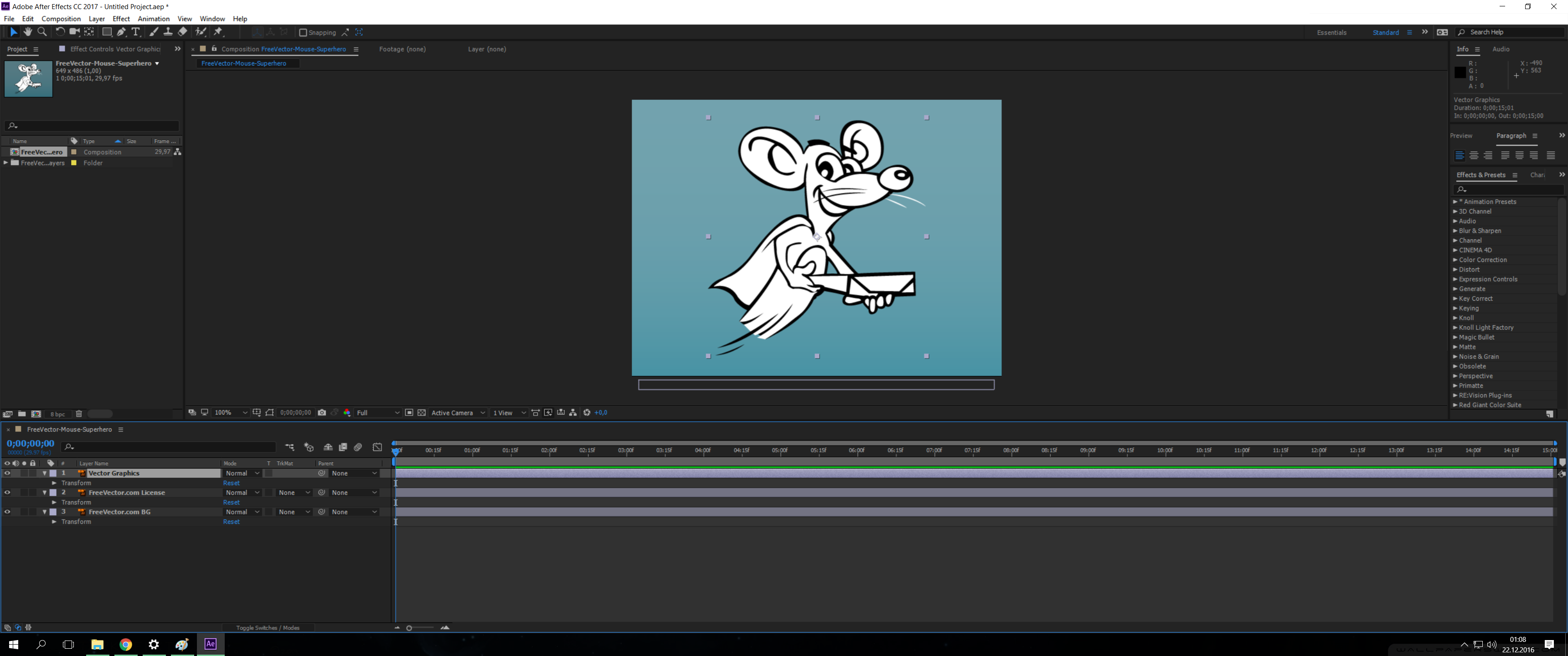
AE.png

As mentioned above there are only these three main layers.

The second issue is the quality of vectors in AE. I'm just a beginner, so correct me if wrong, but I thought the object's edges should stay sharp when transforming, right?

Mine look like raster graphic:
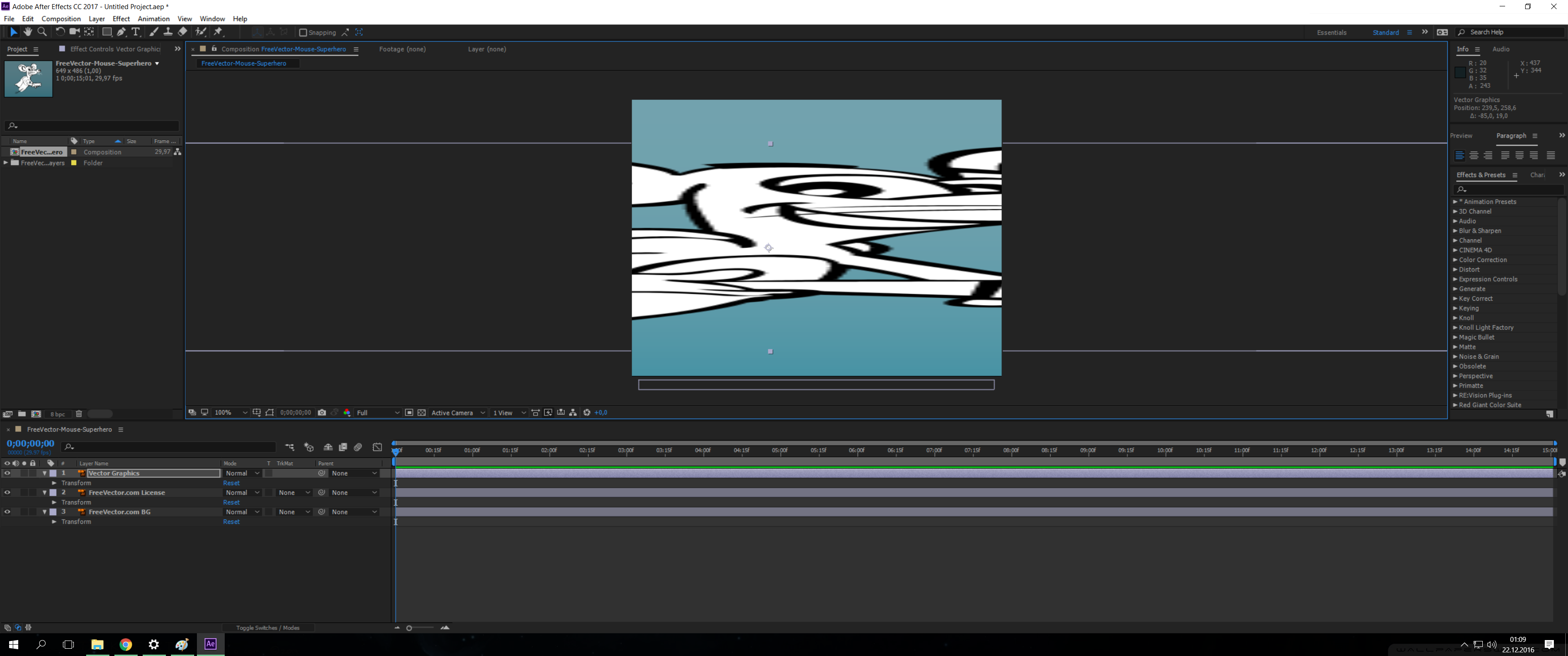
AE2.png

Please advice...

574
Translate
Report
Community guidelines
Be kind and respectful, give credit to the original source of content, and search for duplicates before posting. Learn more
community guidelines

correct answers 1 Correct answer

LEGEND , Dec 21, 2016 Dec 21, 2016

1.Ae imports only main layers when it comes to illustrator. Whatever is inside will remain merged inside the layers. If you want to have access to the layer's content as separate graphics, you will have to place it in a different layer in illustrator or use "Create shapes from vector layer" which will convert it to shapes but still inside one shape layer's content heirarchy.

2. Ai layers are imported as pixels unless you toggle the continuously rasterize switch in the switches panel

you should rea

...
Translate
LEGEND ,
Dec 21, 2016 Dec 21, 2016

1.Ae imports only main layers when it comes to illustrator. Whatever is inside will remain merged inside the layers. If you want to have access to the layer's content as separate graphics, you will have to place it in a different layer in illustrator or use "Create shapes from vector layer" which will convert it to shapes but still inside one shape layer's content heirarchy.

2. Ai layers are imported as pixels unless you toggle the continuously rasterize switch in the switches panel

you should read here about preparing your illustrator artwork: Preparing and importing still images in After Effects

Translate
Report
Community guidelines
Be kind and respectful, give credit to the original source of content, and search for duplicates before posting. Learn more
community guidelines
Participant ,
Dec 27, 2016 Dec 27, 2016

Is there any difference in functionality between layers made these two ways (changed in illustrator vs shape layers in AE)?

Translate
Report
Community guidelines
Be kind and respectful, give credit to the original source of content, and search for duplicates before posting. Learn more
community guidelines
LEGEND ,
Dec 27, 2016 Dec 27, 2016

Here are a few differences in functionalit:

• An illustrator layer does not have accessable vector data meaning path and vertices you can manipulate . A shape layer does.

• Shape layers have content structure similar to Ai layers with ability to stack fill and stroke and changing them right in Ae.

• Shape layer have shape operators that can be very useful for creating certain appearance or animation.

• Shape layers have additional features that are available if you create them as parametric and not bezier. they could be very useful that animators would even prefer to create vectors from scratch in Ae vs starting in illustrator. Check out the adobe series with motion graphics designer Evan Abrams: https://m.youtube.com/playlist?list=PL79TBmLa4lTQ-C8ubzeiUZAeyhdgYEmNr and also animator James Curran: https://m.youtube.com/results?q=James%20Curran%20&sm=3

this is a heavy topic so to get more information I suggest you type "shape layers" in the search field at upper right corner of the Ae interface and read the help files.

Translate
Report
Community guidelines
Be kind and respectful, give credit to the original source of content, and search for duplicates before posting. Learn more
community guidelines
Engaged ,
Dec 21, 2016 Dec 21, 2016

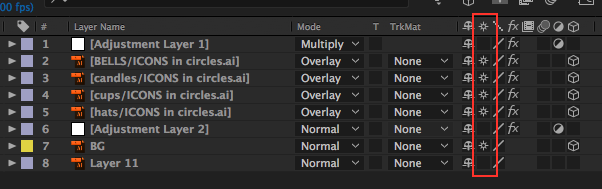
To keep the edges clean at all sizes, you can turn on the continuously rasterize switch which is located right nwext to the shy guy switch. see attached

Screen Shot 2016-12-21 at 5.52.13 PM.png

Translate
Report
Community guidelines
Be kind and respectful, give credit to the original source of content, and search for duplicates before posting. Learn more
community guidelines
Participant ,
Dec 28, 2016 Dec 28, 2016
LATEST

Great, thanks 

Translate
Report
Community guidelines
Be kind and respectful, give credit to the original source of content, and search for duplicates before posting. Learn more
community guidelines