


- Home
- After Effects
- Discussions
- Re: Really simple shape layers query
- Re: Really simple shape layers query

Copy link to clipboard
Copied
OK Adobe, where'd you go and hide the shape layer path option in cc2015? I want to turn a pentagon into a triangle and can't because you've moved the paths points control! Little help?


 1 Correct answer

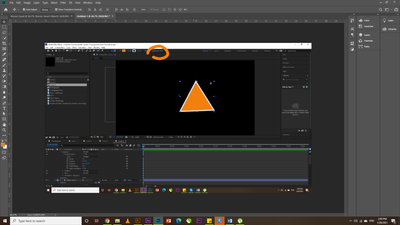
I also faced the same problem but I got it, just on the tool menu there is an option named bazier path just uncheck this option you will find a result 🙂

 8
Replies
8
8
Replies
8


Copy link to clipboard
Copied
what do you mean? what options? are you not seeing your columns correctly?
make sure your switches panel is visible and expand it here
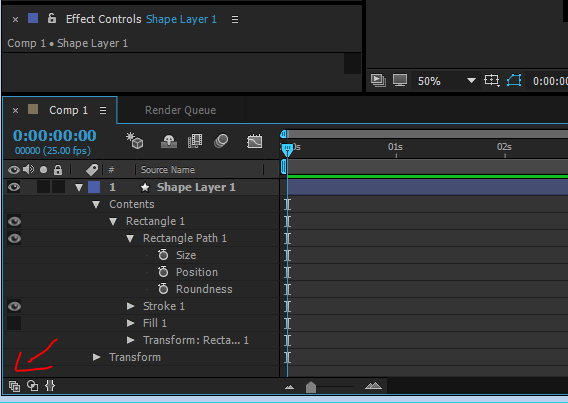

if you are experiencing anything different, share a few screenshots so we could see what this is about
Copy link to clipboard
Copied
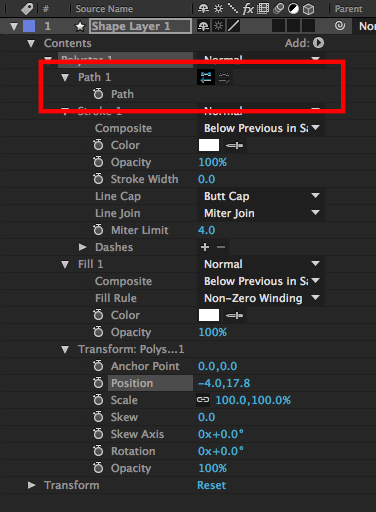
Normally (well, in CS6 and previous) I'd find an option to control the amount of points on the path, and therefore change a polygon from a triangle to square, pentagon, heptagon etc, but now I can't see it? I basically want to create a triangle shape layer. Please note I mean only polygons.


Copy link to clipboard
Copied
You have converted the shape to a path. You'll either have to start over using the polygon tool or animate the path. There are no points on a path controls on a path layer.
Copy link to clipboard
Copied
Here's an old tutorial which explains what I'm attempting, if you skip to 50 seconds in you can see how previous versions of AE had more options for the polystar path. I'm sure these options still exist but they're not in their usual place...
How to Make a Triangle in After Effects - YouTube
I've downloaded a vector and achieved what I needed to do that way, but something that should have taken a few seconds took five minutes. Thanks both for trying to help.
Copy link to clipboard
Copied
I could have manually selected and deleted path points to create a triangle, to be fair. I'd still like to know where those missing controls are though.
Copy link to clipboard
Copied
Here's an old tutorial which explains what I'm attempting, if you skip to 50 seconds in you can see how previous versions of AE had more options for the polystar path.
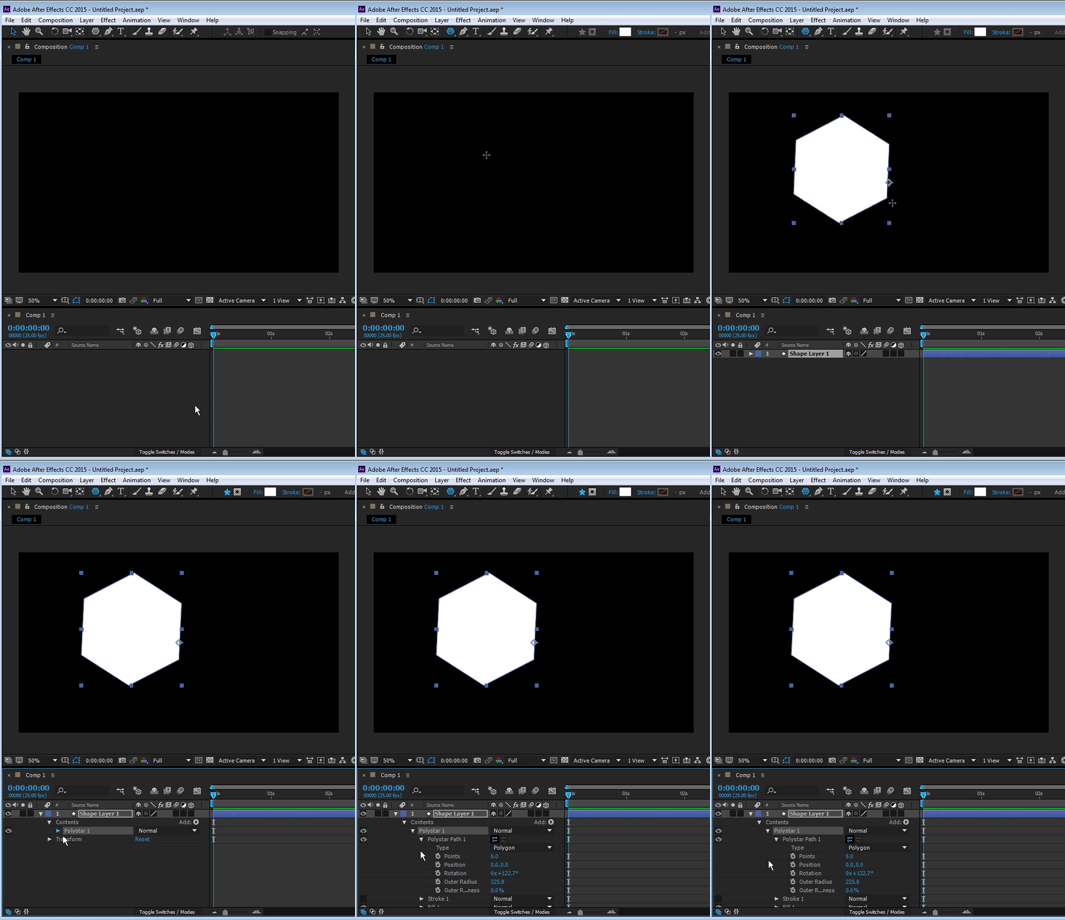
this has always been this way. if you follow through the tutorial carefully you can see the author chooses a parametric shape from the tools menu. this will give you certain options. parametric shapes are only shapes created in after effects with selecting the parametric tool. vector shapes that are imported to Ae and converted to ae's shape layers, or path's that are copy pasted from illustrator or anywhere else will give you a free path. if you want the parametric options, you need to use the parametric shape tool.

but don't take our word for it. try it yourself:
Copy link to clipboard
Copied
Roe showed you Rectangle controls. The polygon controls are slightly different but they are still there. If you cannot see them then reset your work area, make sure all columns required are visible in the timeline and then select the shape layer and press the U key twice. You should be able to spin down the number polygon properties to reveal the number of sides.
Copy link to clipboard
Copied
I also faced the same problem but I got it, just on the tool menu there is an option named bazier path just uncheck this option you will find a result 🙂


Get ready! An upgraded Adobe Community experience is coming in January.
Learn more
 AdChoices