
Known Participant
December 22, 2020
Answered

Shape layer resizing from non-centered anchor point

  • December 22, 2020
  • 3 replies
  • 9411 views

I'm sorry the title is confusing. I'm not sure how to describe this more succintly, but an example will tell you what I'm after:
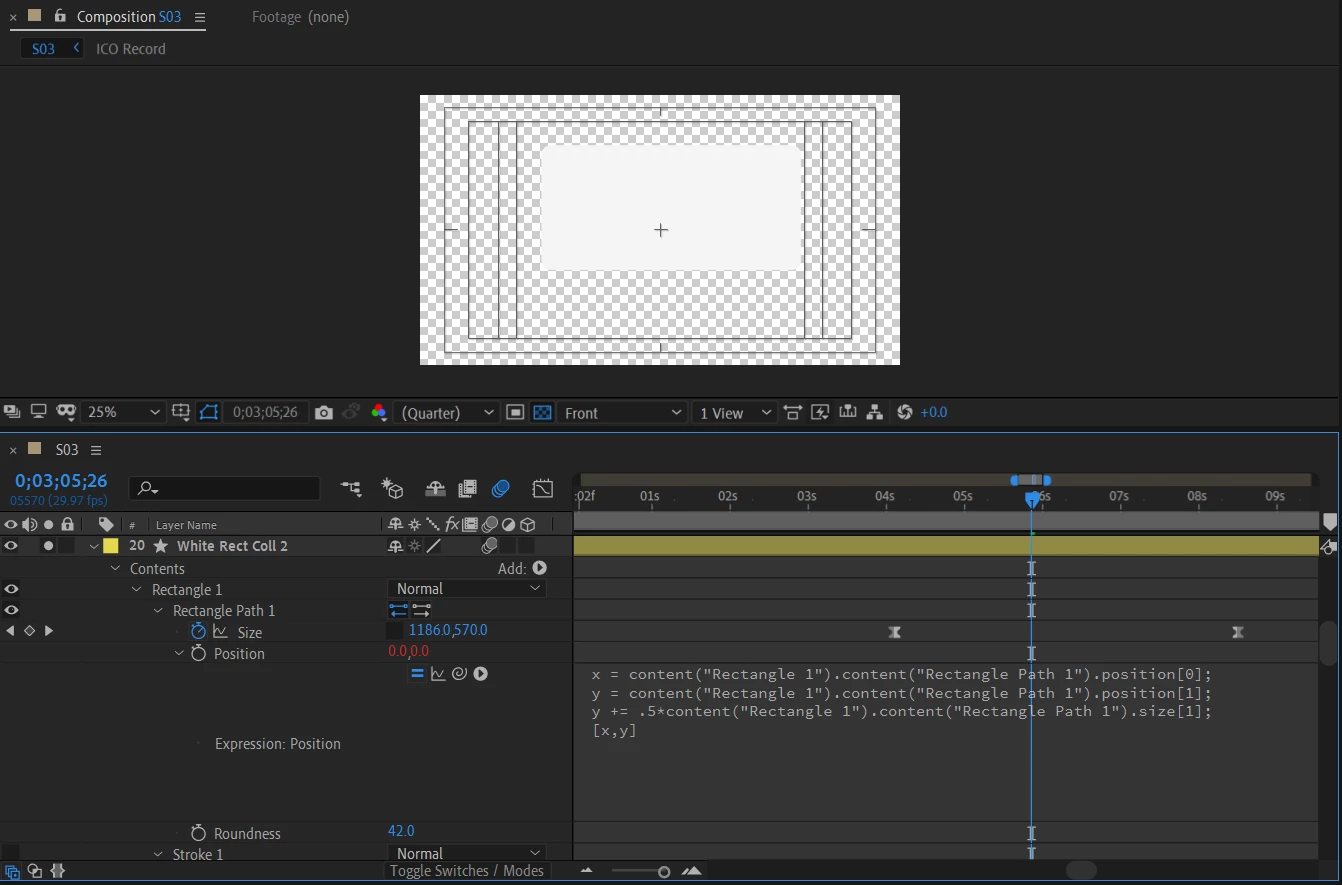


I have a shape layer, a rectangle with rounded corners. I want it anchored from the top edge and I want to maintain the same radius of the rounded corners no matter what size changes I make to the rectangle. The size property seems to ignore both the layer anchor point and the (smaller) shape anchor point. Changes to the size property are anchored in the center of the shape. All I can get to work is an expression. It works great, but there must be an easier way that I'm missing! Can anyone tell me an easier way?


Here's my expression solution:


On the Rectangle Path 1 > Position property

x = content("Rectangle 1").content("Rectangle Path 1").position[0];
y = content("Rectangle 1").content("Rectangle Path 1").position[1];
y += .5*content("Rectangle 1").content("Rectangle Path 1").size[1];
[x,y]

Essentially I have the shape positioning itself according to the size property, freezing the top edge in place no matter what height changes I make to Rectangle 1.


Any tips appreciated. Thanks!

Correct answer Roland Kahlenberg

This is how it's done. However, it's much more intuitive to apply the Expression to the Rectangle's Content>Transform>AnchorPoint property.

And your Expression can be simplified since you're only wanting to offset the AnchorPoint's y value.

y = -.5*content("Rectangle 1").content("Rectangle Path 1").size[1];
[0,y]

3 replies

GabrieleLS
Inspiring
September 22, 2023

@Roland Kahlenberg 's solution works perfectly. It could also be applied to the x-axis:

x = -.5*content("Rectangle 1").content("Rectangle Path 1").size[0];
[x,0]


Participant
June 7, 2024

It's really helped me bro. Thanks a lot

Participant
March 29, 2021

It's great to have a solution but how lame is it that we need to write code to overcome a system that completely ignores 2 anchor points! 🙂 

Participant
September 13, 2022

Just another way Adobe products actively work against it's users.

Roland Kahlenberg
Roland KahlenbergCorrect answer
Legend
December 22, 2020

This is how it's done. However, it's much more intuitive to apply the Expression to the Rectangle's Content>Transform>AnchorPoint property.

And your Expression can be simplified since you're only wanting to offset the AnchorPoint's y value.

y = -.5*content("Rectangle 1").content("Rectangle Path 1").size[1];
[0,y]

Very Advanced After Effects Training | Adaptive & Responsive Toolkits | Intelligent Design Assets (IDAs) | MoGraph Design System DEV
Known Participant
December 30, 2020

Thank you Roland!

Roland Kahlenberg
Legend
December 31, 2020

It took you a while to come back onboard, Michael.
😉

Thanks for replying and have a great year ahead.

Do keep us in mind as you push ahead in 2021 — Happy New Year to You and Your Lovely Ones.

Very Advanced After Effects Training | Adaptive & Responsive Toolkits | Intelligent Design Assets (IDAs) | MoGraph Design System DEV