Exit
  • Global community
    • Language:
      • Deutsch
      • English
      • Español
      • Français
      • Português
  • 日本語コミュニティ
  • 한국 커뮤니티
0

Text Tracking error

Explorer ,
Dec 07, 2016 Dec 07, 2016

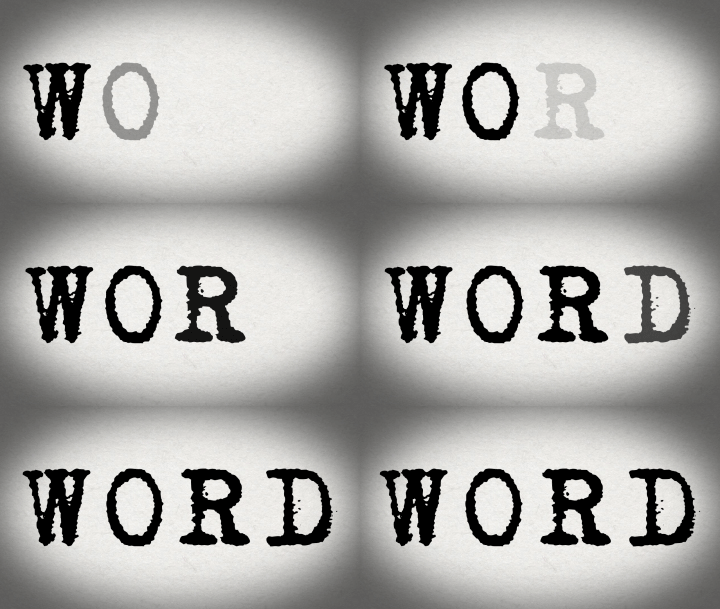
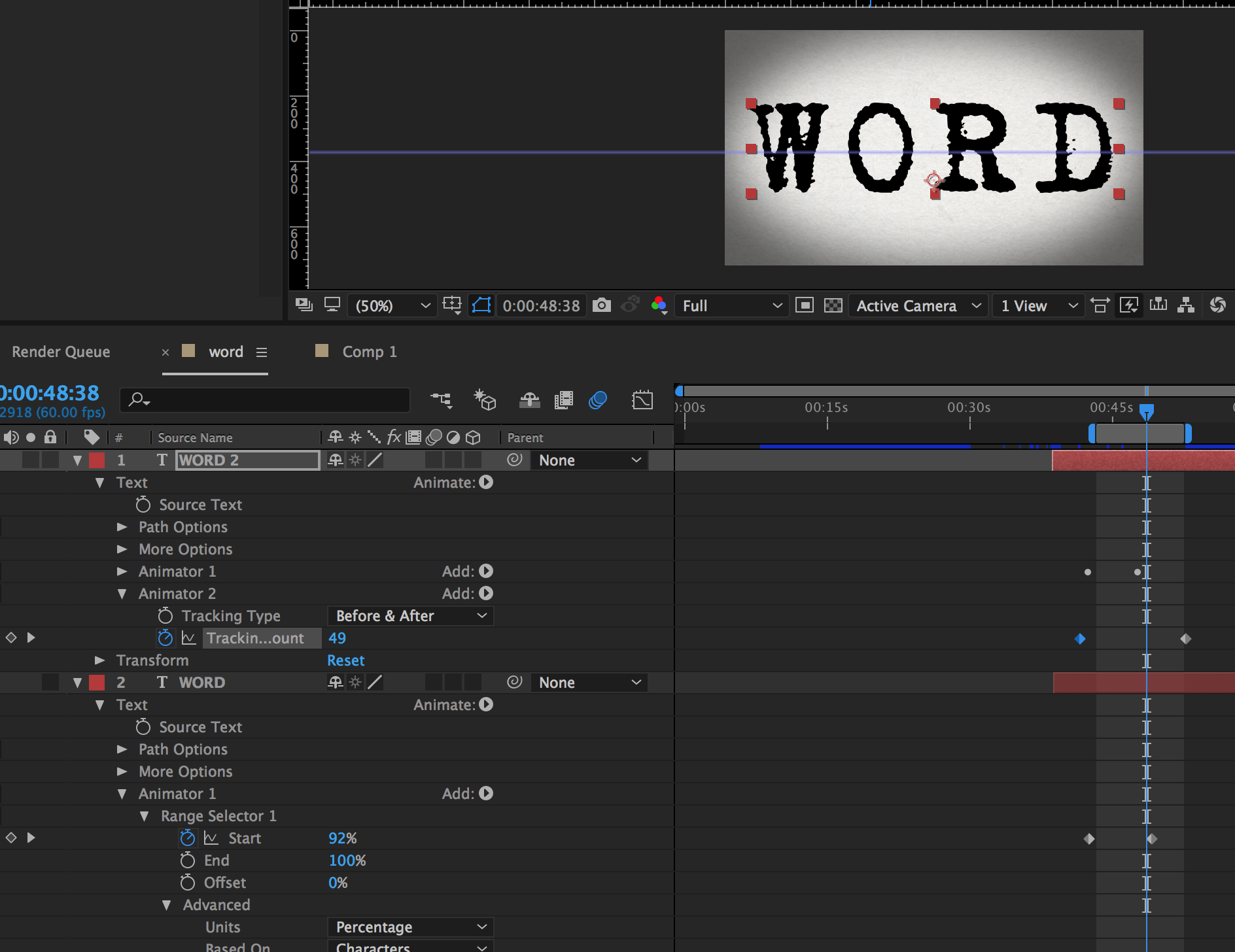
I've run into a problem with text animation tracking. I want to text to appear like a typewriter but also track spread out as the letter appear. I have the basic idea of what I want built in AE but for some reason my text is having some issues with regrouping as the letters appear that is messing up the spreading tracking. Does anyone know how to fix this? Here is a picture of the error I'm having and a screen shot of my settings.

error.gif

Screen Shot 2016-12-07 at 3.54.20 PM.png

1.3K
Translate
Report
Community guidelines
Be kind and respectful, give credit to the original source of content, and search for duplicates before posting. Learn more
community guidelines

correct answers 1 Correct answer

LEGEND , Dec 07, 2016 Dec 07, 2016

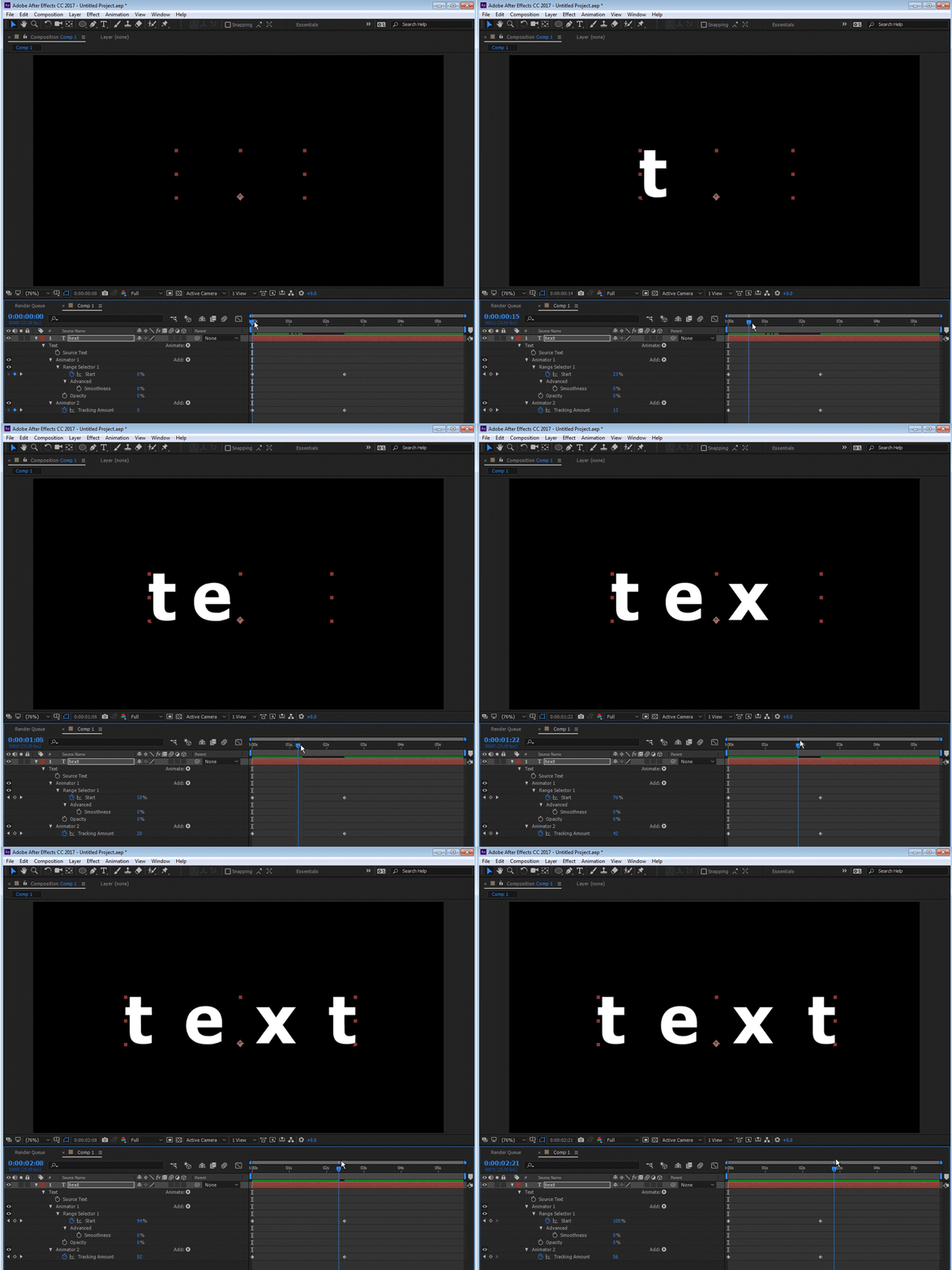
I am not exactly sure how you achieved your result but here's mine if that's what you want. I have revealed the modified properties:

0011.gif

Translate
LEGEND ,
Dec 07, 2016 Dec 07, 2016

Do you want the tracking to increase AFTER the text types on?  If so, it's easy:  Use the Typewriter animation preset to get the text on, then highlight the text layer, go to the Character panel to adjust tracking, and keyframe the tracking as you would any other property.

Translate
Report
Community guidelines
Be kind and respectful, give credit to the original source of content, and search for duplicates before posting. Learn more
community guidelines
Explorer ,
Dec 07, 2016 Dec 07, 2016

I'm wanting the text to typewrite appear and spread simultaneously.

Translate
Report
Community guidelines
Be kind and respectful, give credit to the original source of content, and search for duplicates before posting. Learn more
community guidelines
LEGEND ,
Dec 07, 2016 Dec 07, 2016

I am not exactly sure how you achieved your result but here's mine if that's what you want. I have revealed the modified properties:

0011.gif

Translate
Report
Community guidelines
Be kind and respectful, give credit to the original source of content, and search for duplicates before posting. Learn more
community guidelines
Explorer ,
Dec 07, 2016 Dec 07, 2016

Hey Roei, that worked. I'm not sure why mine was moving the way it did but your set up seems to have fixed the problem. I'm not sure why mine was moving the letter like that but I did try to recreate the text several times but couldn't not get the results I wanted like yours. Maybe it has something to do with creating the spread tracking on a second animator. Thanks for the help.

Translate
Report
Community guidelines
Be kind and respectful, give credit to the original source of content, and search for duplicates before posting. Learn more
community guidelines
LEGEND ,
Dec 07, 2016 Dec 07, 2016
LATEST

Sure thing Buddy. Second animator is probably it because you need a new range selector to include all the letters.

Translate
Report
Community guidelines
Be kind and respectful, give credit to the original source of content, and search for duplicates before posting. Learn more
community guidelines