



Unable to import MP4 (H.264) files after updating to After Effects 17.0.5
After updating to After Effects 17.0.5, some users have reported that After Effects is unable to import H.264 and H.265 files.
It looks like there is some confusion around this issue and I'd like to provide more clarification:
- H.264 and H.265 import support haven't been removed. This is a bug and we're working on it.
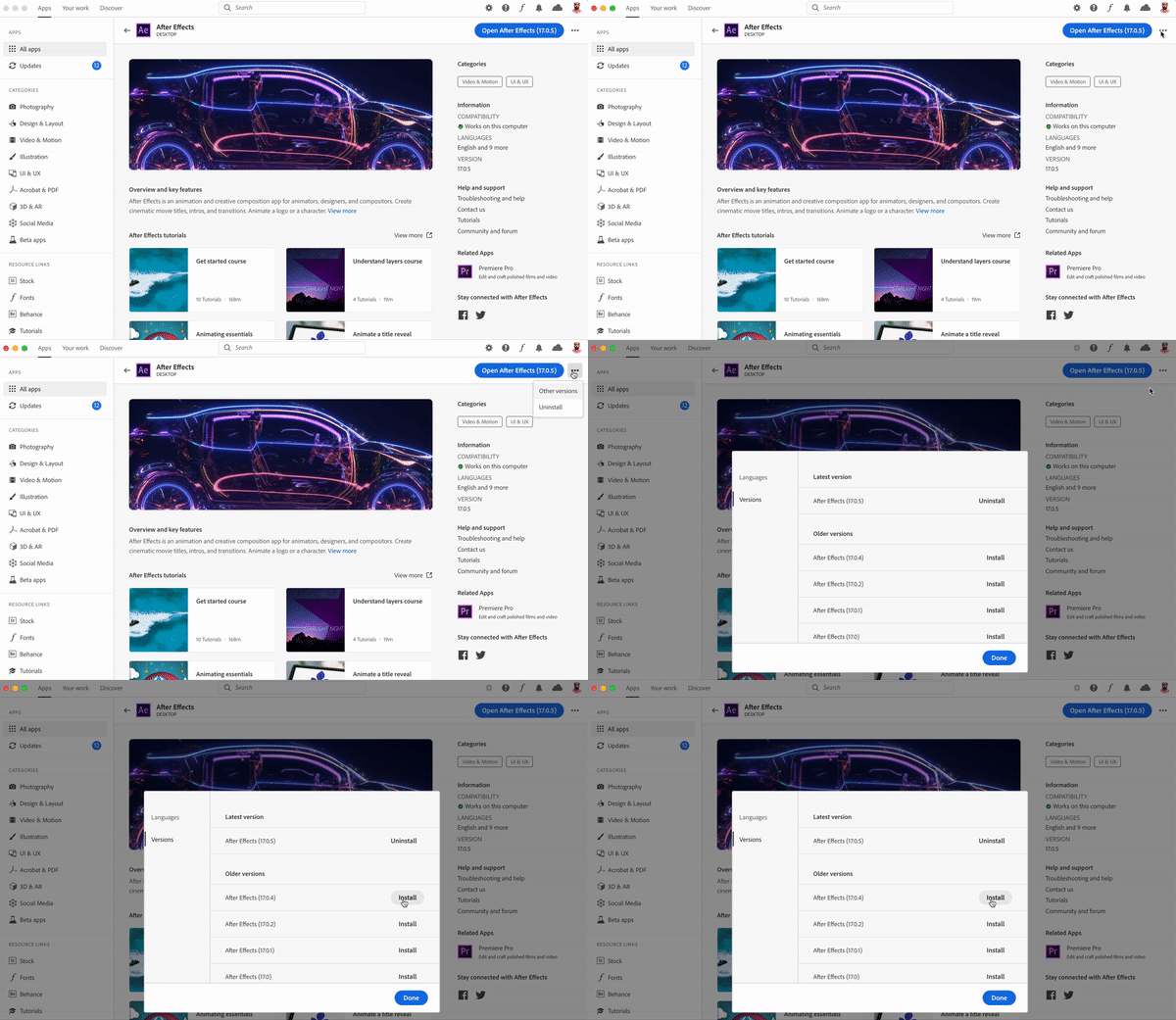
- For now, I'd recommend that you reinstall After Effects 17.0.4 (steps provided below).
- If you don't want to reinstall After Effects 17.0.4, you can transcode the files using Adobe Media Encoder into a different format.
In order to help our teams fix this quickly, we need your help. Please provide the following information so that I can take it to the engineering teams.
- What version of Premiere Pro are you currently using, the one which does import footage?
- What version of After Effects were you using before you updated to 17.0.5?
- Where do you store your footage? On a networked drive like a NAS or locally?
- Would you be able to share your System Information file and some sample media files with us? If so, please follow these steps to obtain the System Information file:
macOS:
Follow the steps given in this article: https://support.apple.com/en-in/HT203001
Windows:
1. Hold the Windows key and press R to open the Run window
2. Type msinfo32 and click OK
3. From the System Information window, go to File > Save
4. Save the file as .NFO
After collecting the System Information file, upload it to a cloud sharing service like Google Drive, Dropbox or Adobe Creative Cloud Files and share the URL in the comments below.
Here is how you can reinstall After Effects 17.0.4.
Original community discussion: https://community.adobe.com/t5/after-effects/can-t-import-videos-after-updating-to-17-0-5-build-16/td-p/10990351?page=2
Thank you for your patience and cooperation.
Rameez Khan
Community Manager and Social Support Strategist, After Effects
 AdChoices