Copy link to clipboard
Copied
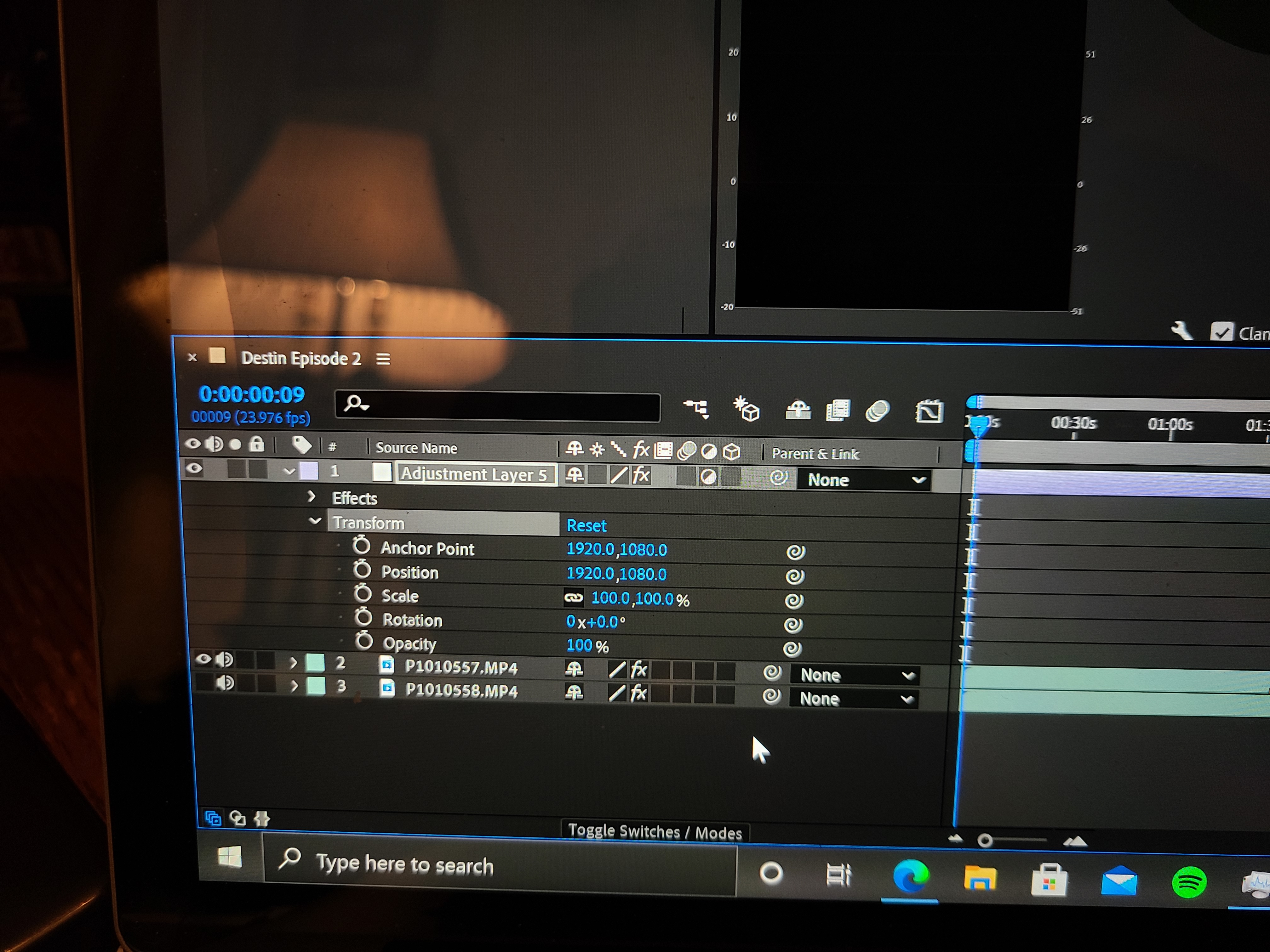
I'm fairly new to the Adobe suite. I'm using After Effects and trying to add an adjustment layer. The layer stays solid white. I do have the adjustment layer effect icon selected. None of the layers below are trkmat'd. What am I missing or doing wrong? Very frustrating.
Copy link to clipboard
Copied
You are looking at the Layer panel. You need to be looking at the composition panel and you need to make sure it is set to Active Camera. There is no Track Matte setup, we don't know what effects you have applied because the screenshots are cropped. We have no workflow details and don't know what the modified properties of the adjustment layer are or what you are trying to do with it. Also, uploaded screenshots are a pain to look at. Please embed them with the toolbar and when you have problems with a layer, select and press the U key twice so we can see what you are trying to do. If you have applied effects but have not changed any settings we also need to know what effects you have applied.
It sounds like you might want to open up the Learn workspace and take a 6-minute tour of the UI.
Copy link to clipboard
Copied
Well, I do thank you for your detailed response. But, that wasn't a screenshot. The image was taken with HD quality. I captured my workspace with visible attributes concerning the adjustment layer - everything set to '0' because previous adjustments weren't working. When I presented the question, I didn't have any special effects. My only adjustment was tweaking my green screen via lumetri colors. And, honestly, I have not only observed their tutorial but also several clips on YouTube.
I did find my solution, though, so thanks.

Copy link to clipboard
Copied
This is your image (screenshot) of your Layer Panel:
The layer panel view of an adjustment layer will never show anything but the layer. In your case, the layer is a white solid that has effects applied. If you want to see what effect an adjustment layer has on something you need to look at the Composition Panel.
That's why I suggested you take a look at the UI.
Get ready! An upgraded Adobe Community experience is coming in January.
Learn more