Exit
  • Global community
    • Language:
      • Deutsch
      • English
      • Español
      • Français
      • Português
  • 日本語コミュニティ
  • 한국 커뮤니티
0

changing keyframe value with expression

New Here ,
Jan 08, 2019 Jan 08, 2019

How can I give a value to the second keyframe depending of the text length?

The first key frame is static but want to move the shape to the right to cover the text.

I also want to keep the characteristic of movement, so the linear(t,t1,t2,x,y) doesn't suit for this.
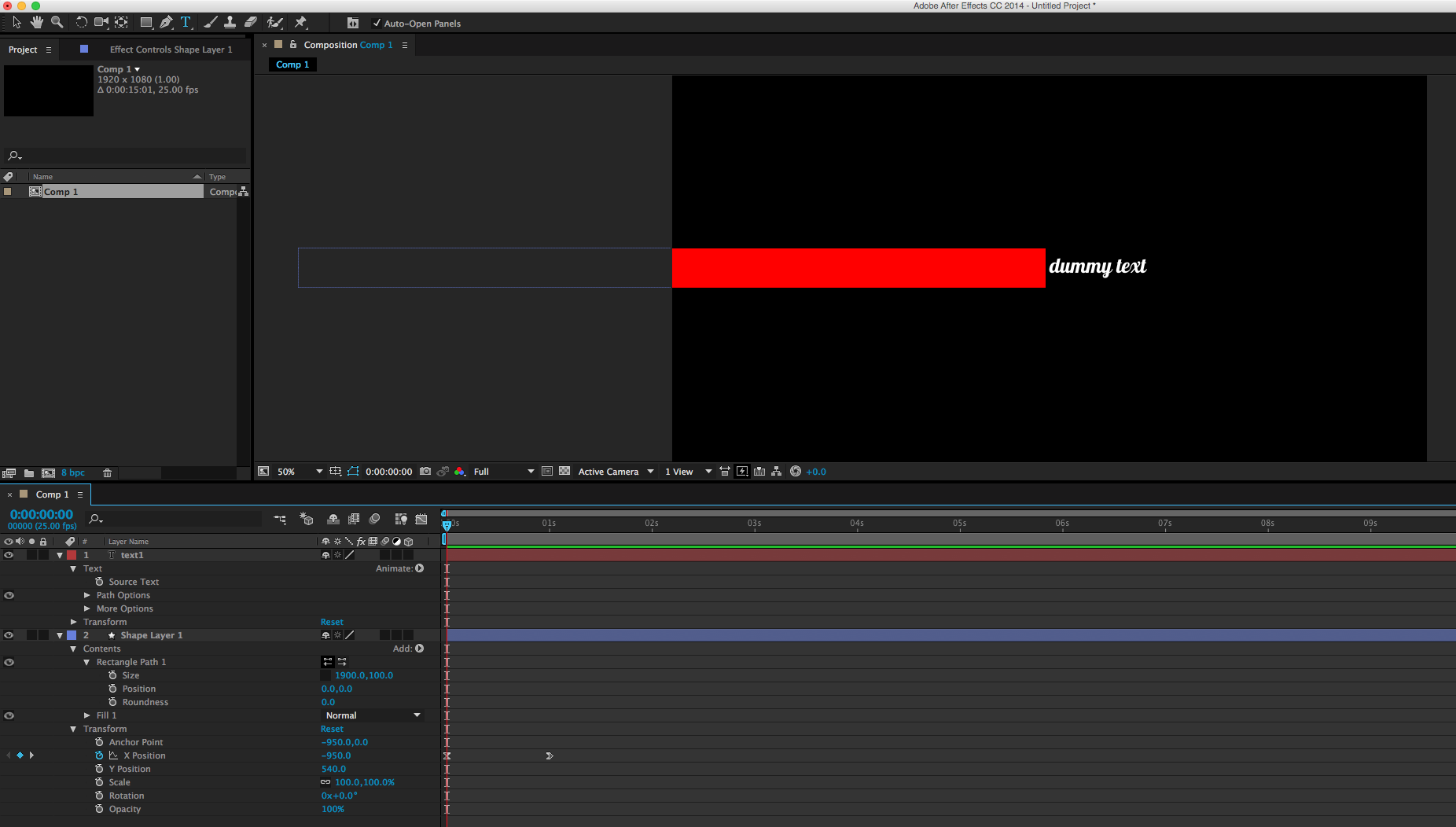
Screen Shot 2019-01-08 at 08.18.46.png

Thanks for any help

5.3K
Translate
Report
Community guidelines
Be kind and respectful, give credit to the original source of content, and search for duplicates before posting. Learn more
community guidelines

correct answers 1 Correct answer

LEGEND , Jan 08, 2019 Jan 08, 2019

You still use linear() to modulate the output, only this time actually remapping the time paramater that feeds into a valueAtTime() construct.

Mylenium

Translate
LEGEND ,
Jan 08, 2019 Jan 08, 2019

You still use linear() to modulate the output, only this time actually remapping the time paramater that feeds into a valueAtTime() construct.

Mylenium

Translate
Report
Community guidelines
Be kind and respectful, give credit to the original source of content, and search for duplicates before posting. Learn more
community guidelines
New Here ,
Jan 08, 2019 Jan 08, 2019

thanks for this, could you give me an example please?

Translate
Report
Community guidelines
Be kind and respectful, give credit to the original source of content, and search for duplicates before posting. Learn more
community guidelines
New Here ,
Jan 08, 2019 Jan 08, 2019

Once you have time I would need an exapmle as the code I used actually didnt work.

Thanks in advance

Translate
Report
Community guidelines
Be kind and respectful, give credit to the original source of content, and search for duplicates before posting. Learn more
community guidelines
Community Expert ,
Jan 08, 2019 Jan 08, 2019
LATEST

A quick search on google you will find a hundred of tutorial and example about the ValueAtTime expression so take a look and see if you can find your needs, anyway check this link where you can find a useful expression including example for the one you need

https://www.schoolofmotion.com/tutorials/amazing-expressions-in-after-effects

Translate
Report
Community guidelines
Be kind and respectful, give credit to the original source of content, and search for duplicates before posting. Learn more
community guidelines