Exit
  • Global community
    • Language:
      • Deutsch
      • English
      • Español
      • Français
      • Português
  • 日本語コミュニティ
  • 한국 커뮤니티
1

Color Picker Interface

New Here ,
Feb 05, 2019 Feb 05, 2019

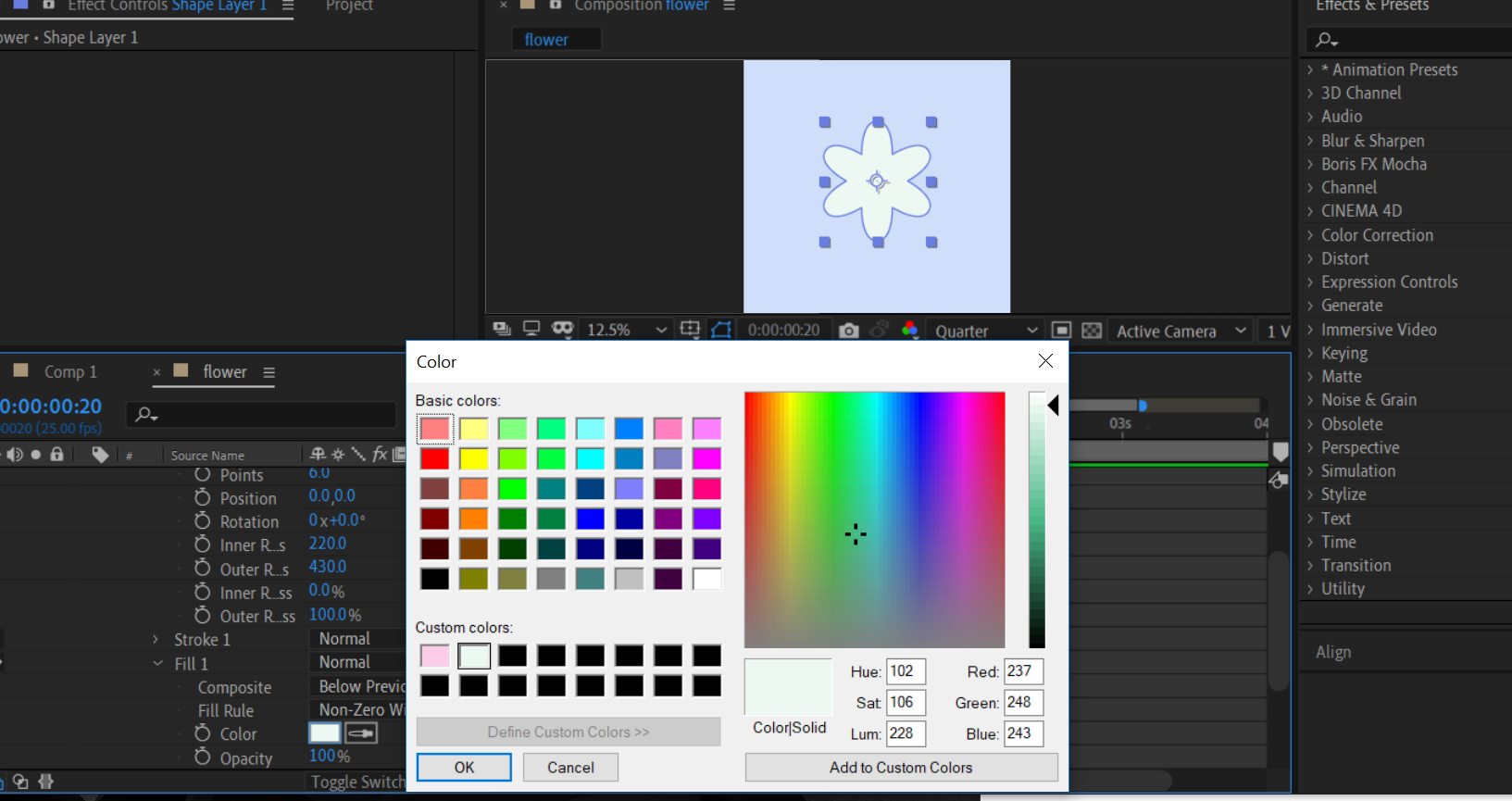
Why does my After Effects color picker look like Microsoft Paint?

weird.png

1.9K
Translate
Report
Community guidelines
Be kind and respectful, give credit to the original source of content, and search for duplicates before posting. Learn more
community guidelines

correct answers 1 Correct answer

People's Champ , Feb 05, 2019 Feb 05, 2019

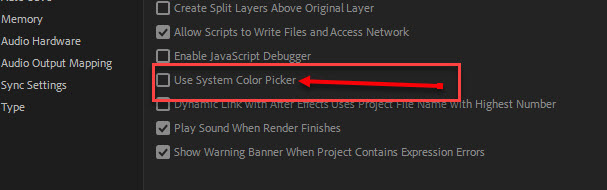
The reason is likely your preferences.  If you want to see or change it go into the "General" section of your preferences and untick "use system color picker".

color picker.jpg

Translate
People's Champ ,
Feb 05, 2019 Feb 05, 2019

The reason is likely your preferences.  If you want to see or change it go into the "General" section of your preferences and untick "use system color picker".

color picker.jpg

~Gutterfish
Translate
Report
Community guidelines
Be kind and respectful, give credit to the original source of content, and search for duplicates before posting. Learn more
community guidelines
New Here ,
Nov 10, 2020 Nov 10, 2020
LATEST

you're best.. I've solved the problem.

Translate
Report
Community guidelines
Be kind and respectful, give credit to the original source of content, and search for duplicates before posting. Learn more
community guidelines
Community Beginner ,
Feb 07, 2019 Feb 07, 2019

I've had the same problem. When I uncheck, it still pops up (in some cases - not always) the "old" picker w/ no eye dropper, custom save or hex field. Is there something "adobe" that needs to be downloaded in order to get a different picker when "use system color picker" is not checked?

Translate
Report
Community guidelines
Be kind and respectful, give credit to the original source of content, and search for duplicates before posting. Learn more
community guidelines