


element 3d text help

Copy link to clipboard
Copied
So I've been trying to motion track 3D text with element. Unfortunately I can't seem to figure out how to get the text to stay in one spot. For example, as the cinematic I have plays, the text will subtly slide to follow the camera track, how to I keep the text pinned to one specific place?


 8
Replies
8
8
Replies
8


Copy link to clipboard
Copied
This is my workflow and a view of what i'm trying to motion track, for any that have questions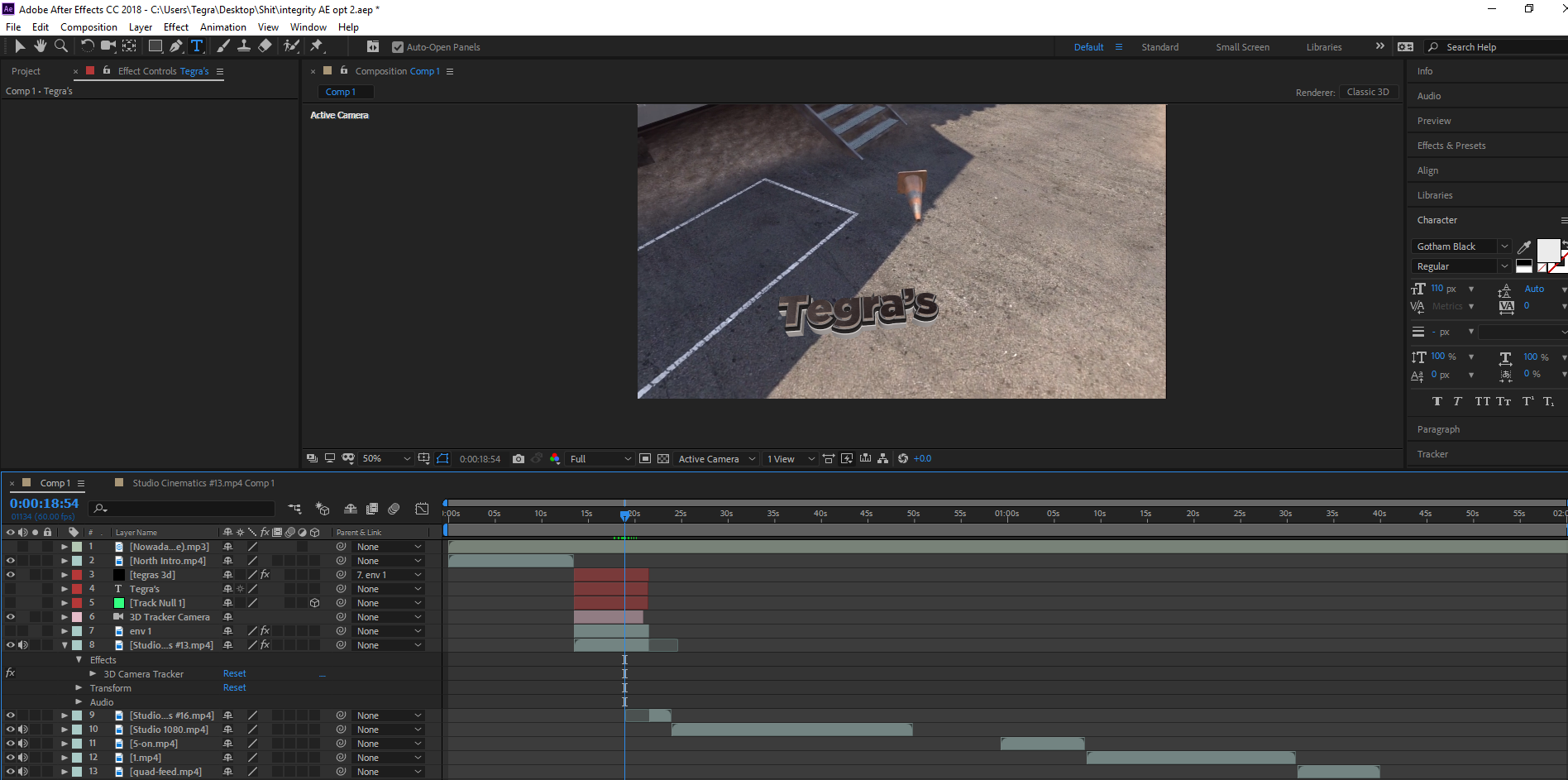


Copy link to clipboard
Copied
The first thing I would do is pre-compose the shot you are trying to track and get it in a sperate comp. It looks like you are trying to use as an NLE.
Depending on what the camera does you might think about Camera Tracking. Set up an origin and ground plane, then add a camera and a placeholder solid. You could then export that scene as a C4D file and extrude your text using C4D lite or you could the scene data in conjunction with Element 3D. If we could see the modified properties of the layers you are having problems with (press the U key twice) we could probably give you some better suggestions. Element 3D can be confusing so you'll need to spend some time with Video Copilot to get a handle on how to use it.
The other option would be to Stabilize Motion, add the extruded text, then put the motion back in the shot and add it to the text layer. Without seeing the actual shot I can't tell which approach would be the most efficient.
There is even another option which would be to motion track in Mocha AE and use some advanced corner pin techniques.
If you are new to motion tracking I suggest that you check out the help files by using the Search Help feature at the top right corner of AE. Search Camera Track, then search motion track.
Show us he clip and we'll be able to help you figure out the best approach.
Copy link to clipboard
Copied
I camera tracked the entire clip I used, wrong choice of words in my OP sorry about that! I set up the plane and origin, created a null to track, copied its position over to the "group 1" in 3d element, and this was the result, i've included some more screenshots as well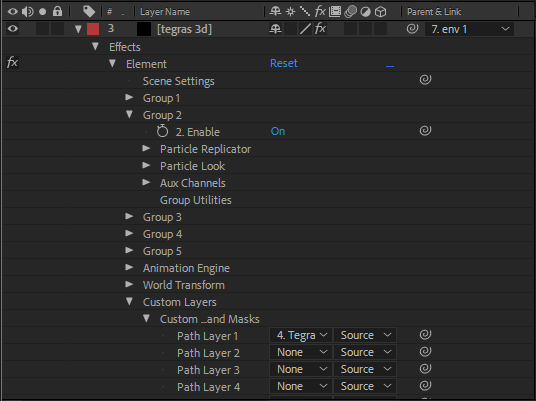


Copy link to clipboard
Copied
It looks like it's following the track, but the distance from the camera is incorrect.
Make sure you've chosen the correct plane from your track points - create a solid or regular AE text to confirm your track.
If that looks correct, it's likely you've offset the position of your 3d text within the Element settings - I would use the "Create Null" option, which you can then easily parent to the solid/null you created in the tracker. Make sure you haven't offset the position of your text within the Element interface.
Copy link to clipboard
Copied
That shot looks like a screen capture from a game. It may or may not Camera track.
I would split the clip just a few frames before the 3D text comes into the scene, pre-compose that portion trimming the pre-comp to the length of the layer, then run 3D Camera Tracker on the clip with the Advanced options turned on. If you get a good camera solution you'll get a camera that you can use in conjunction with Element.
If the camera will not solve then you'll have to motion stabilize the shot so that it doesn't move in the frame, add the element 3D layer, then put the motion back in the shot.
Both options require some fairly advanced thinking and a solid understanding of how Element 3D interacts with AE's camera.
The most important labor-saving hint I can give you is to make sure that you do not try and do this in the main comp. If it were my project every shot requiring After Effects would be a separate comp and the editing would be done in Premiere Pro. It sounds like more work but in reality, things go faster.
Let us know if you need any more suggestions. I would spend some serious time at Video Co-pilot looking at Element 3D tutorials. The tutorial Andrew pointed you to is a pretty good start.
Copy link to clipboard
Copied
It's been a few days, I've been a little busy but I've watched the tutorial linked by Andrew, and I still get the same result. It seems like when I create the solid layer that has 3d element on it, the null I created starts sliding around, but it doesn't move at all before I put element on that layer. Anyone know why it does this?
Copy link to clipboard
Copied
You need to do some troubleshooting to see where the disconnect is.
From the solved camera track, create a tracked solid. (Not for Element, just as a test.)
Does that feel like it's placed correctly in the shot? If so, the problem is the placement of your object within Element, or the way your null is positioned.
As I said above, it looks to me like it's tracking correctly, but it's not the correct distance from the camera.

Copy link to clipboard
Copied
Here's a solid tutorial by Andrew Kramer. Just replace the truck with your text
3D Truck Composite in Element 3D - YouTube


Get ready! An upgraded Adobe Community experience is coming in January.
Learn more
 AdChoices