Exit
  • Global community
    • Language:
      • Deutsch
      • English
      • Español
      • Français
      • Português
  • 日本語コミュニティ
  • 한국 커뮤니티
0

Missing images when changing preview resolution

Community Beginner ,
Nov 22, 2017 Nov 22, 2017

Hello,

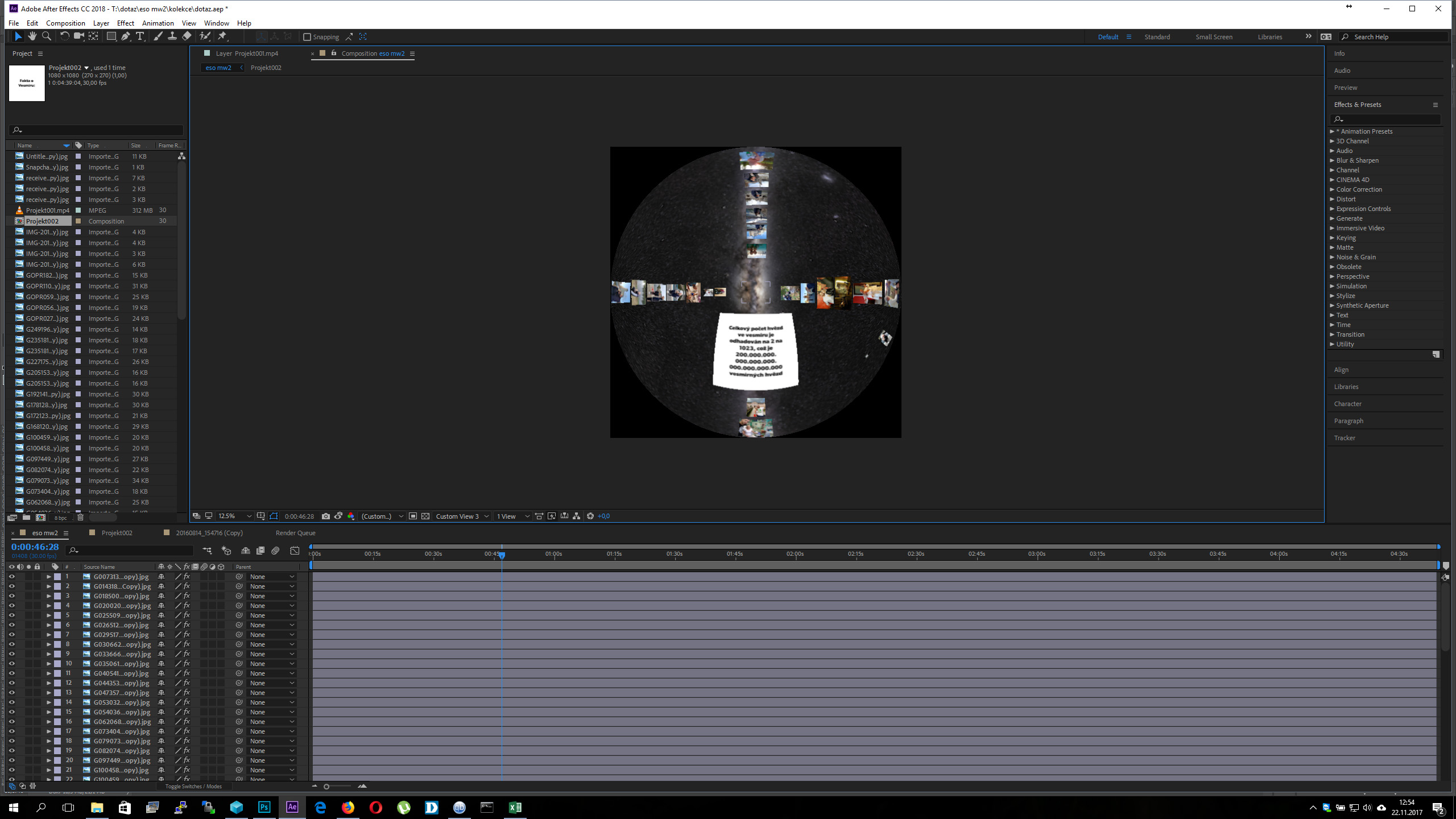
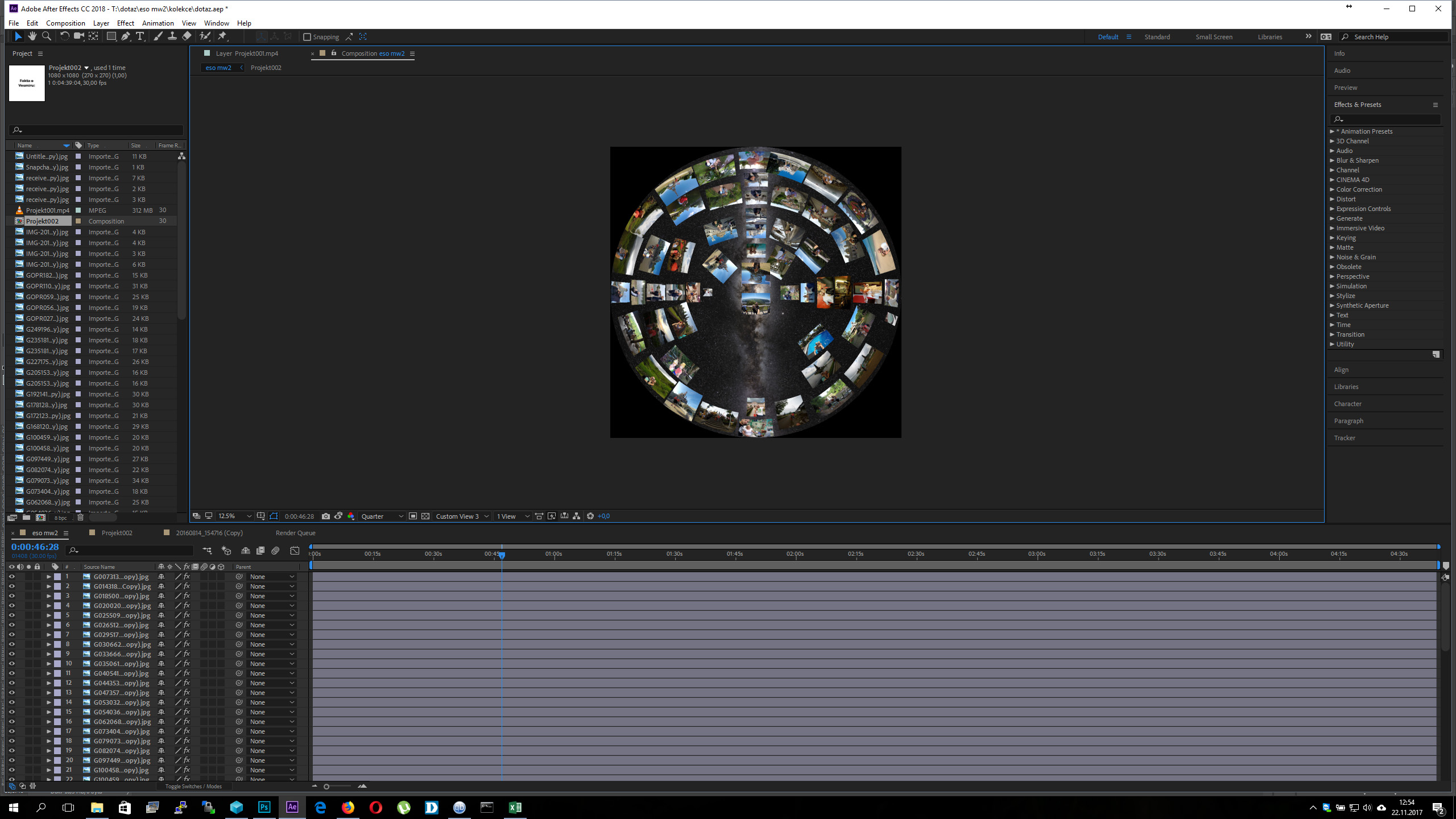
I have a project for tomorrow and I am using the new skybox plugin integrated into Adobe After Effects CC 2018 in the fulldome mode. In the preview, when using "auto" resolution everything seems fine. When I change the resolution different pictures disappear. The full resolution preview has the lowest amount of them and that corresponds to what AE then renders. But I need all my pictures showing up.. It seems like a described bug, that exists in AE for many years. I just can not belive, that Adobe would allow something like this. The most basic thing like preview does not correspond to what AE then renders?

Thanks for anyones time and help!

1.1K
Translate
Report
Community guidelines
Be kind and respectful, give credit to the original source of content, and search for duplicates before posting. Learn more
community guidelines
LEGEND ,
Nov 22, 2017 Nov 22, 2017

Start by flushing your caches.

Mylenium

Translate
Report
Community guidelines
Be kind and respectful, give credit to the original source of content, and search for duplicates before posting. Learn more
community guidelines
Community Beginner ,
Nov 22, 2017 Nov 22, 2017

Hello Mylenium,

I forgot to mention that. That did not help. I also tried to find and disable/enable te OpenGL and multiprocesing functions (found that as solutions on the internet) but also to no avail. I attached some images. I must be missing something? I work a lot with photoshop, but I tried AE just for a few simple projects. Then again, I would expect to get rendered what I see in the preview.

3 auto.jpg2 quarter.jpg1 full.jpg

M

Translate
Report
Community guidelines
Be kind and respectful, give credit to the original source of content, and search for duplicates before posting. Learn more
community guidelines
Adobe Employee ,
Dec 14, 2017 Dec 14, 2017

Hi MarkT,

Are you still facing this issue? What happened? Please let us know.

Thanks,
Kevin

Kevin Monahan - Sr. Community & Engagement Strategist – Pro Video and Audio
Translate
Report
Community guidelines
Be kind and respectful, give credit to the original source of content, and search for duplicates before posting. Learn more
community guidelines
New Here ,
Dec 14, 2017 Dec 14, 2017

Hello Kevin,

Yes, I was still facing the issue. I have not resolved the problem. I tried to do the project from the beginning, flushing caches, removing and installing the newest GPU drivers. I played around with the settings, but the problem did not disappear. I had to finish the project in a different software. If I can help to resolve the issue in any way, I will gladly do so.

Thanks for the interest,

Marek T.

Translate
Report
Community guidelines
Be kind and respectful, give credit to the original source of content, and search for duplicates before posting. Learn more
community guidelines
Adobe Employee ,
Dec 19, 2017 Dec 19, 2017

Hi MarekT,

I brought up your issue with the product team. I hope we can can assist you. Can you file a bug please?

Thanks,

Kevin

Kevin Monahan - Sr. Community & Engagement Strategist – Pro Video and Audio
Translate
Report
Community guidelines
Be kind and respectful, give credit to the original source of content, and search for duplicates before posting. Learn more
community guidelines
Explorer ,
Dec 19, 2017 Dec 19, 2017
LATEST

MerekT,

Please go to Preferences > Previews > GPU Information and make sure the "Aggressive GPU Memory" switch is CHECKED,  if present.   Does that change the behavior?

Translate
Report
Community guidelines
Be kind and respectful, give credit to the original source of content, and search for duplicates before posting. Learn more
community guidelines