Exit
  • Global community
    • Language:
      • Deutsch
      • English
      • Español
      • Français
      • Português
  • 日本語コミュニティ
  • 한국 커뮤니티
0

Offset effect has different behavior with LoopOut expression than expected?

Community Beginner ,
Jul 30, 2017 Jul 30, 2017

Hi,

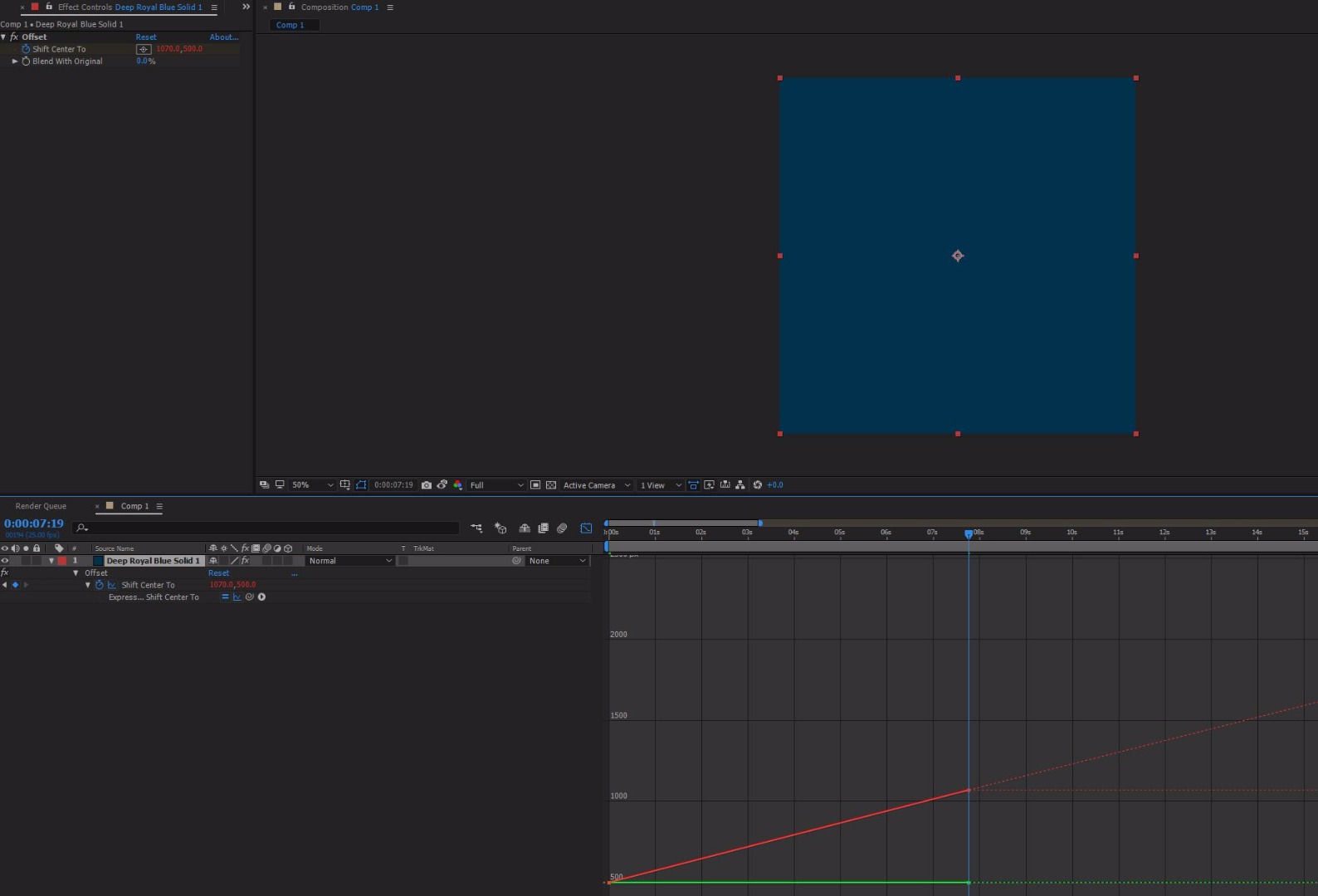
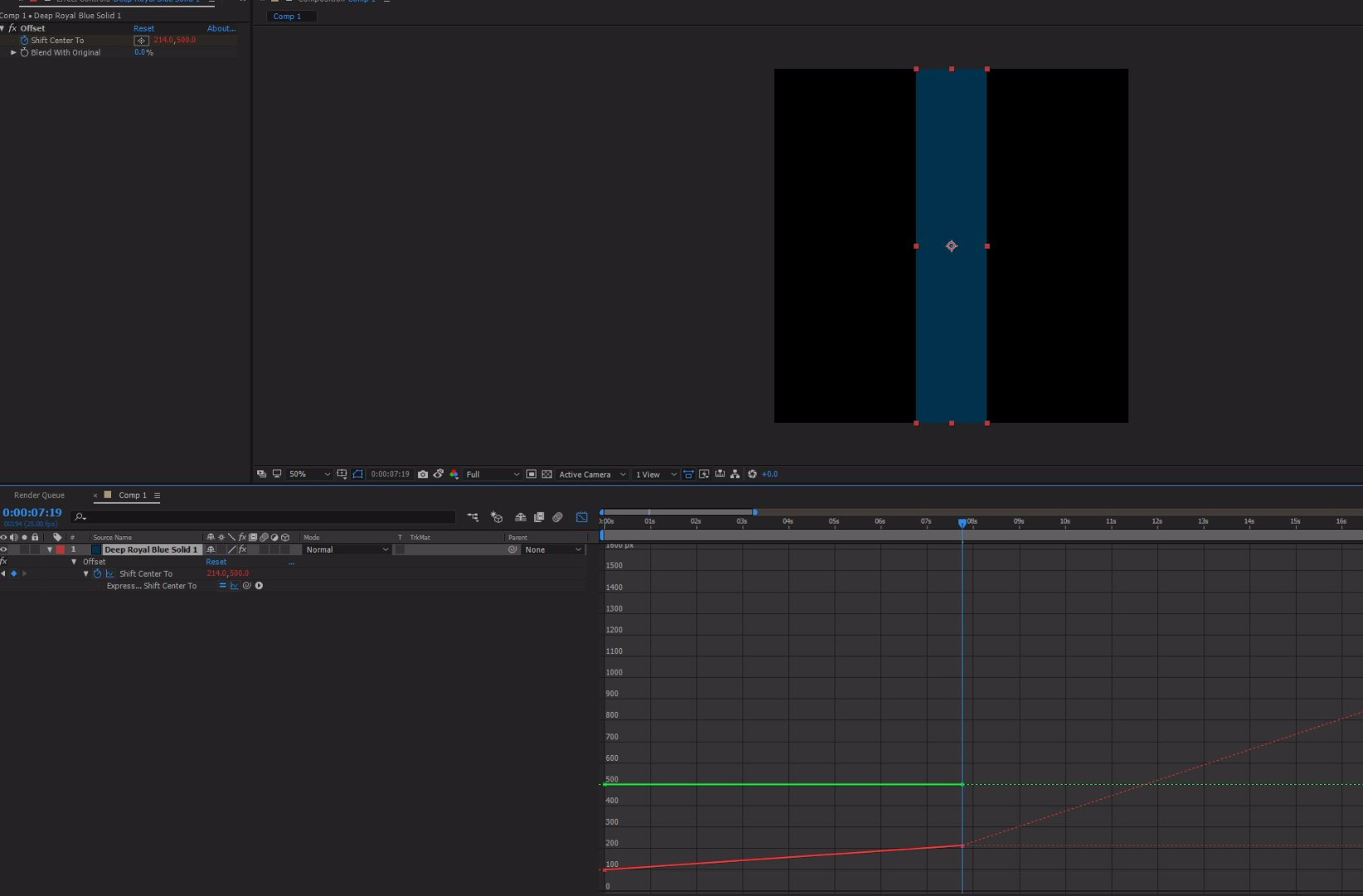
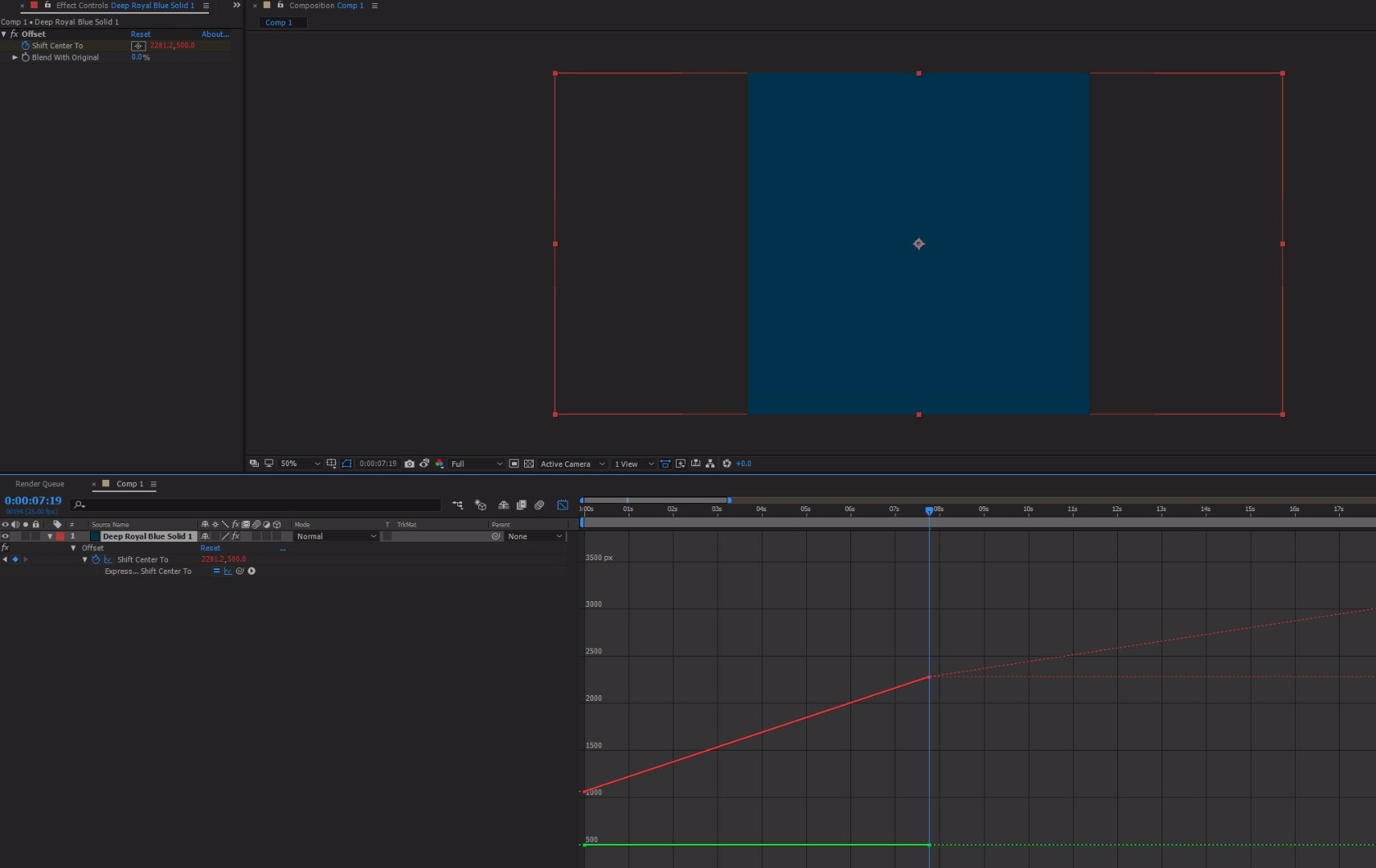
Im trying to use LoopOut("continue") expression on the Offset effect, AE 2017.

The problem is that it seams the continue loop has some relation with the Comp size vs the Layer Size.

If ratio is the same the offset effect continues at the same speed, If ratio is smaller or bigger the speed is smaller

or bigger respectively.

Does any one has a solution?

Thank you

01.JPG02.JPG03.JPG

TOPICS
Expressions
2.0K
Translate
Report
Community guidelines
Be kind and respectful, give credit to the original source of content, and search for duplicates before posting. Learn more
community guidelines

correct answers 1 Correct answer

Explorer , Aug 03, 2017 Aug 03, 2017

Glad you found it helpful! If you don't mind marking it "Helpful" and "Correct" in case another user has a similar issue that would be great.

Per the issue with the loopOut("Continue") :

     I was able to replicate your issue, I'm unsure as to whether it would be considered a bug or not.

If you use : loopOut("offset")

     Your progression will remain linear regardless of the layer resolution.

Translate
LEGEND ,
Jul 31, 2017 Jul 31, 2017

Effects are always relative to the layer size. Of course this will affect certain calculations. Nothing unusal here.

Mylenium

Translate
Report
Community guidelines
Be kind and respectful, give credit to the original source of content, and search for duplicates before posting. Learn more
community guidelines
Community Beginner ,
Jul 31, 2017 Jul 31, 2017

Thanks for you reply.

Im sorry, but that is not true.

In cs6 that didn't work like that.

Second, all the idea of loopout continue expression is that it holds the same velocity at the last keyframe.

Translate
Report
Community guidelines
Be kind and respectful, give credit to the original source of content, and search for duplicates before posting. Learn more
community guidelines
Explorer ,
Aug 01, 2017 Aug 01, 2017

Hey Coresmith, would be helpful to have more info on what you're attempting to achieve with this.

From the looks of your images, it may be more prudent to use a time based expression if you want the value to increase perpetually (ie. [time*50, 500]

Translate
Report
Community guidelines
Be kind and respectful, give credit to the original source of content, and search for duplicates before posting. Learn more
community guidelines
Community Beginner ,
Aug 03, 2017 Aug 03, 2017

Hi,

Thanks, that was a grate suggestion.

I also reported that behavior as a bug as I still dont understand

why it considered as an usual behavior(?)

Thaks again

Translate
Report
Community guidelines
Be kind and respectful, give credit to the original source of content, and search for duplicates before posting. Learn more
community guidelines
Explorer ,
Aug 03, 2017 Aug 03, 2017
LATEST

Glad you found it helpful! If you don't mind marking it "Helpful" and "Correct" in case another user has a similar issue that would be great.

Per the issue with the loopOut("Continue") :

     I was able to replicate your issue, I'm unsure as to whether it would be considered a bug or not.

If you use : loopOut("offset")

     Your progression will remain linear regardless of the layer resolution.

Translate
Report
Community guidelines
Be kind and respectful, give credit to the original source of content, and search for duplicates before posting. Learn more
community guidelines