


- Home
- After Effects
- Discussions
- Re: Removing several moving objects from the foota...
- Re: Removing several moving objects from the foota...

Copy link to clipboard
Copied
Hello,
I want to remove all the moving cars from the shot, what would be the best way of accomplishing this? I've tried using content aware fill in AE but it didn't really do the job. I then tried to use the removal tool in Mocha Pro plugin but I could still see the artifacts after it was done. Someone suggested making clean plates and tracking them on top, but I'm not very familiar with the workflow of making those from this kind of footage. The footage is attached


 1 Correct answer
I ended up using clean plate for the top side of the shot and mocha pro plugin to remove parts of the cars from the sides where the clean plate was distorted due to perspective. CAF was super slow taking 1h+ for 50 frames while mocha did it in couple minutes with better looking results. Thank you all for suggestions though.

 9
Replies
9
9
Replies
9


Copy link to clipboard
Copied
Content Aware Fill (CAF) should do this job nicely. What issues did you encounter?
Copy link to clipboard
Copied
I got very obvious artifacts, worse than Mocha's
Copy link to clipboard
Copied
It will help if you specified each step you took, to complete this task. There are options available in CAF and also the creation of Clean Plates in Photoshop which are part of the process. Choosing the wrong/inapropriate option may often lead to poor results.
Copy link to clipboard
Copied
I first tried to remove the first black car on the left.
1. I tracked the car in the Mocha Pro plugin.
2. I created AE Mask from the created track matte.
3. I inverted and feathered the mask in the footage settings so the mask would be visible as black spot on the footage.
4. With my footage selected I went to CAF tab and chose Generate Fill Layer (fill method: object, range: work area (the car was visible for 20 frames)). In the fill target window I could see my mask in white.
5. After process was done, an .exr sequence was added to the comp and when I previewed the video, it looked like something transparent was moving over the place where the car was supposed to be. I checked the mask after feathering and the car wasn't leaking, I left a considerable amount of safe area to the mask.
Then, I tried creating a clean plate in Photoshop since the black car shot wasn't moving as much. I rendered the frame where the road didn't include the car and put it below the footage layer with the mask, there was no movement visible at that place after doing so.
Copy link to clipboard
Copied
So I gave it a quick go with CAF and I too had some issues even though it was a very quick test. I'm seeing a lot of clean plates to begin with and this is the strategy you should go with. Relying on CAF to create the clean plates in this shot seems problematic.


Copy link to clipboard
Copied
I think you are using the Content Aware Fill tool incorrectly because you have a fairly simple clip to extract. Check well following the steps maybe you missed some step, often happens.
Content Aware Fill for Video is now available in After Effects (16.1)
Byron.

Copy link to clipboard
Copied
I made a screen capture of the sample video. CAF does a great job if you create enough reference frames. This took me about 20 minutes.
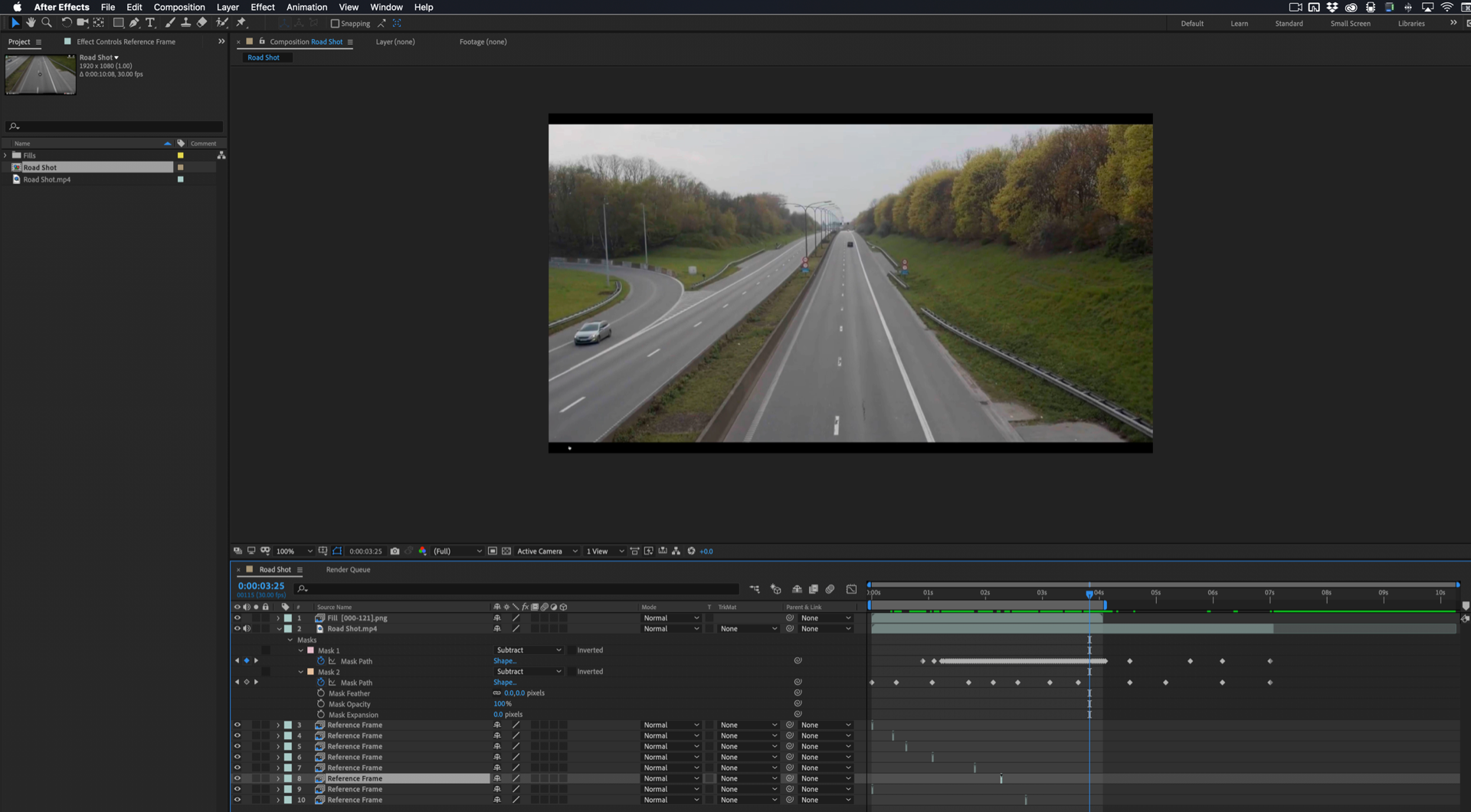
Just removed two of the cars.

Copy link to clipboard
Copied
... or you could replace the video with something on the road where the cars are not present. That would work, too.
Screw the fancy Adobe, "Hey, look what we can do now!" stuff. Unless it saves time, of course. Which it doesn't sound like it's doing.
Correct answer by
Maby00
AUTHOR
Copy link to clipboard
Copied
I ended up using clean plate for the top side of the shot and mocha pro plugin to remove parts of the cars from the sides where the clean plate was distorted due to perspective. CAF was super slow taking 1h+ for 50 frames while mocha did it in couple minutes with better looking results. Thank you all for suggestions though.


Get ready! An upgraded Adobe Community experience is coming in January.
Learn more
 AdChoices