


Participant
November 3, 2022
質問

Adobe Bridge only displays SINGLE ROW of photos in display

  • November 3, 2022
  • 返信数 3.
  • 738 ビュー

How to make Adobe Bridge display multiple rows of photos in the workspace display?


See video link:

https://www.screencast.com/t/f8XKe31

Also shown below... cells 1,2,3 (green numbers), etc should have images.
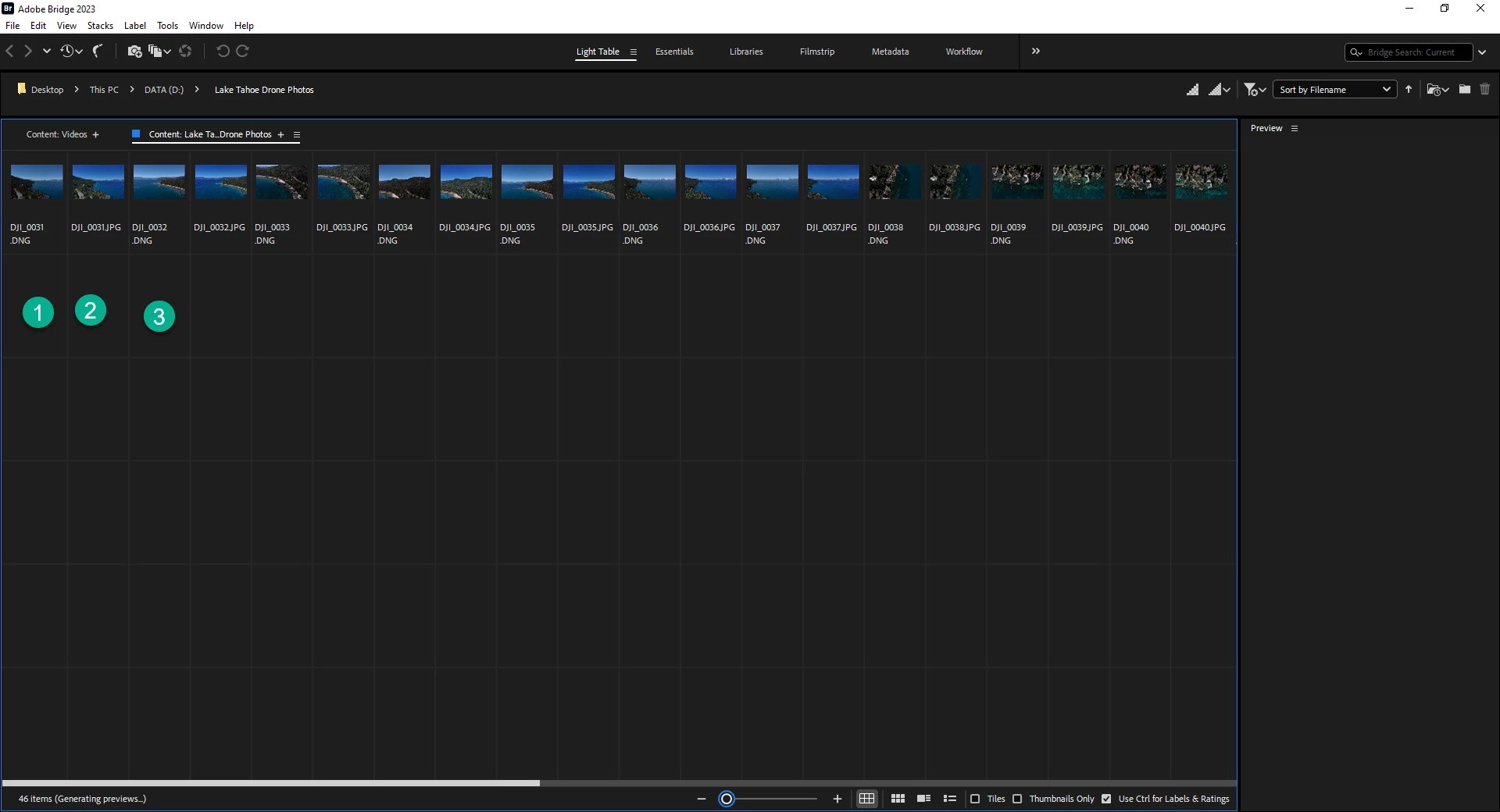
Any help would be appreciated.

Dave


Adobe CC 5.9.0.372

DELL PR5820
Processor Intel(R) Core(TM) i9-10920X CPU @ 3.50GHz 3.50 GHz
Installed RAM 64.0 GB (63.7 GB usable)
Product ID 00330-54251-52284-AAOEM
System type Windows 10

64-bit operating system, x64-based processor


このトピックへの返信は締め切られました。

返信数 3

gary_sc
Community Expert
Community Expert
July 21, 2023

Hi, the issue here is that IF you chose horizontal displaying of the thumbnails, they would only be horizontal and never wrap. This is used for the Filmstrip workspace. The ONLY way to have them wrap is to select the Vertical layout. That way, they will run horizontally until there is no more space in that Content Panel and then wrap to the next line. You select this from the Hamburger menu in the Content Panel


Community Manager
July 21, 2023

Hi,


Thanks for your feedback.


There is an option in content panel context menu to change the layout.

Please use that option to change the layout.


Thanks,

Bridge Team

Participant
July 18, 2023

I had the same problem. I fixed it by clicking on the hamburger icon on my workspace tab and selecting "Reset to saved layout." Hope it works for you.