



Alex Fazio
Participating Frequently
July 23, 2021
Answered

Simple rename shortcut vs batch rename

  • July 23, 2021
  • 5 replies
  • 5675 views

I would like to be able to trigger a shortcut to simply rename a single file instead of opening the Batch Rename menu.


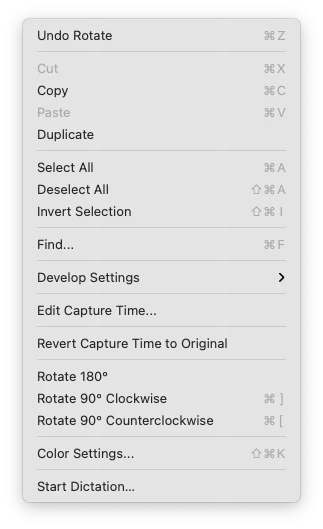
Is there any way to enable that? I would normally use KeyBoard Maestro to trigger the Edit > Rename menu but the voice DOES NOT exist in that menu, which is absurd.
 

This topic has been closed for replies.
Correct answer Lumigraphics

F2 is the keyboard shortcut for Rename.

5 replies

Rahul Saraogi
Community Manager
Community Manager
September 15, 2023
Hi all,

We are happy to announce the release of Adobe Bridge 2024 (Version 14.0.0.102).
This release has support for ‘Customizing keyboard shortcuts’ along with a few other features.

The detailed guide of using the keyboard shortcut customization feature is at : https://helpx.adobe.com/in/bridge/using/keyboard-shortcuts-panel.html

For a complete list of features available in Bridge 2024, please refer to the community post :

Regards,
Bridge Team
Community Manager
August 5, 2023

Hi,

The latest Beta build 14.0.0.57 has support for ‘Customizing keyboard shortcuts’ along with a few other features.

The detailed guide of using the keyboard shortcut customization feature is at : https://community.adobe.com/t5/bridge-discussions/keyboard-shortcut-customization-workflows-in-adobe-bridge-beta-14-0-0-57/td-p/13986171


For a complete list of features available in the Beta build, please refer to the community post: 
https://community.adobe.com/t5/bridge-discussions/adobe-bridge-beta-is-now-available-14-0-0-57/td-p/13986216

 
We would love for you to try it out and share feedback.


Regards,
Bridge Team

LumigraphicsCorrect answer
Brainiac
July 26, 2021

F2 is the keyboard shortcut for Rename.

Alex Fazio
Participating Frequently
July 26, 2021

Ah! Of course the solution could not be simpler. Thanks a lot!

Erik Bloodaxe
Brainiac
July 24, 2021

Just trying to help.

No other way that I am aware of. You may be out of luck.

Alex Fazio
Participating Frequently
July 24, 2021

Thanks for the effort, I really appreciate it. 

gary_sc
Community Expert
July 24, 2021

The only keyboard renaming capability that I know of is if you have a bunch (more than one) items to rename, if, after renaming the first, tap the Tab key and the next name in succession will already be selected for renaming. But to initiate this you do have to use the mouse to either right-click to rename or two clicks with about a full second pause between the clicks.


That is unless you want to do a batch rename: then it's Shift-Control/Command-r. For THAT there is a key command.

Erik Bloodaxe
Brainiac
July 24, 2021

Right click on file and choose Rename.

Even quicker, left click on filename and type a new name.

Alex Fazio
Participating Frequently
July 24, 2021

The whole point of a keyboard shortcut is to not use the mouse, isn't it?