Participating Frequently
March 4, 2024
解決済み

Subfolders of external hard drive not showing in favourites

  • March 4, 2024
  • 返信数 1.
  • 382 ビュー

Hi

I am not overly computer or tech savvy so I'm not sure exactly how to word this.  I have latest Sonoma and Adobe Bridge and trying to view the folders from my external hard drive in the left column Favourites.  They are showing up in the middle box however, I need to see them on the left so I can move photos and files from the middle box into the sub folders on the left. 

I have no idea how to get to this step, as the sort by folder option is not visible on the task pane.  Please any help will be greatly appreciated.
 

解決に役立った回答 gary_sc

Hi, @Kirsten35837203qgz0


This sounds like you've not given Bridge permission for Apple's protection. Simply, this is an Apple protection issue, not Adobe's issue. 


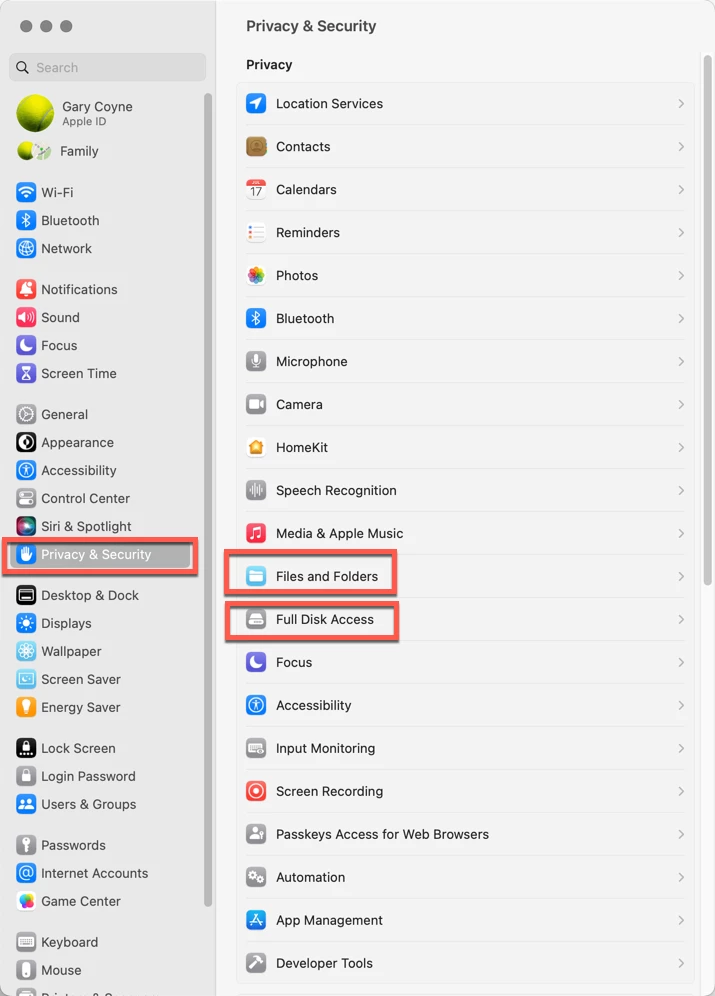
Go into the System Preferences and select the Privacy & Security tab on the left. Note that there are two options on the right you'll need to deal with: "Files and Folders," and "Full Disk Access."


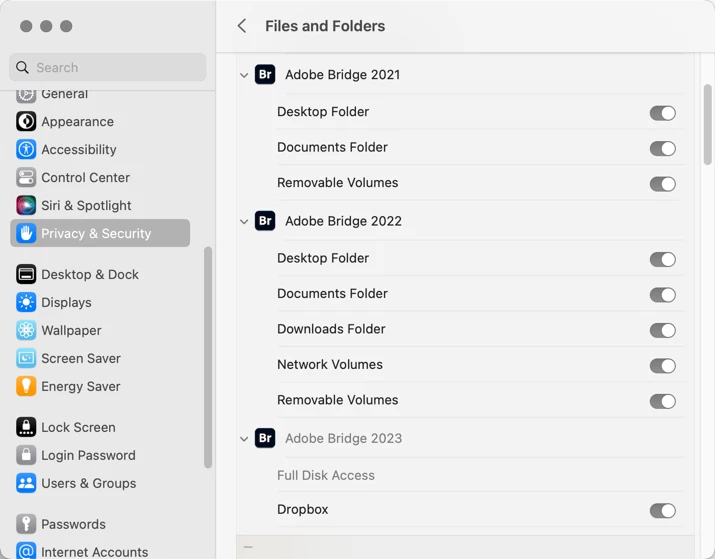
First, going into Files and Folders, note that in various years of different releases of Adobe Bridge, different needs are needed. I do not know why this is, but it's always better to check and make sure that just because you did it for one release, you may or may not need it for a subsequent release.


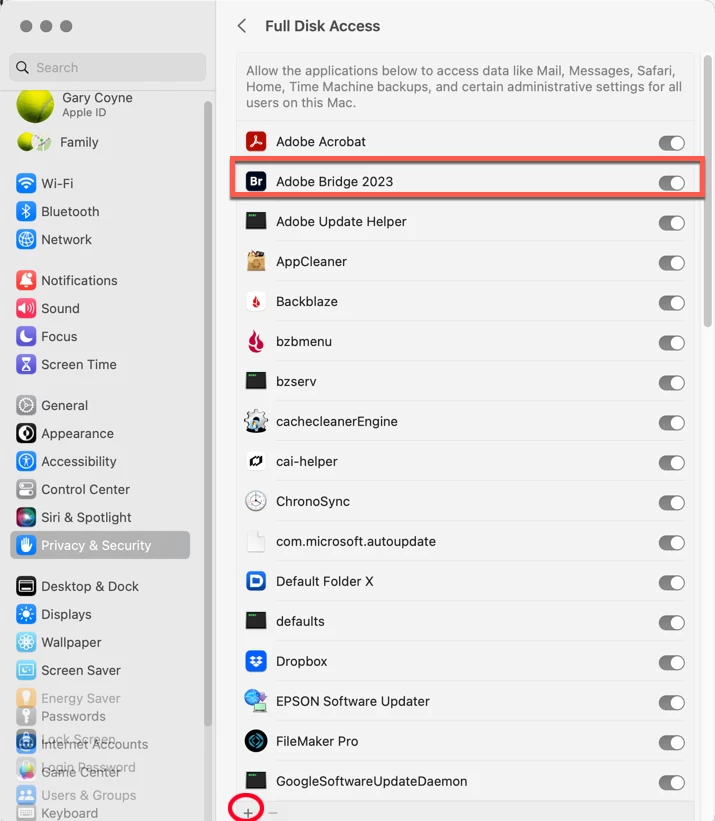
Lastly, go into the Full Disk Access option. If you do not see your application in the list, click on the "+" symbol at the very bottom of the window. This will bring up a standard Finder window. Navigate to your Applications Folder, find Adobe Bridge, and add it to the list (You will need to add your Administrator's password to do this.). Then you can "switch" it to the "ON" position. 


This should solve your problem.

Please let us know if that works or not.

返信数 1

gary_sc
Community Expert
gary_scCommunity Expert解決!
Community Expert
March 4, 2024

Hi, @Kirsten35837203qgz0


This sounds like you've not given Bridge permission for Apple's protection. Simply, this is an Apple protection issue, not Adobe's issue. 


Go into the System Preferences and select the Privacy & Security tab on the left. Note that there are two options on the right you'll need to deal with: "Files and Folders," and "Full Disk Access."


First, going into Files and Folders, note that in various years of different releases of Adobe Bridge, different needs are needed. I do not know why this is, but it's always better to check and make sure that just because you did it for one release, you may or may not need it for a subsequent release.


Lastly, go into the Full Disk Access option. If you do not see your application in the list, click on the "+" symbol at the very bottom of the window. This will bring up a standard Finder window. Navigate to your Applications Folder, find Adobe Bridge, and add it to the list (You will need to add your Administrator's password to do this.). Then you can "switch" it to the "ON" position. 


This should solve your problem.

Please let us know if that works or not.

Participating Frequently
March 4, 2024
Thankyou that worked.
Using it now and loving it.