


Inspiring
November 13, 2017
解決済み

How to skip custom navigation and go to a specific item on a page

  • November 13, 2017
  • 返信数 1.
  • 2268 ビュー

Hello,

I have a built a course that needs to be 508-compliant. The course has custom navigation buttons at the top of the page, and one of the requirements is that a user using a keyboard and a screenreader needs to be able to skip over those repetitive navigation elements and go right to the "content" on the page. So if the user selects this button, which is the first thing in the tab order, it will skip over the navigation and the keyboard focus will be on the content. I don't know how to do this in Captivate. Has anybody been able to do this?

Thanks
このトピックへの返信は締め切られました。
解決に役立った回答 yoncau2719591

Hi Erik,

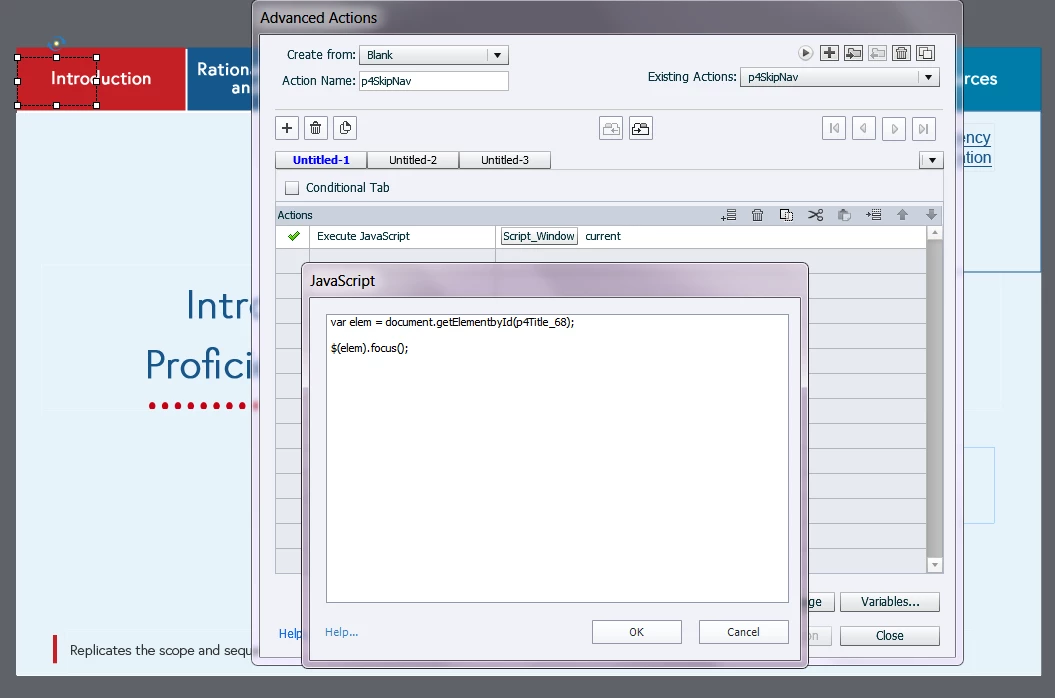
This is promising - I am not sure if I'm not doing this correctly? When i press shift+enter to select that button it doesn't seem to do anything. This is what I have entered into my advanced actions - maybe I'm missing something obvious as I am not that familiar with Captivate and javascript.


OK so here is what worked. Thanks for all the suggestions:

document.getElementById("insert name of your button").onkeypress = function() {myFunction()};

function myFunction() {

var elem = document.getElementById("insert name of the item on the page you want to skip to");

$(elem).focus();}

返信数 1

Erik Lord
Inspiring
November 13, 2017
yoncau2719591作成者
Inspiring
November 14, 2017

Hi,
I know how to change the tab order, but what i need is a button that will skip over all the nav items and take the learner to the content on the page. Please let me know if I'm not being clear.

Thanks

yoncau2719591作成者
Inspiring
November 15, 2017

The Skip to Content button on that site appears to be jumping to an HTML anchor coded into the page just at the beginning of the content section.

Are you publishing to SWF or HTML5?


Hi,

I'm not sure if this is a new requirement but from my experience different agencies implement 508 differently.

So if I could have an anchor on that page that would be great. I have to publish to HTML5 as flash is strictly not allowed for this project. The way that Captivate compiles the code I'm not sure if i can get into the HTML for individual pages. Any thoughts on how I could have the button that says "Skip Navigation" go to the content on the page (so skipping over the 5 navigation items that are actually next in the tab order).