


Participating Frequently
January 16, 2020
解決済み

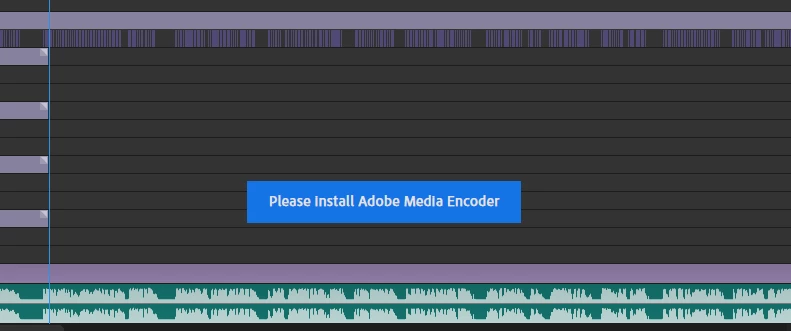
Can't export from Character Animator 2.1.1 to AME 12.1.2 in macOS

  • January 16, 2020
  • 返信数 1.
  • 1766 ビュー

Character 2.11

AME 12.12

I'm using the most recent versions that I can Install. The very latest are not compatible with my Mac.

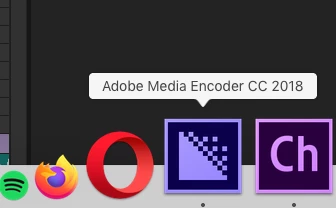
When I try to export an animation I've made I get a small message saying "Open AME" but it is already open. I've tried quitting and restarting the apps but it's still the same.
I've tried looking online for the answer without luck so I'm guessing it's not a common problem.
Can anyone help?
 

Title edited by mod

このトピックへの返信は締め切られました。
解決に役立った回答 Shivangi_Gupta

Hi there,


Thanks for reaching out. Dynamic link works only when both of the applications are from one release cycle. I read the description. AME 12.1.2 is from AME CC 2018 version and Character Animator 2.1.1 is from CH 2019 version. I'm assuming that this is the reason which is causing the issue.

Which macOS are you using?

I'd recommend you to update your OS(if it is not updated) and the update the Adobe applications as well.

The latest version of AME is 14.0.1 and Character Animator is 3.0.


Looking forward to your response.


Thanks,

Shivangi

返信数 1

Community Manager
January 17, 2020

Hi there,


Thanks for reaching out. Dynamic link works only when both of the applications are from one release cycle. I read the description. AME 12.1.2 is from AME CC 2018 version and Character Animator 2.1.1 is from CH 2019 version. I'm assuming that this is the reason which is causing the issue.

Which macOS are you using?

I'd recommend you to update your OS(if it is not updated) and the update the Adobe applications as well.

The latest version of AME is 14.0.1 and Character Animator is 3.0.


Looking forward to your response.


Thanks,

Shivangi

Participant
February 9, 2021

I seem to be having the same issue. I create a scene in Character Animator  (3.4 Build 185) and proceed to export it to AME (14.8 Build 31) and it just hangs. The scene is less than 1 minute long. (first time I did it I let it run for 1.5 hour in AME as it was stuck on "exporting video")   I am using a Mac running 10.15.7.  I typically run all programs pretty quickly on my machine and I am sure it is not a performance issue.  I also tried to import the project  to AE and Premiere Pro and I cannot see the scene rendered in any of them.  Scene plays beautifully in CA though.  Is there a step in CA I need to do that is preventing my scene from rendering in other programs?

Participant
February 9, 2021

....not to beat a dead horse, but I wanted to expand on my issue and hopefully provide more insight in hopes of solving this issue.  As of this moment I have tried to export my scene from CA to AME using the latest Official version AND the Beta version and both have been running for over 7 hours with no resolution in AME ( Official and Beta respectively) I am running this on an iMac with 3.4GHZ Quat Core I7 processor with 32gb Memory.   I am a bit surprised that I have not seen this issue come up on the forum as I am experiencing it.  And I hae actually exported a Cartoon successfully  last year (July) using the program.  This is my first cartoon from scratch though and I must say I am pretty proud of the results, it actually looks great so far in CA.  I just cannot get it to render anywhere else!