


Participant
August 23, 2021
解決済み

Acrobat 2020 Student/Teacher activation/installation problem

  • August 23, 2021
  • 返信数 1.
  • 2757 ビュー

I recently bought Acrobat 2020 Student and Teacher edition. I went through the verification without any issue and the product appeared in my Account->Products. I downloaded the product from the link in that same webpage. When installing it, I introduce my email and password, and it seems to log in correctly, but after a few seconds loading the following undescriptive message appears:
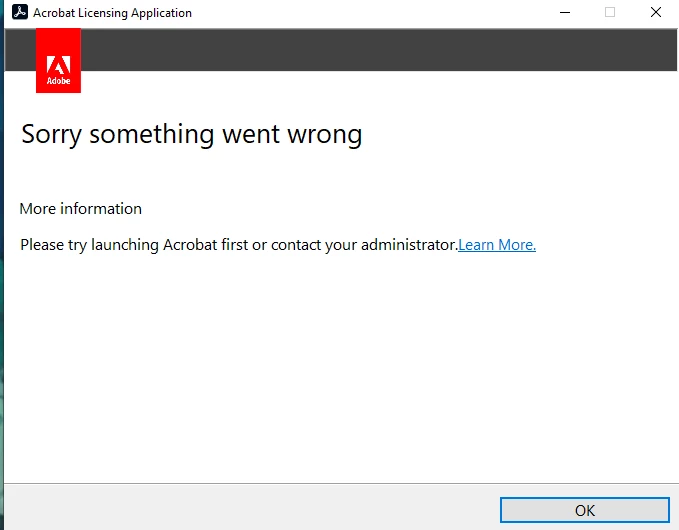
I have tried to restart and reinstall the product but I still get the same error. 

How can I solve this problem? I have searched in the support community, but I didn't find anyone with this error.

このトピックへの返信は締め切られました。
解決に役立った回答 kglad

Finally I was able to solve it contacting with Adobe's client support. They needed to remote control my pc, but was faily quick. I think it was the configuration of the file: C:\Windows\System32\drivers\etc\hosts that should be empty of any adobe hosts.


for others:


if you have a non-current os, https://helpx.adobe.com/x-productkb/multi/eol-tls-support.html#sa_src=web-messaging000


otherwise, confirm that you can connect to the secure adobe servers by reading, http://helpx.adobe.com/x-productkb/policy-pricing/activation-network-issues.html


do you see both logos? if you can and still see a connection error try these steps, https://helpx.adobe.com/download-install/kb/common-network-connectivity-issues.html


if those all fail, white list the adobe network endpoints, https://helpx.adobe.com/enterprise/kb/network-endpoints.html

返信数 1

kglad
Community Expert
Community Expert
August 24, 2021

where's the "learn more" link lead?


if not anything useful, update your os and otherwise check that your computer meets specs, Adobe Acrobat system requirements, supported platforms

JacoboFV作成者
Participant
August 24, 2021

Hi, thank you for your reply.

The link redirects here:

Troubleshoot activation | Acrobat DC subscription (adobe.com)

Which doesn't gives any information about this error.

My OS up to date (there is no much margin in windows 10). Regarding the requirements, the machine is well above the minimum.

kglad
Community Expert
Community Expert
August 24, 2021

with your subscription you should install the cc desktop app from here https://creativecloud.adobe.com/apps/all/desktop?action=install&source=apps&productId=creative-cloud and use it to install your adobe acrobat after signing in with the same adobe id used check account>products..


if you have trouble downloading, use the alternative download site at page bottom here, https://helpx.adobe.com/in/download-install/kb/creative-cloud-desktop-app-download.html