


Exit
  • Global community
    • Language:
      • Deutsch
      • English
      • Español
      • Français
      • Português
  • 日本語コミュニティ
  • 한국 커뮤니티
0

Please help

New Here ,
Mar 09, 2016 Mar 09, 2016

I have Photoshop Elements 14

Up to last week everything was good and correct. From last Monday the program stop to work.

I tried to reinstall but unsuccessful

After half of installation i receive following messages:
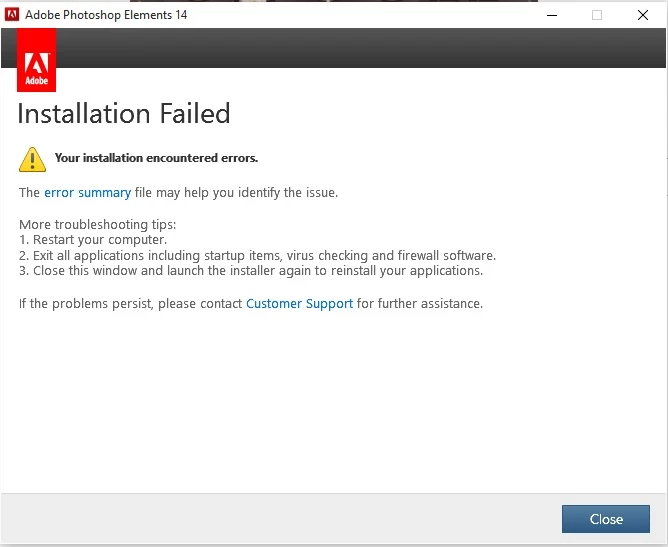
1.jpg

And if I press on "error summary" i receive following error
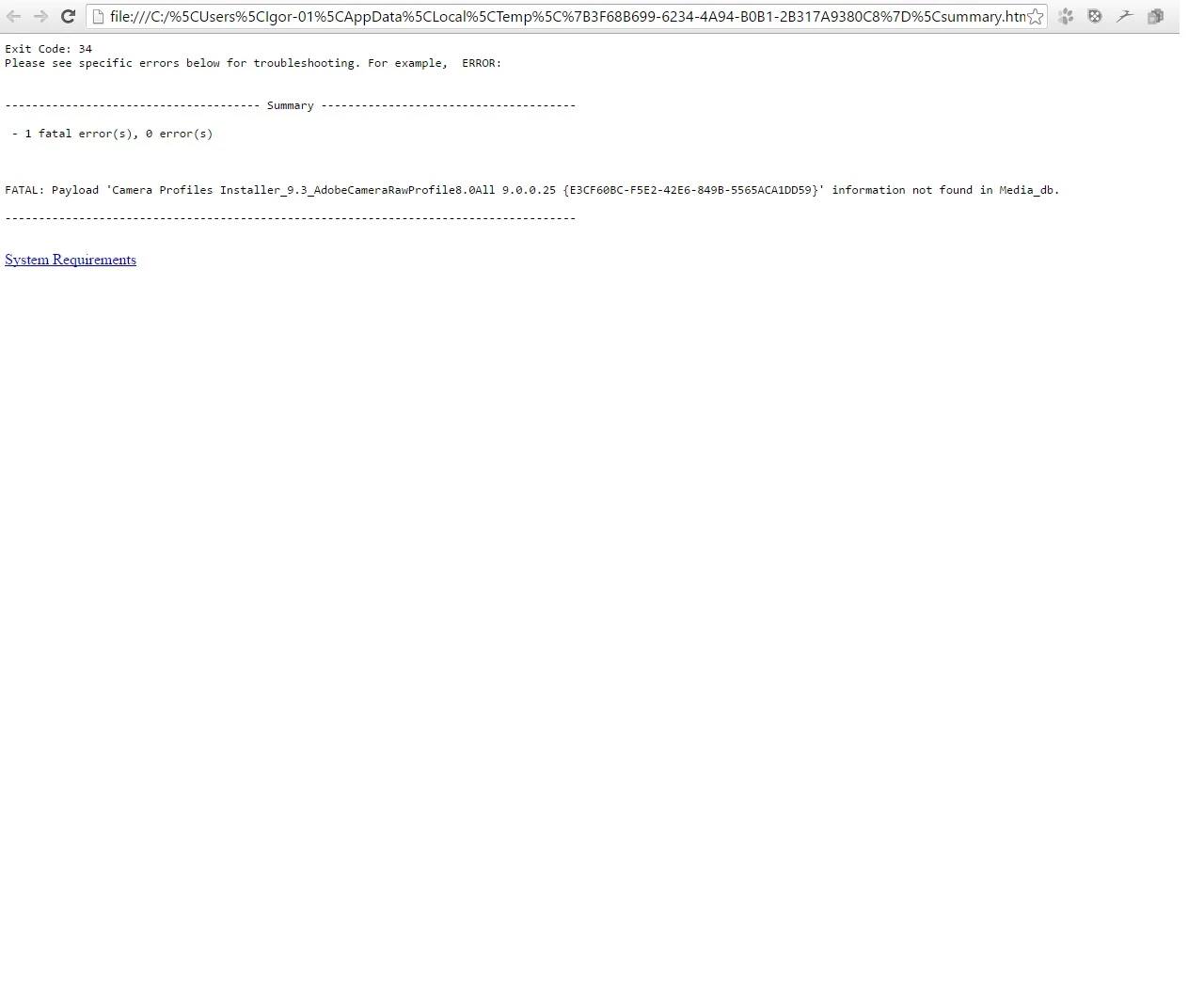
2.jpg

Please help me!

206
Translate
Report
Community guidelines
Be kind and respectful, give credit to the original source of content, and search for duplicates before posting. Learn more
community guidelines

correct answers 1 Correct answer

Adobe Employee , Mar 09, 2016 Mar 09, 2016

Hi igorb76805060,

Please uninstall using CC cleaner tool https://helpx.adobe.com/creative-cloud/kb/cc-cleaner-tool-installation-problems.html

Please remove all  Adobe folders from the machine

If Windows :

Go to - C:\Program Files (x86)\Common Files

       -  C:\Users\User Name\AppData\Local

       -  C:\ProgramData\Adobe

Please download photoshop elements from here https://helpx.adobe.com/photoshop-elements/kb/photoshop-elements-downloads.html

You can also refer to https://forums.adobe.com/thread/1006667?start=0&tstart=0

...
Translate
Adobe Employee ,
Mar 09, 2016 Mar 09, 2016
LATEST

Hi igorb76805060,

Please uninstall using CC cleaner tool https://helpx.adobe.com/creative-cloud/kb/cc-cleaner-tool-installation-problems.html

Please remove all  Adobe folders from the machine

If Windows :

Go to - C:\Program Files (x86)\Common Files

       -  C:\Users\User Name\AppData\Local

       -  C:\ProgramData\Adobe

Please download photoshop elements from here https://helpx.adobe.com/photoshop-elements/kb/photoshop-elements-downloads.html

You can also refer to https://forums.adobe.com/thread/1006667?start=0&tstart=0

Let us know if this worked!

Translate
Report
Community guidelines
Be kind and respectful, give credit to the original source of content, and search for duplicates before posting. Learn more
community guidelines